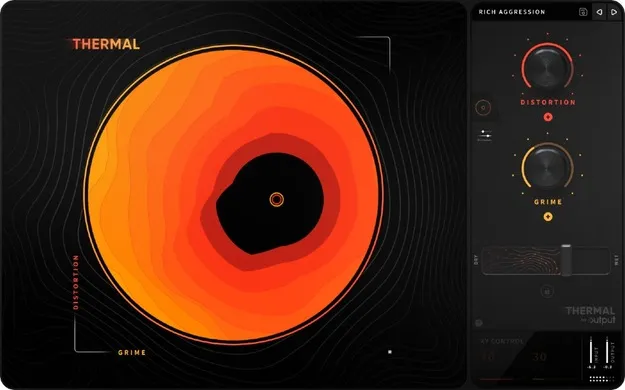
Thermal by Output distortion plugin interface with XY control

Thermal: Multi-Stage Distortion Plugin by Output

Rated 4.8/5 on Plugin Boutique (762 ratings)

Thermal is a multi-stage distortion plugin from Output that uses an interactive XY control to shape harmonics, grit and width. It runs as VST3, VST2, AU and AAX on Windows and macOS.

VST3VST2AUAAXWindowsmacOS64-bit
AVAILABLE ATPlugin Boutique
Opens the store in a new tab
01Overview

Thermal is an effects plugin in the distortion category, built for shaping sounds with layered distortion stages. Its circular XY control is linked to the distortion parameters, so one gesture can move several settings at once. The plugin ships with more than 250 presets to start from, and an Advanced page exposes waveform editing, modulation envelopes and built-in effects for deeper sound design.

Best for

  • Sound design distortion
  • Harmonic enhancement
  • Bass processing
  • Stereo width shaping
  • Synth and drum grit
Developer
Output
Category
Distortion
Store
Plugin Boutique
02Key features

What you get

  • 250+ presets for instant playability
  • Circular XY control linked to distortion parameters
  • Multi-stage distortion and effects processing
  • Mid-Side and time-based width
  • 15+ custom distortion types
  • Nine built-in effects with a master compressor and filter
  • Value readout panel for control values
  • Favoriting in the Presets menu
  • Built-in tooltips on the Advanced page
03In depth

Sound Shaping With the XY Control and Distortion Engines

Output describes Thermal as going beyond traditional multi-band distortion. The XY control is the main way in: it is linked to distortion parameters and is intended to enhance harmonics across its layered engines.

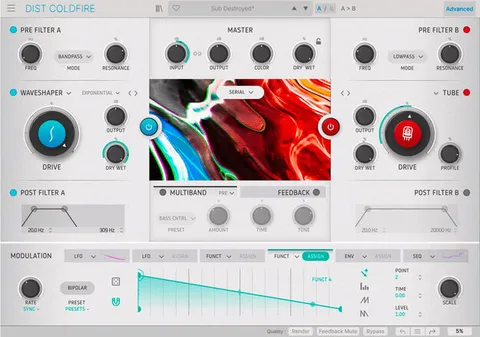
The Advanced page offers 19 analog and digitally modeled distortion algorithms, with options to add harmonics and grit, shape amplitude and apply frequency modulation. Band split can be turned on to activate crossover filters, and the handles on the waveform display narrow in on a specific frequency range.
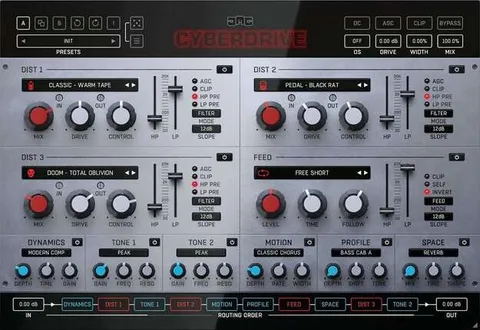
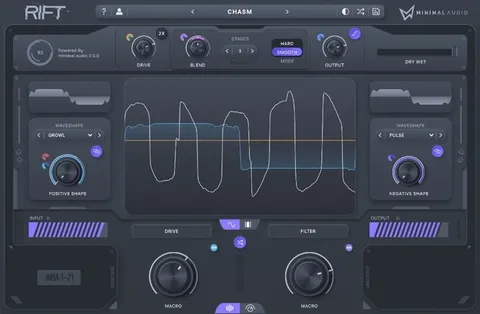
Workflow Tools: Width, Tone and Effects

Each processing stage ends with Mid-Side and time-based width, followed by the Tone panel for shaping highs and lows. Nine built-in effects are available, along with a master compressor and filter.

A value readout panel shows the current setting of each control, and tooltips on the Advanced page explain its functions. Presets can be marked as favorites in the Presets menu to keep frequently used starting points within reach.

04Specs

Will it run?

Formats, systems and requirements as listed by Plugin Boutique. Missing details are left out, not guessed.

DeveloperOutput
TypePlugin
CategoryDistortion
FormatsVST3, VST2, AU, AAX
Operating systemsWindows, macOS
Architecture64-bit
05FAQ

Questions, answered

What formats does Thermal support?

Thermal is available in VST3, VST2, AU and AAX formats. It runs on Windows and macOS.

What do I need to run Thermal?

On macOS it needs Mac OS X 10.14 or macOS 13 Ventura, with an Apple Silicon M1 or better, or an Intel Core i5 or better, plus 8GB of RAM (16GB recommended) and at least 430 MB of free drive space. On Windows it needs Windows 10 or 11, an Intel Core i5 or AMD equivalent, 8GB of RAM (16GB recommended) and at least 185 MB of free drive space. An internet connection is required for download and product activation.

Which DAWs are supported?

The plugin is listed for Ableton Live, Bitwig, Cubase, Digital Performer, FL Studio, GarageBand, Logic Pro, Maschine, Pro Tools, Studio One, Reason, Reaper and Cakewalk by BandLab. Format support varies by host, so check the compatibility list for your DAW and platform.

07Developer

More from Output

All Output products →