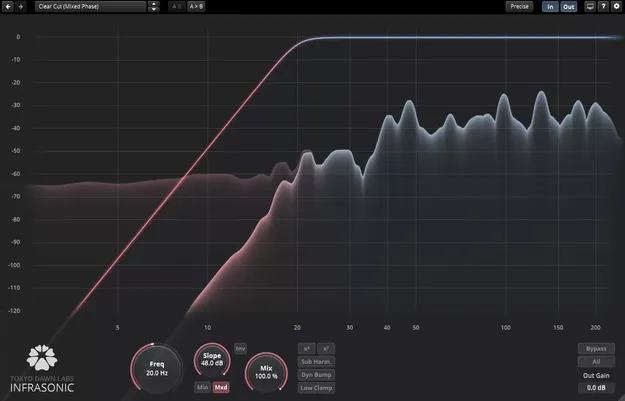
TDR Infrasonic low-frequency filter plugin interface by Tokyo Dawn Labs

TDR Infrasonic: Low-Frequency Filter Plugin by Tokyo Dawn Labs

Rated 4.8/5 on Plugin Boutique (123 ratings)

TDR Infrasonic is a filter plugin from Tokyo Dawn Labs that addresses the low-frequency regions of a mix. It offers minimum and mixed phase filtering, a continuously variable slope and several energy compensation options.

VST3VST2AUAAXWindowsmacOS64-bit
AVAILABLE ATPlugin Boutique
Opens the store in a new tab
01Overview

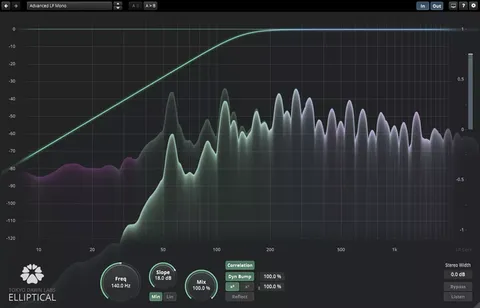
TDR Infrasonic is built around the lowest part of the spectrum, where much of the energy in a mix sits but is often hard to hear on ordinary monitors. The developer describes it as a specialized filter for these inaudible low-frequency regions. Beyond straightforward filtering, it includes a dynamic bump mode and harmonic generators that compensate for the energy lost during filtering. A freely resizable interface and a precise low-frequency spectrum analyzer help you see what is happening down to DC.

Best for

  • Low-end cleanup
  • Subwoofer feed creation
  • Disc mastering prep
  • Restoration and mastering
  • Low-frequency analysis
Category
Filters
Store
Plugin Boutique
02Key features

What you get

  • Minimum phase and mixed phase filter operation
  • Continuously variable filter slope control
  • Dynamic Bump mode for compensating filter energy loss
  • Harmonic generators for adding back low-end content
  • Dry mix option for blending processed and original signal
  • Highly precise low-frequency spectrum analyzer
  • Subwoofer channel creation
  • Freely resizable, full-screen capable interface
03In depth

Filter Behavior and Energy Compensation

Infrasonic can run in minimum phase or mixed phase mode, and its filter slope is continuously variable rather than fixed to set steps. This lets you shape the low end with more control over how the cutoff transitions into the rest of the mix.

Filtering removes energy, and the plugin offers several ways to make up for it. The Dynamic Bump mode restores lost low-frequency level, and the harmonic generators add overtones that can keep the perceived weight of the low end after filtering. A dry mix option lets you blend the processed signal with the original.

Because these options are built into the filter itself, you can adjust the cutoff and the compensation together instead of stacking separate tools.
Subwoofer Channels and Low-End Monitoring

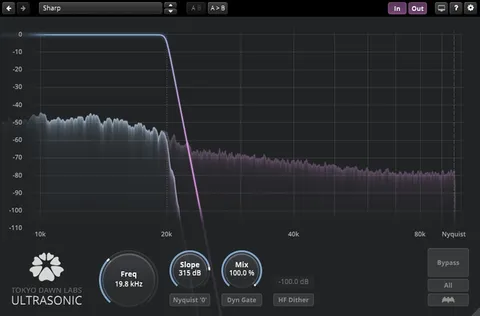
The plugin includes subwoofer channel creation, so you can derive a dedicated low-frequency channel from a mix. This is useful when you need a separate sub feed alongside the full-range program.

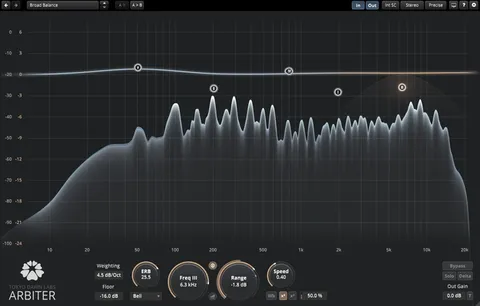
The low-frequency spectrum analyzer is designed to show detail in the lowest registers. Its resizable, hardware accelerated interface can be opened to full screen, which makes it easier to read fine changes in the bottom octaves while you adjust the filter.

04Specs

Will it run?

Formats, systems and requirements as listed by Plugin Boutique. Missing details are left out, not guessed.

DeveloperTokyo Dawn Labs
TypePlugin
CategoryFilter
FormatsVST3, VST2, AU, AAX
Operating systemsWindows, macOS
Architecture64-bit
05FAQ

Questions, answered

What formats does TDR Infrasonic support?

TDR Infrasonic is available in VST3, VST2, AU and AAX formats. It is a 64-bit plugin.

Which operating systems can run TDR Infrasonic?

The plugin runs on Windows and macOS. Windows support is listed for Windows 7 or above, and macOS support for macOS 10.9 or above.

What is the difference between minimum phase and mixed phase in Infrasonic?

Infrasonic offers both modes as filter operation options. Switching between them changes how the filter behaves, so you can choose the one that suits the material.

What does the Dynamic Bump mode do?

Dynamic Bump is one of the energy compensation options. It is intended to counter the energy lost when the signal is filtered.

07Developer

More from Tokyo Dawn Labs

All Tokyo Dawn Labs products →