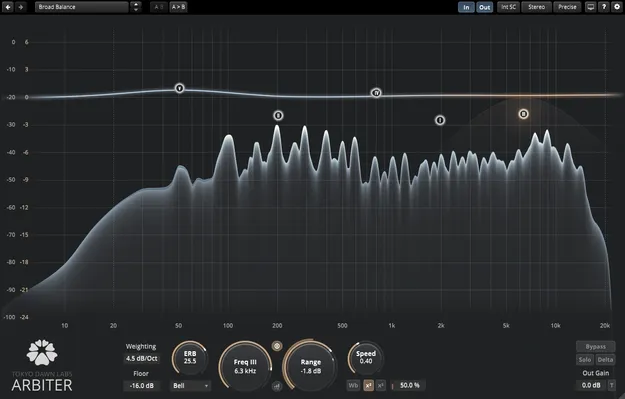
TDR Arbiter spectral balancer plugin interface by Tokyo Dawn Labs

TDR Arbiter: Level-Independent Spectral Balancer by Tokyo Dawn Labs

Rated 4.8/5 on Plugin Boutique (171 ratings)

TDR Arbiter is a frequency-specific spectral balancer plugin from Tokyo Dawn Labs. It adjusts the balance of up to six bands independently of absolute level, for mixing, restoration and mastering tasks.

VST3VST2AUAAXWindowsmacOS64-bit
AVAILABLE ATPlugin Boutique
Opens the store in a new tab
01Overview

TDR Arbiter works on the spectral balance of a signal rather than its loudness. Up to six bands can be set as bell, flat top, low shelf or high shelf shapes, with both upward and downward control ranges. Tokyo Dawn Labs positions it for jobs such as de-essing, attenuating plosives and correcting broad balance problems. Because the processing does not depend on level, the developer says the corrections hold through the mix as the input changes.

Best for

  • De-essing
  • Plosive attenuation
  • Broad balance correction
  • Mix restoration
  • Mastering balance
Category
Filters
Store
Plugin Boutique
02Key features

What you get

  • Level-independent spectral balance control
  • Six freely adjustable bands
  • Bell, flat top, low and high shelf shapes
  • Positive and negative control ranges
  • Largely preserves the original dynamic structure
  • Antialiased, very low distortion algorithm
  • Band-specific and wideband modulation modes
  • Band solo and Delta monitoring
  • Freely resizable, fullscreen-capable interface
03In depth

Level-Independent Spectral Balance Control

Arbiter's core idea is spectral balance control that does not respond to absolute level. The developer says this lets a correction apply consistently across a mix instead of reacting to how loud a passage is.

Each of the six bands can be placed and shaped as a bell, flat top, or low or high shelf. Positive and negative ranges are both supported, so the same plugin can lift or reduce a frequency region.

Tokyo Dawn Labs notes that the filtering is largely dynamic-structure preserving, and that the algorithm is antialiased with very low distortion.
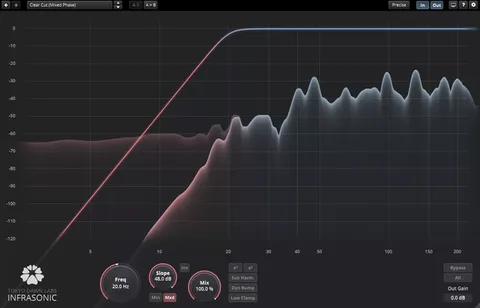
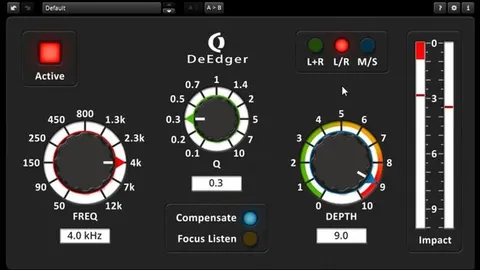
Workflow Tools: Modulation, Solo and Delta

Arbiter offers band-specific and wideband modulation modes, so you can choose whether the control acts on a single band or the full spectrum. Band solo lets you hear one band in isolation, and Delta lets you audition the difference the processing makes.

The interface is freely resizable and fullscreen capable, which helps when working on fine adjustments at high zoom levels.

04Specs

Will it run?

Formats, systems and requirements as listed by Plugin Boutique. Missing details are left out, not guessed.

DeveloperTokyo Dawn Labs
TypePlugin
CategoryFilter
FormatsVST3, VST2, AU, AAX
Operating systemsWindows, macOS
Architecture64-bit
05FAQ

Questions, answered

What is TDR Arbiter used for?

The developer describes it for de-essing, attenuating plosives, and correcting broad frequency balance issues in mixing, restoration and mastering.

What formats and operating systems does TDR Arbiter support?

TDR Arbiter is available in VST3, VST2, AU and AAX formats, all 64-bit. It runs on Windows and macOS. VST2 and VST3 are listed in 32-bit and 64-bit builds on Windows, and AAX is 64-bit only.

What are the minimum system requirements?

Windows 7 or above is required on Windows. On macOS, version 10.9 or above is required.

07Developer

More from Tokyo Dawn Labs

All Tokyo Dawn Labs products →