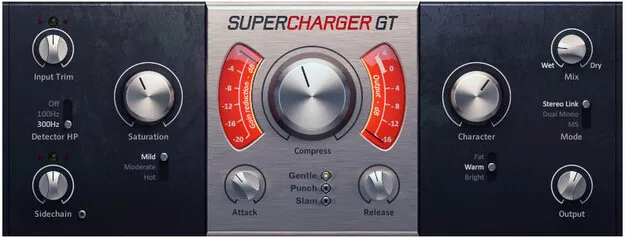
Supercharger GT by Native Instruments compressor plugin interface

Supercharger GT: Tube Compressor Plugin by Native Instruments

Rated 4.9/5 on Plugin Boutique (14 ratings)

Supercharger GT is a tube-style compressor plugin from Native Instruments that adds saturation and character controls to standard compression. It is available in VST3, VST2, AU and AAX formats for Windows and macOS.

VST3VST2AUAAXWindowsmacOS64-bit
AVAILABLE ATPlugin Boutique
Opens the store in a new tab
01Overview

Supercharger GT is an effects plugin built around tube compression, with added saturation and character controls for shaping tracks. Native Instruments positions it as a step beyond standard compression, with Mild, Crisp and Slam saturation modes for adding harmonic color, and Fat, Warm and Aggressive character modes for adjusting low end and high frequencies. It ships in VST3, VST2, AU and AAX formats for Windows and macOS.

Best for

  • Mix bus glue
  • Drum bus saturation
  • Adding warmth to vocals
  • Taming bass frequencies
  • Stereo mix width control
Category
Compressors
Store
Plugin Boutique
02Key features

What you get

  • Tube-style compression with harmonically rich character
  • Three saturation modes: Mild, Crisp and Slam
  • Fat, Warm and Aggressive character modes with a single knob
  • Automatic make-up gain for level-matched comparison
  • Selectable Attack and Release settings with response controls
  • Mid/side processing for stereo mixes
  • Detector high pass filter in the sidechain
  • Available in VST3, VST2, AU and AAX formats
03In depth

Tube compression with saturation and character modes

Supercharger GT applies tube-style compression with an emphasis on harmonic richness. Native Instruments says it can be used on anything in a mix, and the plugin adds three saturation types that range from subtle harmonic enhancement to a rougher, more aggressive sound.

The character modes work on the tone of the signal. Fat, Warm and Aggressive are each described as a way to fill in missing low end or smooth out harsh high frequencies, controlled by a single knob.
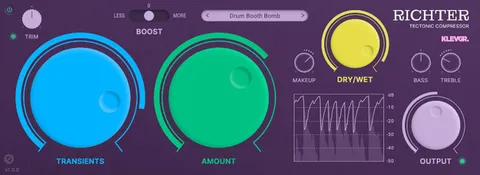
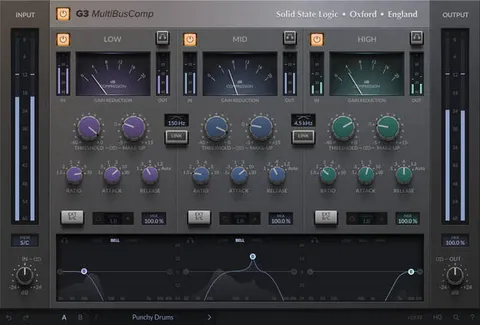
Control options for shaping compression

Automatic make-up gain keeps the output level steady while you adjust the effect, so you can judge the sound rather than the volume change. Attack and Release settings give you a selection of common timing choices, and dedicated response controls allow finer adjustment.

Mid/side mode lets you process the center and sides of a stereo mix separately, which helps when you want to tighten the low end or add space in specific parts of the stereo image. A detector high pass filter in the sidechain keeps low-frequency content from triggering the compressor unintentionally.

04Specs

Will it run?

Formats, systems and requirements as listed by Plugin Boutique. Missing details are left out, not guessed.

DeveloperNative Instruments
TypePlugin
CategoryCompressor
FormatsVST3, VST2, AU, AAX
Operating systemsWindows, macOS
Architecture64-bit
05FAQ

Questions, answered

What formats does Supercharger GT support?

Supercharger GT is available in VST3, VST2, AU and AAX formats. Native Instruments lists VST, VST3 and AAX for Windows, and VST, VST3, AU and AAX for macOS.

Which operating systems does Supercharger GT run on?

It runs on Windows and macOS. Windows support is 64-bit only, requiring Windows 10 or 11, and macOS support is 64-bit only, requiring macOS 11, 12 or 13.

What do I need to use Supercharger GT?

You need an Internet connection and a graphics card that supports OpenGL 2.1 or higher to download and activate the product. An Intel Core i5 or equivalent AMD CPU and 4 GB of RAM are required, with 6 GB recommended. Once activated, it can be used offline.

Does Supercharger GT include a mid/side mode?

Yes. Mid/side mode lets you process the center and sides of a stereo mix separately.

07Developer

More from Native Instruments

All Native Instruments products →