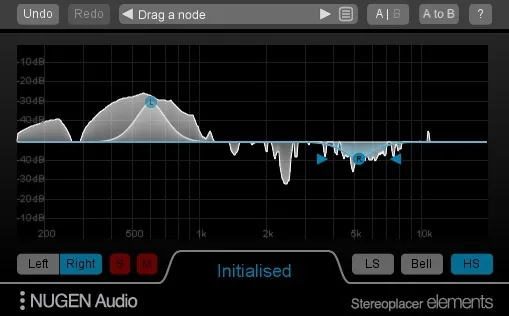
Stereoplacer Elements stereo placement plugin interface by NUGEN Audio

Stereoplacer Elements: Frequency-Specific Stereo Placement Plugin by NUGEN Audio Free Download

Stereoplacer Elements is a simplified stereo effects plugin from NUGEN Audio that places specific frequency ranges within the stereo field. It is available in VST3, AU and AAX formats for Windows and macOS.

VST3AUAAXWindowsmacOS64-bit
AVAILABLE ATPlugin Boutique
Free trial available from the developer
01Overview

Stereoplacer Elements is a streamlined version of NUGEN Audio's Stereoplacer plugin, keeping the same frequency-specific panoramic placement in a lighter package. Rather than moving a whole signal left or right, it lets you work on selected frequency bands. That makes it useful for rebuilding stereo width from mono sources, correcting weak microphone placement, and cleaning up older recordings. The developer says the rest of the stereo image stays intact and the balance of the original sound is preserved.

Best for

  • Mono to stereo conversion
  • Fixing stereo microphone placement
  • Restoring archive recordings
  • Cleaning up old record samples
  • Panning bass guitar tracks
  • Stereo spectrum analysis
Developer
NUGEN Audio
Category
EQ
Store
Plugin Boutique
02Key features

What you get

  • Reconstructs a stereo image from mono sources
  • Frequency-specific panoramic placement in a lightweight package
  • Repositions high frequencies while keeping lows centred
  • Graphical stereo differential spectrum analyser
  • Analysis mode with controls at default positions
  • Works on microphone placement, archive and old record material
03In depth

Frequency-Specific Stereo Placement and Analysis

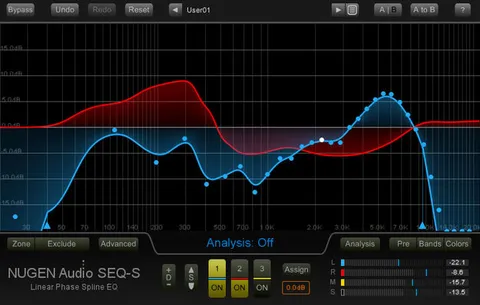
Stereoplacer Elements works in the frequency domain, so you can move individual bands across the stereo field instead of the entire mix. Its graphical display doubles as a stereo differential spectrum analyser. With the controls left at their default positions, the plugin runs in analysis mode: the incoming sound passes through unchanged while its stereo content is shown visually.

This view helps you see where energy sits in the left and right channels before you make any changes, which is useful when judging how a mono or poorly placed recording is distributed.
Panning Bass Without the Low-End Problems

Panning bass is usually avoided, because off-centre energy in the low frequencies can cause more problems than it solves. Stereoplacer Elements addresses this by letting low frequencies stay centred while a shelving band moves the higher frequencies, which carry much of the attack and directional information.

The developer notes that this approach gives the impression that a bass part has been panned, even though only the high, directional content has moved. A bass guitar track is the example given.

04Specs

Will it run?

Formats, systems and requirements as listed by Plugin Boutique. Missing details are left out, not guessed.

DeveloperNUGEN Audio
TypePlugin
CategoryEQ
FormatsVST3, AU, AAX
Operating systemsWindows, macOS
Architecture64-bit
Free trialYes
05FAQ

Questions, answered

What formats does Stereoplacer Elements support?

Stereoplacer Elements is available in VST3, AU and AAX formats. The developer lists 64-bit only support for these formats.

Which operating systems does Stereoplacer Elements run on?

It runs on Windows and macOS. The macOS requirements list OS X 10.7 and above, and the Windows requirements list Windows XP and above. Both need 512 MB of RAM.

Can I use Stereoplacer Elements just to analyse stereo content?

Yes. Leaving the controls at their default positions puts the plugin in analysis mode. The incoming sound is not affected, and its stereo content is shown on the graphical display.

Is there a trial version?

Yes, a trial is available for Stereoplacer Elements.

07Developer

More from NUGEN Audio

All NUGEN Audio products →