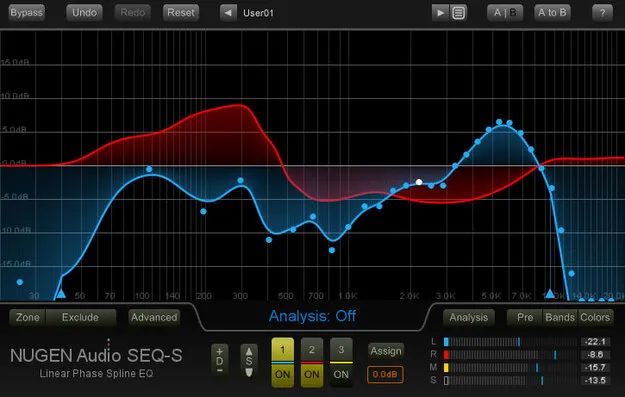
SEQ-S EQ plugin by NUGEN Audio direct-draw curve interface

SEQ-S: Direct-Draw Surround EQ by NUGEN Audio Free Download

SEQ-S is an EQ plugin from NUGEN Audio that uses a resizable direct-draw interface to shape audio with more resolution than a traditional parametric EQ. It works in stereo, mid/side and surround formats up to 7.1.

VST3AUAAXWindowsmacOS64-bit
AVAILABLE ATPlugin Boutique
Free trial available from the developer
01Overview

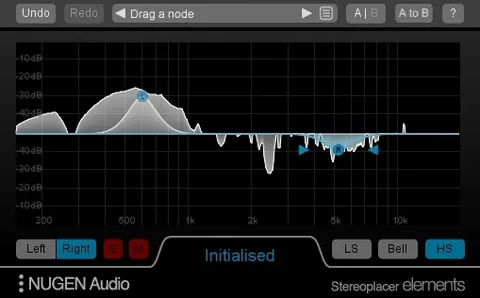
NUGEN Audio's SEQ-S is built around sculpting. Instead of adjusting a fixed set of parametric bands, you draw the EQ curve directly on a zoomable, resizable display. Three independent EQ curves can be assigned to different channels across the surround panorama, so the same plugin can handle left/right, mid/side and surround material. It is aimed at corrective mix work, gentle mastering, and post-production for dialogue and film.

Best for

  • Vocal and dialogue space
  • Mix correction
  • Mastering reference matching
  • Surround post production
  • Tempo-locked EQ morphs
  • Mid/side corrective EQ
Developer
NUGEN Audio
Category
EQ
Store
Plugin Boutique
02Key features

What you get

  • Resizable direct-draw EQ interface with zoom
  • Three independent EQ curves for channel assignment
  • Stereo, mid/side, 5.1 and 7.1 surround operation
  • Linear phase spline EQ
  • Curve scaling, smoothing and frequency node locking
  • Dynamic EQ morphs with tempo-locked options
  • EQ matching with inverted match for mix carving
  • Available in VST3, AU and AAX formats
03In depth

Direct-Draw EQ Curves and Surround Control

SEQ-S uses a direct-draw interface rather than a traditional parametric layout. The developer describes the resolution as finer than what a parametric display allows, and the curve can be scaled, smoothed and locked at specific frequency nodes.

The three independent EQ curves can each be assigned to channels across the surround panorama. Stereo, mid/side, 5.1 and 7.1 operation are all supported, which lets you apply different corrections to left/right and mid/side signals within one plugin instance.

Linear phase spline EQ and a no-phase-smearing design are listed among the features, along with psychoacoustic banding for smoother-sounding changes.
EQ Matching and Dynamic Morphing

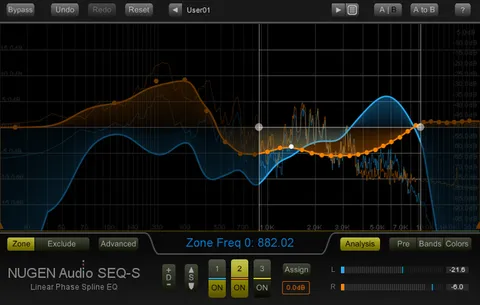
The match EQ function captures the spectral character of a source clip and applies it to your current work. NUGEN Audio points to restoration work and mastering references as typical uses, and to unifying takes or microphone positions on individual tracks.

Inverting the match curve lets you carve space for one element in a dense mix, a more targeted alternative to broad cuts. Match EQ presets are included.

Fluid filter morphing lets the curve move between states over time. The developer highlights tempo-locked effects and scene transitions, with visual feedback as the curve changes.

04Specs

Will it run?

Formats, systems and requirements as listed by Plugin Boutique. Missing details are left out, not guessed.

DeveloperNUGEN Audio
TypePlugin
CategoryEQ
FormatsVST3, AU, AAX
Operating systemsWindows, macOS
Architecture64-bit
Free trialYes
05FAQ

Questions, answered

What formats does SEQ-S support?

SEQ-S is available in 64-bit VST3, AU and AAX formats. On Windows the AAX and AudioSuite formats are listed, and on macOS AudioSuite is also included.

Which operating systems can run SEQ-S?

The listed requirements cover Windows Vista and later, and macOS 10.9 and later. Both require 512 MB of RAM and a 64-bit host.

Does SEQ-S support surround sound?

Yes. The three EQ curves can be assigned across channels for stereo, mid/side, 5.1 and 7.1 surround operation.

Is there a trial version?

Yes, a trial is available for SEQ-S.

07Developer

More from NUGEN Audio

All NUGEN Audio products →