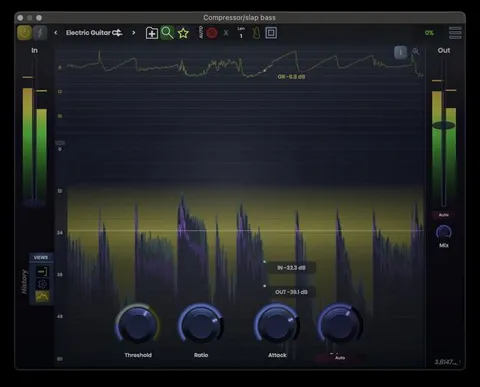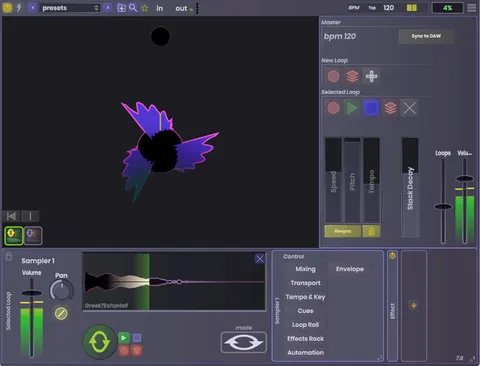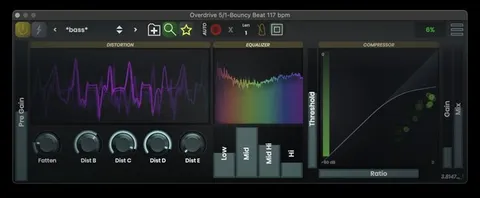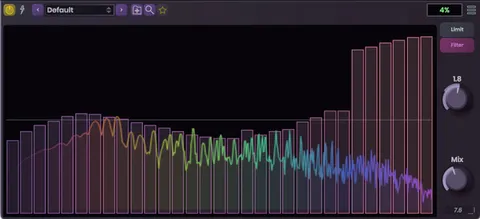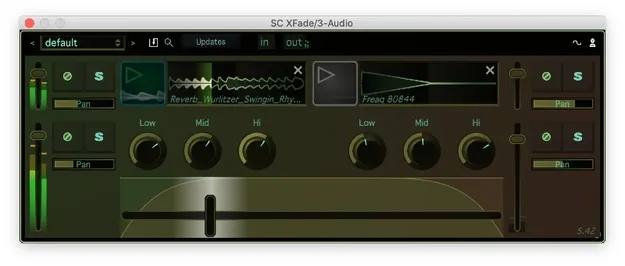
XFade by Stagecraft Software crossfader plugin interface

XFade: Crossfader Plugin for DAW DJ Mixing by Stagecraft Software Free Download

Rated 4.6/5 on Plugin Boutique (18 ratings)

XFade is a crossfader plugin from Stagecraft Software for DAWs. It fades between two input streams inside the host and adds a sample player on each side for mixing, production and live performance.

VST3AUAAXWindowsmacOS64-bit
AVAILABLE ATPlugin Boutique
Free trial available from the developer
01Overview

XFade is an effects plugin built for DJs and producers who work inside a digital audio workstation. It places a crossfader within the DAW so you can move between two input streams without leaving your session. The developer describes it as suited to mixing, production and live performance. Each side also includes a sample player, so you can overlay audio such as a backup track, a one-shot or a loop over the mix.

Best for

  • DAW DJ mixing
  • Crab scratching
  • Live set transitions
  • Layering one-shots
  • Loop fallback during performance
Category
DJ Tools
Store
Plugin Boutique
02Key features

What you get

  • Crossfades between two input streams within the DAW
  • Sample player on each side for overlaying audio
  • Adjustable crossfade slope from sharp cuts to gradual fades
  • Multiple fades in and out within a single buffer
  • Zero latency operation according to the developer
  • Supports VST3, AU and AAX formats
  • 64-bit plugin for Windows and macOS
03In depth

Crossfader Slope and Fade Control

XFade lets you adjust the crossfade slope to suit the moment. A sharp curve produces fast cuts, while a gradual slope gives slower, smoother transitions between tracks. Stagecraft Software also notes that the plugin can fade in and out more than once within a single buffer, which supports rapid crossfader movement such as crab scratching when driven by a MIDI controller.

The plugin is described as running with zero latency, which the developer says keeps it responsive at larger buffer sizes and on older sound cards.
Sample Players for Live Mixing

Each side of XFade has a sample player that can layer audio into the mix. You might keep an extra track ready to fall back on, trigger an air horn or another one-shot for energy, or hold a loop while a solo section plays out.

These built-in players make XFade a practical option for live sets where you need quick access to backup material inside the same plugin.

04Specs

Will it run?

Formats, systems and requirements as listed by Plugin Boutique. Missing details are left out, not guessed.

DeveloperStagecraft Software
TypePlugin
CategoryDJ Tools
FormatsVST3, AU, AAX
Operating systemsWindows, macOS
Architecture64-bit
Free trialYes
05FAQ

Questions, answered

What formats does XFade support?

XFade is available in VST3, AU and AAX formats. It is a 64-bit plugin for both Windows and macOS.

What do I need to run XFade?

On macOS, XFade requires macOS 10.13 or newer and supports Intel and M1 Apple Silicon, with AAX, AU and VST3 hosts. On Windows, it requires Windows 7 or newer with AAX and VST3 hosts. 32-bit hosts are no longer supported.

What is XFade used for?

XFade is a crossfader plugin for fading between two inputs inside a DAW. The developer positions it for mixing, production and live performance, including DAW DJ work.

07Developer

More from Stagecraft Software

All Stagecraft Software products →