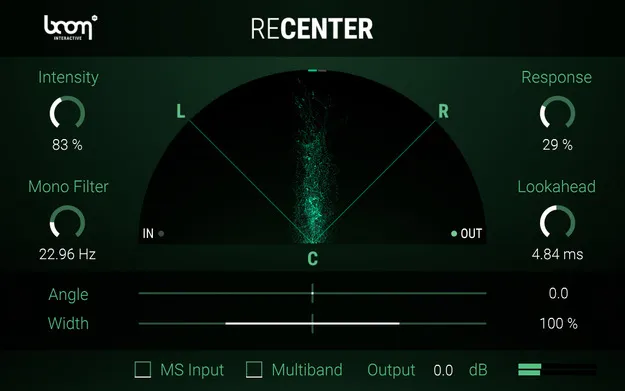
RECENTER stereo correction plugin by Boom interface

RECENTER: Stereo Image Correction Plugin by Boom

Rated 4.7/5 on Plugin Boutique (30 ratings)

RECENTER is a stereo effects plugin by Boom that automatically rotates off-centre stereo or M/S signals to a centre or chosen angle without narrowing the stereo image.

VST3VST2AUAAXStandaloneWindowsmacOS64-bit
AVAILABLE ATPlugin Boutique
Opens the store in a new tab
01Overview

RECENTER is built for stereo material where the centre keeps drifting, such as a microphone that was not aimed precisely or a performer who moved around the stage. Boom describes it as an automatic fix that analyzes the incoming signal and rotates it toward a target angle in real time. Widening or narrowing the centred image, filtering the low end to mono and processing four frequency bands separately are all available once the centre is restored.

Best for

  • Correcting off-centre stereo recordings
  • Centering moving vocalists
  • Post-production field recordings
  • Centering stereo whooshes
  • Drive-by and fly-by effects
  • Widening instrument recordings
Developer
Boom
Category
Stereo Width
Store
Plugin Boutique
02Key features

What you get

  • Automatically rotates off-centre stereo signals to the centre
  • Keeps the original stereo width during correction
  • Accepts standard L/R and Mid-Side (M/S) input
  • Mono filter below a set frequency for low-end control
  • Multiband mode with four independently processed bands
  • Widen or narrow the centred stereo image
  • Shift the output angle to the left or right
  • Compare original and processed signals
03In depth

Automatic Correction of Off-Centre Stereo Recordings

RECENTER continuously analyzes the directionality of a stereo or M/S signal and rotates it toward a given target angle. Boom says this happens without narrowing the stereo image, so the width of the original recording is preserved.

The plugin is aimed at situations where manual pan automation would otherwise be needed across a whole recording. Typical targets include a vocalist who moves on stage, a stereo field recording with an unstable centre, and hard directional effects such as drive-bys or stereo whooshes that should sit in the middle of the mix.
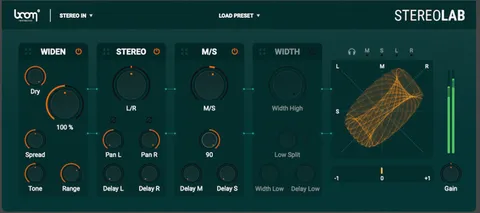
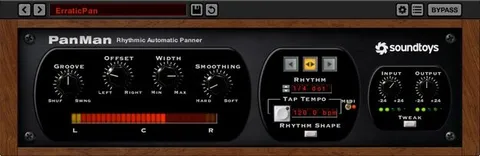
Controls for Width, Angle and Low-End Mono

Once the centre is restored, you can narrow or widen the centred stereo image and shift the output angle left or right. A mono filter lets you collapse the signal to mono below a chosen frequency, which is useful for controlling low-frequency content.

For more complex material, a multiband mode processes four frequency bands individually. RECENTER accepts both L/R and Mid-Side input, so it can decode M/S recordings automatically. An A/B comparison lets you check the original against the processed signal.

04Specs

Will it run?

Formats, systems and requirements as listed by Plugin Boutique. Missing details are left out, not guessed.

DeveloperBoom
TypePlugin
CategoryStereo Width
FormatsVST3, VST2, AU, AAX, Standalone
Operating systemsWindows, macOS
Architecture64-bit
05FAQ

Questions, answered

What does RECENTER do?

RECENTER is a stereo processor that analyzes an incoming stereo signal and dynamically rotates it to the centre or a chosen angle. Boom states that it does this without altering the stereo width.

Which formats and operating systems does RECENTER support?

RECENTER is available in VST3, VST2, AU, AAX and Standalone formats. It runs on Windows and macOS in 64-bit.

What do I need to use RECENTER?

RECENTER requires an audio host that supports VST 2.4 and VST 3, AU or AAX plugins, such as Logic Pro, Pro Tools (11+), Cubase, Nuendo, Ableton Live or Reaper. It does not work as a standalone application. A free account at ilok.com is required, but a physical USB iLok is not.

Does RECENTER need an iLok dongle?

No physical USB iLok is required. A free account at ilok.com is required to use the plugin.

07Developer

More from Boom

All Boom products →