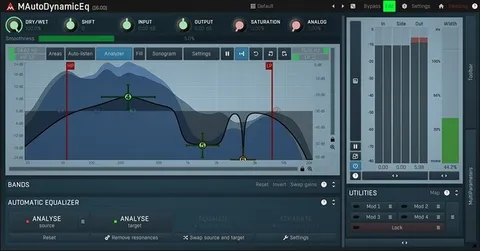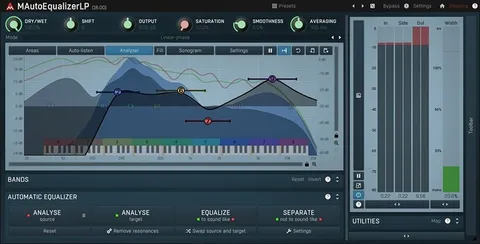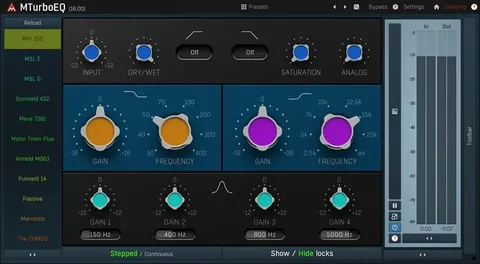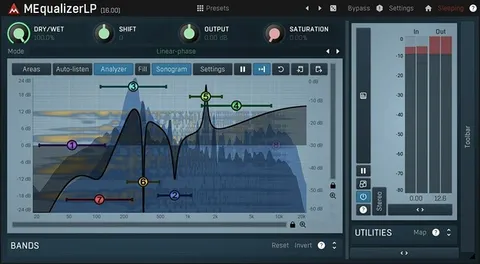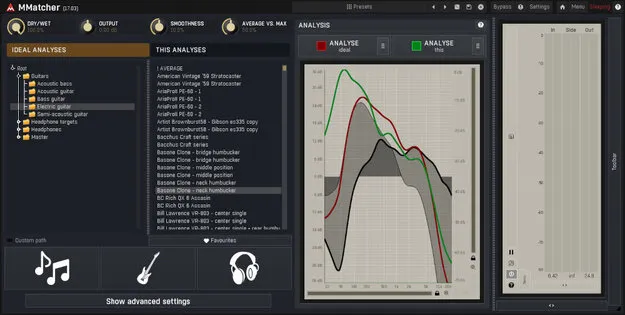
MMatcher spectrum-matching EQ plugin by MeldaProduction interface

MMatcher: Spectrum-Matching EQ Plugin by MeldaProduction

Rated 4.7/5 on Plugin Boutique (285 ratings)

MMatcher is a spectrum-matching EQ plugin from MeldaProduction that analyzes a reference audio source and applies its spectrum, loudness and stereo image to your input audio.

VST3VST2AUAAXWindowsmacOS64-bit
AVAILABLE ATPlugin Boutique
Opens the store in a new tab
01Overview

MMatcher works by capturing the spectrum, loudness and stereo image of a reference and then adjusting your audio to match those parameters. Its controls let you fine-tune the result. The developer describes the workflow as three steps: analyze your recording, choose a reference from its database or analyze your own, then match. MeldaProduction also says MMatcher can correct headphone responses and calibrate studio monitors, and it includes a database of dry electric guitar and bass sounds for tone comparison.

Best for

  • Mastering reference matching
  • Headphone mix correction
  • Studio monitor calibration
  • Guitar tone comparison
  • Bass tone comparison
  • Consistent mix translation
Category
EQ
Store
Plugin Boutique
02Key features

What you get

  • Matches spectrum, loudness and stereo image to a reference
  • Built-in database of commercial songs across genres
  • Headphone model database or custom headphone analysis
  • Custom monitor correction profile from measurement microphone
  • Averaging of multiple measurements for balanced response
  • Database of dry electric guitar and bass sounds
  • Available as VST3, VST2, AU and AAX
  • 64-bit support on Windows and macOS
03In depth

Spectrum, Loudness and Stereo Matching

MMatcher applies three kinds of matching: spectrum, loudness and stereo field. You analyze your recording, then match it to a reference from the built-in database or to a reference you analyze yourself.

The developer says the database covers thousands of commercial songs across many genres, which gives mastering and mixing engineers a set of targets for their own tracks.

MMatcher is available in VST3, VST2, AU and AAX formats on Windows and macOS.
Headphone and Monitor Correction

For headphones, you can select your model from the database or analyze your own pair, then correct for its inherent inaccuracies to get a more consistent mixing experience.

For studio monitors, MMatcher can build a custom correction profile from a measurement microphone and test signals. Averaging several measurements is meant to give a balanced response at the listening position. MeldaProduction notes that this is not a replacement for proper acoustic treatment.

04Specs

Will it run?

Formats, systems and requirements as listed by Plugin Boutique. Missing details are left out, not guessed.

DeveloperMeldaProduction
TypePlugin
CategoryEQ
FormatsVST3, VST2, AU, AAX
Operating systemsWindows, macOS
Architecture64-bit
05FAQ

Questions, answered

What is MMatcher used for?

MMatcher analyzes a reference and adjusts your audio's spectrum, loudness and stereo image to match it. The developer also positions it for headphone correction, monitor calibration and guitar or bass tone comparison.

What formats and operating systems does MMatcher support?

MMatcher is available in VST3, VST2, AU and AAX formats. It runs on Windows 10 and 11 (64-bit) and macOS 10.14 Mojave or newer (64-bit), including Intel, AMD and Apple Silicon CPUs on macOS.

What do I need to use MMatcher?

You need a 64-bit VST, VST3, AU or AAX compatible host. On Windows you need an Intel or AMD processor with SSE2 support.

Do I get MMatcher with other MeldaProduction bundles?

Owners of the MCreativeFXBundle, MMasteringFXBundle, MMixingFXBundle, MTotalFXBundle and MCompleteBundle receive MMatcher for free in their MeldaProduction account.

07Developer

More from MeldaProduction

All MeldaProduction products →