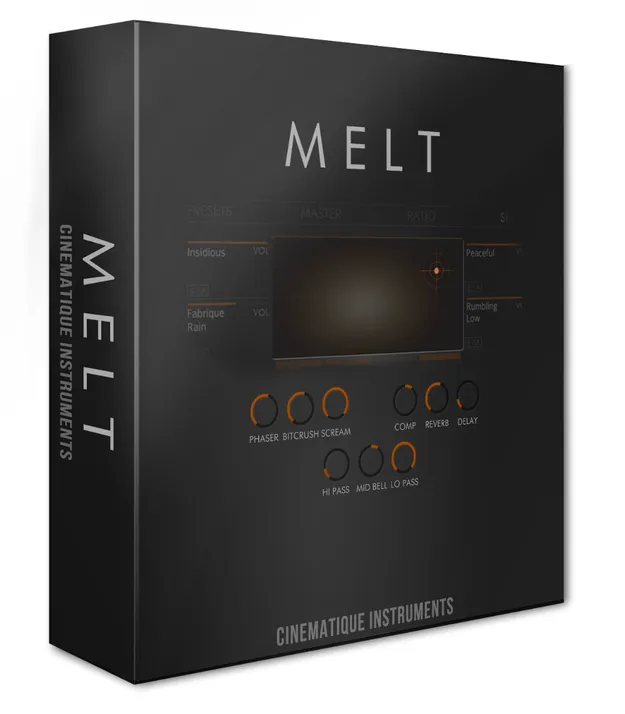
Melt Kontakt instrument by Cinematique Instruments XY pad interface

Melt: XY-Pad Sound Blending Instrument for Kontakt by Cinematique Instruments

Rated 4.0/5 on Plugin Boutique (5 ratings)

Melt is a Kontakt instrument by Cinematique Instruments that blends four sound layers using an XY pad. Each layer can be shaped with nine effects and an 8-step sequencer.

REQUIRESKontaktHost player sold separately
Kontakt
AVAILABLE ATPlugin Boutique
Opens the store in a new tab
01Overview

Melt is built around an XY pad. Each of its four corners holds a separate sound layer, and moving the cursor across the pad sets the blend of all four. The instrument covers ambiences, textures, field recordings, organs, electric pianos, synths and string sounds. Its nine sound shaping effects can be adjusted per layer, or globally with Freeze Mode. The library ships with 64 sound sources and more than 120 presets, which makes it a starting point for complex pads and evolving textures. It runs in the full version of Kontakt only.

Best for

  • Evolving ambient pads
  • Cinematic textures
  • Polyrhythmic sequences
  • Experimental sound design
  • Field recording textures
  • String and organ layers
Requires
Kontakt
Store
Plugin Boutique
02Key features

What you get

  • Blending between four sound layers via an XY pad
  • 9 sound shaping effects per instrument
  • 8-step sequencer per instrument
  • Freeze Mode for global control of all 9 effects
  • Ratio table to adjust the cursor relation
  • 64 sound sources across ambiences, field recordings, organs, synths and strings
  • Over 120 presets in 12 categories
  • Cursor movements can be recorded in Melt or your DAW
03In depth

Blending Four Sound Layers on an XY Pad

Melt works by assigning a sound source to each corner of its XY pad. As you move the cursor, the instrument calculates its output from the cursor position and the ratio of all four layers, together with each layer's effect settings.

The developer describes the process as calculating the main sound for you, so you can focus on playing and moving the cursor. Each instrument also includes a ratio table that adjusts how the cursor relates to the layers, which lets you shape how quickly the blend changes across the pad.
Sequencing, Effects and Freeze Mode

Each sound layer has nine sound shaping effects and an 8-step sequencer. Beyond sustained playing, the sequencer can morph sustained notes into sequenced patterns, and the morph can move between four sequencer types. Combining layers with different sequence rates can produce polyrhythmic results.

Cursor movements can be recorded as a loop inside Melt or in your DAW track, or left to run randomly. Freeze Mode switches all nine effect parameters to global control across all four layers at once, so you can reshape the whole sound with one set of controls.

04Specs

Will it run?

Formats, systems and requirements as listed by Plugin Boutique. Missing details are left out, not guessed.

DeveloperCinematique Instruments
TypePlugin
CategoryKontakt Instrument
RequiresKontakt
FormatsKontakt
05FAQ

Questions, answered

What do I need to use Melt?

Melt requires the full version of Kontakt 5.6.8 or higher. It will run in demo mode in the free Kontakt Player.

How much disk space does Melt need?

Melt needs approximately 0.7 GB of uncompressed data.

What kinds of sounds are included?

The library includes 64 sound sources: 21 ambiences and textures, 16 field recordings, 8 organs and electric pianos, 5 pure synths, 10 organic sounds such as guitars, and 4 string sounds.

Can I record the XY pad movements?

Yes. Cursor movements can be recorded as a loop inside Melt or within your selected DAW track.

07Developer

More from Cinematique Instruments

All Cinematique Instruments products →