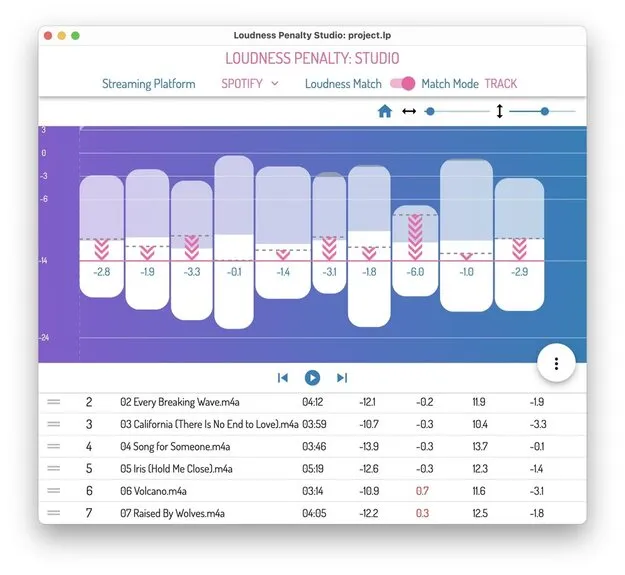
Loudness Penalty Studio by MeterPlugs standalone loudness analysis app interface

Loudness Penalty Studio: Streaming Loudness Analysis Software by MeterPlugs

Rated 4.4/5 on Plugin Boutique (8 ratings)

Loudness Penalty Studio is a standalone loudness analysis application from MeterPlugs that shows how streaming services such as YouTube, Spotify, TIDAL, Deezer and Apple Music will change the playback level of your music.

StandaloneWindowsmacOS64-bit
AVAILABLE ATPlugin Boutique
Opens the store in a new tab
01Overview

Loudness Penalty Studio is built for producers and mastering engineers who want to know what happens to their music after streaming platforms apply loudness normalization. Rather than guessing, you can visualize how an album or playlist will be adjusted and preview the result before uploading. The app is designed to help you decide whether louder masters are worth the trade-off or whether more dynamics will translate better once a service turns the level down.

Best for

  • Mastering loudness decisions
  • Streaming loudness checks
  • Album consistency review
  • Dynamic range comparison
  • Pre-upload mix testing
Developer
MeterPlugs
Store
Plugin Boutique
02Key features

What you get

  • Visualizes the loudness of an album or playlist
  • Shows and lets you hear how loud your music will play on streaming services
  • Previews alternative versions of a song with loudness matching
  • Creates custom reference playlists for direct comparisons
  • Compares Album Mode and Track Mode loudness matching
  • Analyzes large groups of files in one session
  • Compares results for the most popular streaming services
03In depth

Visualizing Streaming Loudness Before You Upload

The app shows at a glance how much the playback loudness of your music will be changed by YouTube, Spotify, TIDAL, Deezer and Apple Music. It also lets you hear the adjusted result without uploading anything.

This is useful when you are deciding how hard to push a master. Louder masters are reduced in level by streaming services to limit sudden jumps in volume. Loudness Penalty Studio helps you test whether that reduction actually costs your mix anything, or whether a more dynamic version holds up well after normalization.
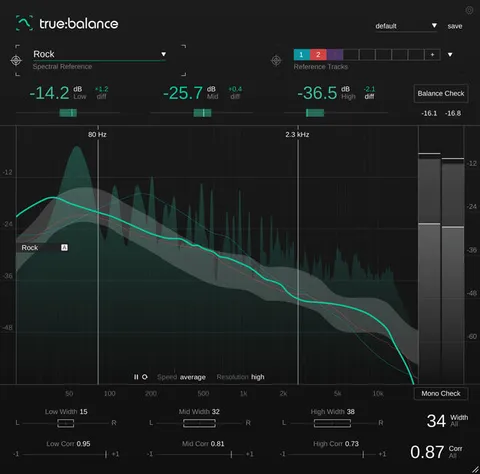
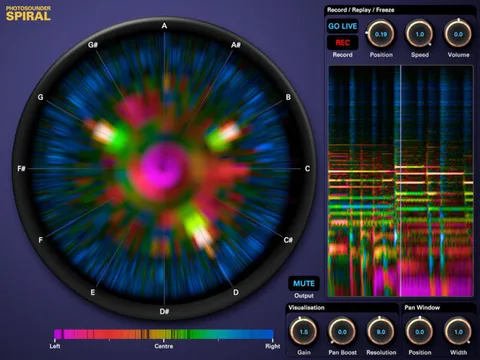
Reference Playlists and Album Versus Track Mode

Playlist and album playback can change how a track's loudness is adjusted, so the same song may behave differently depending on context. The app lets you build custom reference playlists so you can compare your music against other material side by side.

You can also compare Album Mode and Track Mode loudness matching, and analyze large groups of files at once. These features suit album producers and mastering work where consistency across a full release matters.

04Specs

Will it run?

Formats, systems and requirements as listed by Plugin Boutique. Missing details are left out, not guessed.

DeveloperMeterPlugs
TypePlugin
CategorySpectral Analysis
FormatsStandalone
Operating systemsWindows, macOS
Architecture64-bit
05FAQ

Questions, answered

Is Loudness Penalty Studio a plugin?

No. Loudness Penalty Studio is a standalone application and is not a plugin, so it runs on its own rather than inside a DAW.

Which operating systems does Loudness Penalty Studio support?

It runs on macOS 10.11 or later, with 64-bit Intel or Apple Silicon processors, and on 64-bit Windows 7 or later.

Which streaming services can it simulate?

The app shows how YouTube, Spotify, TIDAL, Deezer and Apple Music will change the playback loudness of your music.

07Developer

More from MeterPlugs

All MeterPlugs products →