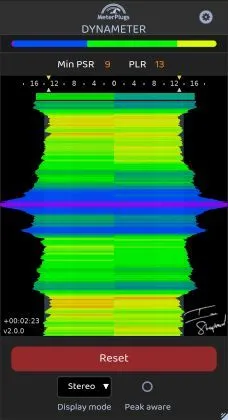
Dynameter 2 by MeterPlugs dynamics meter plugin interface

Dynameter 2: Dynamics and PSR/PLR Metering Plugin by MeterPlugs

Rated 4.1/5 on Plugin Boutique (7 ratings)

Dynameter 2 is a dynamics meter plugin by MeterPlugs that shows short-term (PSR) and overall (PLR) dynamic values in realtime. It is aimed at producers who want to balance loudness with punch and dynamics.

VST2AUAAXWindowsmacOS64-bit
AVAILABLE ATPlugin Boutique
Opens the store in a new tab
01Overview

Dynameter 2 is built around dynamics rather than loudness. Its PSR and PLR readings show how much your mix moves from second to second and across a whole track or album. Loudness normalization now applies on major streaming services, so the developer argues that dynamics are the element producers can still control. The plugin includes a 90-minute history with a zoomable timeline, several view modes, and platform-oriented PLR presets. It is designed for use on mixes and masters across the main DAW formats.

Best for

  • Mix dynamics checks
  • Mastering dynamic targets
  • Streaming loudness planning
  • Album dynamics review
  • Live set analysis
  • Mid/Side balance checks
Developer
MeterPlugs
Category
Metering
Store
Plugin Boutique
02Key features

What you get

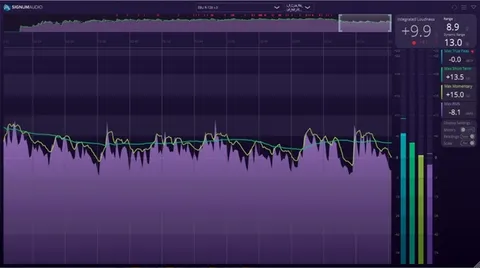
  • 90-minute PSR history with a zoomable timeline
  • Classic, Stereo, Mid/Side and Multiband view modes
  • Peak-Aware display showing what limits dynamics
  • PSR Overview histogram for a quick dynamics breakdown
  • Realtime numeric PSR and PLR values
  • Clip indicators that show exactly when peaks clip
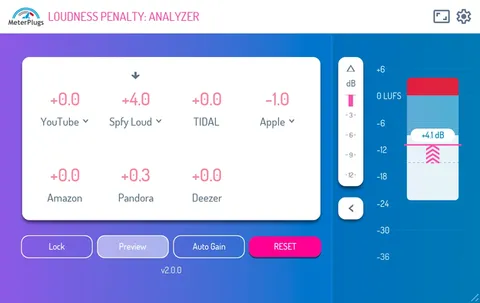
  • Platform PLR presets for Spotify, YouTube, Apple Music and more
  • Resizable interface using scalable vector graphics
03In depth

Dynamics metering: PSR, PLR and clip indicators

Dynameter 2 reports PSR, the peak to short-term loudness ratio, which reveals dynamics second by second. It also reports PLR, the peak to loudness ratio, for the overall dynamic range of a track or album.

A Peak-Aware display shows what is limiting your dynamics, and clip indicators mark exactly when peaks clip. A PSR Overview histogram gives a quick breakdown of how the material is distributed.
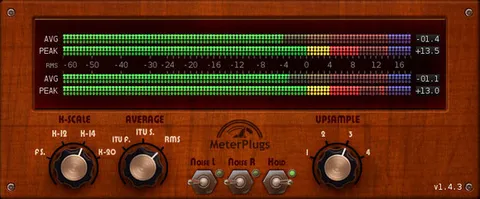
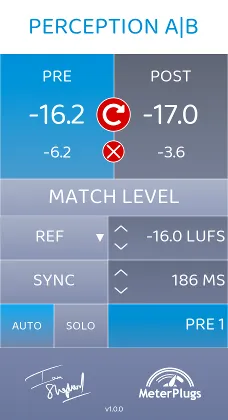
Views, history and profile guidelines

The plugin offers Classic, Stereo, Mid/Side and Multiband view modes, so you can check dynamics across the stereo field and frequency bands. The 90-minute PSR history has a zoomable timeline, which suits reviewing full albums or live sets.

Dynamic profile guidelines let you set a minimum PSR value using presets such as "Balanced" or "Wide". Platform PLR presets cover targets for Spotify, YouTube, Apple Music and more. The user interface is resizable and uses scalable vector graphics.

04Specs

Will it run?

Formats, systems and requirements as listed by Plugin Boutique. Missing details are left out, not guessed.

DeveloperMeterPlugs
TypePlugin
CategoryMetering
FormatsVST2, AU, AAX
Operating systemsWindows, macOS
Architecture64-bit
05Upgrades

Upgrade and crossgrade options

06FAQ

Questions, answered

What formats does Dynameter 2 support?

Dynameter 2 is available in VST2, Audio Unit and AAX formats.

Which operating systems can run Dynameter 2?

Dynameter 2 runs on Windows and macOS. The listed system requirements include macOS 10.7 or later (64-bit only, with Apple Silicon native support) and Windows XP SP3 or later (32- and 64-bit).

What is the difference between PSR and PLR?

PSR, the peak to short-term loudness ratio, shows dynamics second by second. PLR, the peak to loudness ratio, measures the overall dynamic range of a track or album.

Is Dynameter 2 a loudness meter?

No. The developer describes Dynameter 2 as a dynamics meter designed to help you judge the impact and power of audio rather than its loudness level.

08Developer

More from MeterPlugs

All MeterPlugs products →