eXplorer 11 Upgrade from eXplorer 6 - 9 Multiply FX plugin interface by Rob Papen

eXplorer 11 Upgrade from eXplorer 6 - 9: Multiply FX Plugin by Rob Papen

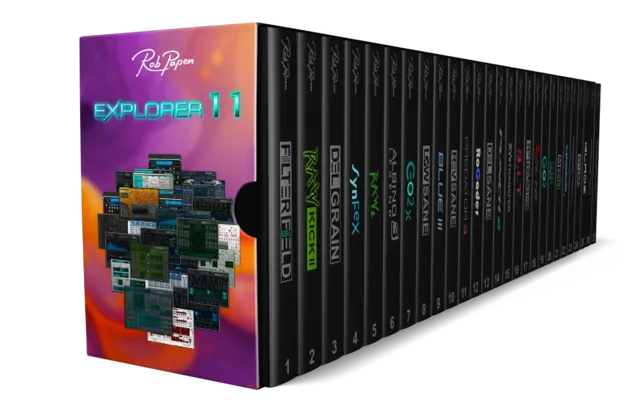
eXplorer 11 Upgrade from eXplorer 6 - 9 is an upgrade plugin from Rob Papen that adds a Multiply FX processor for vocals and instruments. It is offered to existing owners of eXplorer 6 through 9.

VST2AUAAXWindowsmacOS64-bit
AVAILABLE ATPlugin Boutique
Opens the store in a new tab
01Overview

The eXplorer 11 Upgrade from eXplorer 6 - 9 is a plugin from Rob Papen for existing owners of eXplorer 6 through 9. It is built around a Multiply FX processor that can be applied to vocals and instruments. The plugin ships with 50 presets, an amount control for blending the effect into the signal, and a ribbon slider with a tempo-based slide-back option for adjusting the preset. Its animated display responds to both the audio and the effect.

Best for

  • Vocal processing
  • Instrument coloration
  • Rhythmic FX movement
  • Live performance control
Developer
Rob Papen
Store
Plugin Boutique
02Key features

What you get

  • Multiply FX plugin for vocals and instruments
  • 50 presets included
  • Amount control for adding the effect
  • Ribbon slider with tempo-based slide-back option
  • GUI sizes of 100%, 125%, 150%, and 200%
  • Animated response to audio and effects
  • MIDI control available
03In depth

Multiply FX Sound and Controls

The core of the plugin is its Multiply FX processor, which can be used on both vocal and instrument tracks. The amount control sets how much of the effect is added, so you can move from a subtle coloration to a more pronounced treatment.

The ribbon slider is the main performance control. Its tempo-based slide-back option lets the setting return to its resting position in time with your project, which is useful for rhythmic movement across a phrase. The animated interface reacts to the audio and the effect, so you can see what the processor is doing as you adjust it.

MIDI control is available, allowing you to map parameters to hardware or automate changes from your DAW.
Presets and Workflow for Upgrade Owners

The plugin includes 50 presets to start from. Because it is an upgrade, the product is intended for existing eXplorer 6 through 9 owners who want the eXplorer 11 feature set. The interface can be displayed at 100%, 125%, 150%, or 200% GUI size, which helps on high-resolution or smaller screens alike.

Use the presets as a starting point, then adjust the amount control and ribbon slider to fit the material.

04Specs

Will it run?

Formats, systems and requirements as listed by Plugin Boutique. Missing details are left out, not guessed.

DeveloperRob Papen
TypePlugin
CategoryComplete Collection
FormatsVST2, AU, AAX
Operating systemsWindows, macOS
Architecture64-bit
05FAQ

Questions, answered

Who is eXplorer 11 Upgrade from eXplorer 6 - 9 for?

It is an upgrade for existing owners of eXplorer 6 through 9. Other purchase options are offered separately by Rob Papen.

What formats and operating systems does it support?

It is available in VST2, AU, and AAX formats, as 64-bit, for Windows and macOS. The Windows version supports Windows 10 and Windows 11, and the macOS version supports macOS 10.15 or higher, including Apple Silicon.

What do I need to use eXplorer 11 Upgrade from eXplorer 6 - 9?

The product uses a serial and license system with activation during registration. A second serial for a secondary computer is available after the original is registered. It is compatible with the NI NKS system.

07Developer

More from Rob Papen

All Rob Papen products →