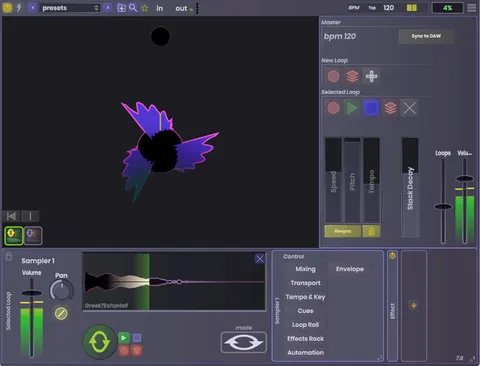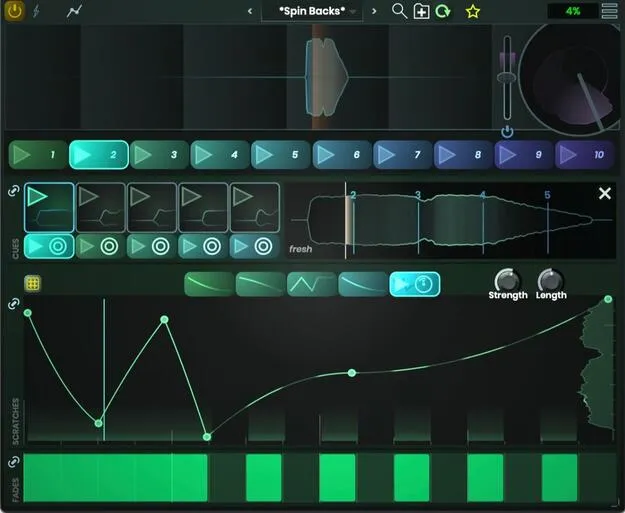
DropZone scratch effect plugin by Stagecraft Software interface

DropZone: Scratch and Turntable Effect Plugin by Stagecraft Software

DropZone is a multi-effect plugin by Stagecraft Software that lets producers create DJ-style scratch routines and fades without physical turntables. It is listed in the Effects category.

AVAILABLE ATPlugin Boutique
Opens the store in a new tab
01Overview

DropZone is built for producers who want classic DJ scratch sounds inside their DAW. Instead of recording a turntable, you control a virtual turntable's position and fade to shape scratch patterns. Stagecraft Software says the plugin uses the same architecture as its Scratch Track product, which it describes as the basis for realistic scratch sounds. You can load your own audio, set cue points, and keep a set of combinations ready to trigger during a session.

Best for

  • DJ-style scratch routines
  • Hip-hop beat scratching
  • Turntable sound design
  • Scratch fills and transitions
  • Rhythmic sample performance
Store
Plugin Boutique
02Key features

What you get

  • Virtual turntable control of position and fade
  • Creates scratch patterns such as two-click flares and crabs
  • Scratch engine based on the Scratch Track architecture
  • Load up to five samples at once
  • Cue points for precise scratch timing
  • Waveform preview showing current playback position
  • Ten combinations triggered at the click of a button
  • Save combinations as a single preset
03In depth

Virtual Turntable Scratch Control

DropZone gives you direct control over the virtual turntable's position and fade. By moving through the audio and adjusting the fade, you can build different scratch patterns, including two-click flares and crabs.

The developer states that the scratch engine follows the same design as Scratch Track, which is intended to make the scratch sounds feel realistic. The plugin is aimed at producers who want the rhythmic, performed character of DJ scratching without needing a physical turntable or mixer.
Samples, Cue Points and Combinations

You can load up to five samples at once and set cue points so each scratch lands on a specific moment in the audio. A waveform preview shows where in the sample the scratch is currently playing, which helps you keep your place while performing.

DropZone also lets you set up ten combinations of samples, cue points, scratches and fades, each triggered with a single click. You can save those ten combinations as one preset and recall it later in a project.

04Specs

Will it run?

Formats, systems and requirements as listed by Plugin Boutique. Missing details are left out, not guessed.

DeveloperStagecraft Software
TypePlugin
CategoryMulti Effect
05FAQ

Questions, answered

What is DropZone used for?

DropZone is used to create DJ-style scratch routines and fades. It lets you perform scratches on loaded samples without needing physical turntables.

How many samples can I load in DropZone?

You can load up to five samples at once. Cue points let you set where each scratch hits in the audio.

Can I save my DropZone setups?

Yes. You can set up ten combinations of samples, cue points, scratches and fades, and save those ten combinations as a single preset to recall later.

07Developer

More from Stagecraft Software

All Stagecraft Software products →