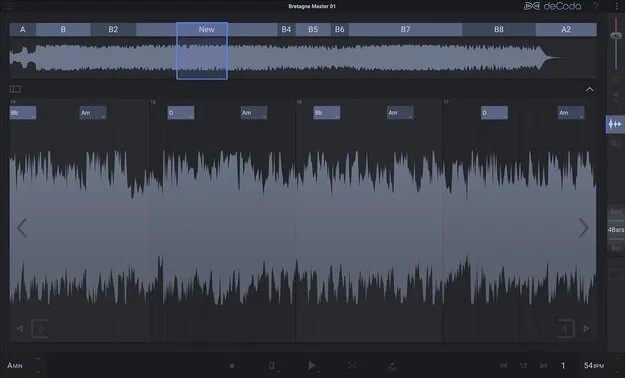
deCoda song deconstruction tool by zplane standalone interface

deCoda: Song Deconstruction Tool by zplane Free Download

Rated 4.4/5 on Plugin Boutique (3,049 ratings)

deCoda is a song deconstruction tool from zplane that analyzes an imported audio file to detect its key, tempo, chords and sections such as verses and choruses. It is a standalone application.

VST2AUAAXStandaloneWindowsmacOS64-bit
AVAILABLE ATPlugin Boutique
Free trial available from the developer
01Overview

deCoda is built for musicians who want to learn, transcribe or practice along with recorded songs. Import an audio file and the tool estimates the key, tempo and chord changes, then marks sections such as intro, verse and chorus. You can navigate the song by beats and bars, loop parts, change the tempo without changing pitch, and transpose the track to a key that suits your instrument or voice.

Best for

  • Learning songs by ear
  • Transcribing guitar and bass parts
  • Practicing over backing tracks
  • Slowing down difficult passages
  • Transposing songs to fit your voice
  • Exporting MIDI from recordings
Developer
zplane
Store
Plugin Boutique
02Key features

What you get

  • Detects key, tempo and chords from imported audio files
  • Automatic detection of intro, verse, chorus and other sections
  • Flexible looping of song parts by beats, bars or sections
  • Change tempo without changing pitch, or transpose the track
  • Focus EQ to isolate or remove an instrument from the mix
  • Piano roll display with spectral view of the song
  • Export transcribed MIDI parts to a DAW or notation software
  • Supports wav, aiff, mp3, wma, flac and ogg audio files
03In depth

Analysis and Navigation for Learning Songs

deCoda uses beat, tempo and structure data to let you move through a song in musical terms rather than in seconds or samples. You can step through parts, bars or beats with the keyboard or a touch screen and set up loops that expand quickly.

The chord and structure recognition uses AI to make estimates for key, tempo, chords and sections. These estimates give you a starting point, and the developer notes that in some cases no edits are needed.
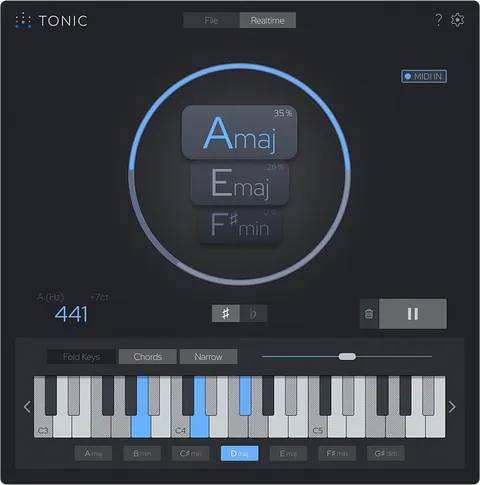
Focus EQ, Piano Roll and MIDI Export

The Focus mode highlights an instrument in the stereo mix so you can hear it clearly. Switch to inverted Focus to remove that instrument and practice over the backing track.

The piano roll with spectral view shows the melodic content of the song, and you can select notes for transcription. Results can be played back and exported as MIDI to a DAW or notation software.

04Specs

Will it run?

Formats, systems and requirements as listed by Plugin Boutique. Missing details are left out, not guessed.

Developerzplane
TypePlugin
CategoryMusic Theory Tools
FormatsVST2, AU, AAX, Standalone
Operating systemsWindows, macOS
Architecture64-bit
Free trialYes
05FAQ

Questions, answered

What do I need to run deCoda?

deCoda runs as a standalone application on Windows 10 or 11 (64-bit) and macOS 10.15 through macOS 12, with Intel and M1 Apple Silicon Macs supported. The minimum CPU is 2 GHz and the minimum screen resolution is 1366 x 768.

Can deCoda be used as a plugin inside my DAW?

No. The developer states that deCoda is a standalone application and not a VST, AU or AAX instrument. It does export MIDI and audio that you can bring into your DAW or notation software.

Which audio file formats can I import?

deCoda accepts wav, aiff, mp3, wma, flac and ogg files.

07Developer

More from zplane

All zplane products →