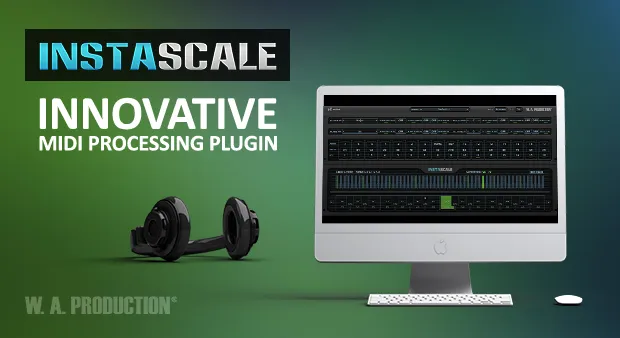
InstaScale scale MIDI processor plugin interface by W. A. Production

InstaScale: Relative-Note Scale Instrument Plugin by W. A. Production Free Download

Rated 4.2/5 on Plugin Boutique (6,625 ratings)

InstaScale is a scale-oriented MIDI processor plugin by W. A. Production that uses 16 smart playing keys, where each key plays a note relative to the previous note, the active scale and its assigned action.

VST3VST2AUAAXWindowsmacOS64-bit
AVAILABLE ATPlugin Boutique
Free trial available from the developer
01Overview

InstaScale takes a different approach to melodic playing. Instead of mapping one key to one fixed pitch, each of its 16 playing keys calculates its note from the scale, the home note and the position of the previously played note. The plugin is available in VST3, VST2, AU and AAX formats on Windows and macOS, and it can drive the instrument of your choice. It also includes control keys for changing scale, root, home note and octave during a performance.

Best for

  • Scale and mode learning
  • Ear training
  • Live performance control
  • Experimental melody creation
  • Drum pad scale playing
  • Chord accompaniment
Store
Plugin Boutique
02Key features

What you get

  • Relative-note playing where each key's pitch depends on the previous note
  • Scale list including Blues, Hirajoshi, Arabic and Spanish scales
  • Home note can move to any scale degree for modes and chord accompaniment
  • Edit existing scales or create custom scales in the full version
  • Sixteen playing keys with separate mapping and action menus
  • Control keys for root, scale, home and octave changes during performance
  • Polyphonic playing with stacked keys for building chords
  • Octave shifter and pass-through mode
03In depth

Relative Playing and Scale Control

Each playing key is assigned an offset, such as Home, Repeat, +1 or -3. The plugin combines that offset with the previously played note to determine the actual pitch. Polyphony works the same way: multiple notes can sound together, and stacked keys build chords. Because the order of notes matters, the first note created is processed first and later notes depend on it.

The scale list includes Major, Minor, Melodic Minor, Harmonic Minor, Spanish, Arabic, Major Pentatonic, Minor Pentatonic, Blues, In Sen and Hirajoshi, among others. Users can also edit existing scales or add their own in the full version. The home note can be moved from the root to any other scale degree, which allows different modes to be played or chord changes to be accompanied.
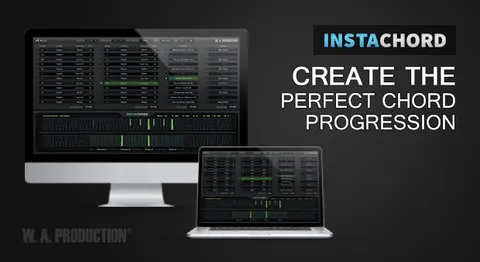
Mapping, Control Keys and Live Use

Every playing key has two menus: a mapping menu that sets its position on the controller using a list of MIDI notes, and an action menu that sets its behavior. Control keys use MIDI notes to step or switch the root, scale, home note and octave. Switch keys can assign a range of notes to specific values, so a single key press selects a root or scale directly.

The octave shifter moves the output up or down and can also move the input octave to a more comfortable playing position. A pass-through mode bypasses the plugin so the target instrument can be played normally.

04Specs

Will it run?

Formats, systems and requirements as listed by Plugin Boutique. Missing details are left out, not guessed.

DeveloperW. A. Production
TypePlugin
CategoryMusic Theory Tools
FormatsVST3, VST2, AU, AAX
Operating systemsWindows, macOS
Architecture64-bit
Free trialYes
05FAQ

Questions, answered

What is InstaScale?

InstaScale is a MIDI processor plugin from W. A. Production. It uses 16 relative playing keys to calculate notes from a scale, a home note and the previous note, and it sends the result to a target instrument.

Which formats and operating systems does InstaScale support?

InstaScale is listed in VST3, VST2, AU and AAX formats. It is available for Windows and macOS. The macOS requirement is macOS 10.13 or later, 64-bit only, and Windows 8 or later in 32-bit or 64-bit.

What do I need to use InstaScale?

InstaScale needs a host application that supports VST instrument plugins with MIDI routing, or AU MIDI effect plugins. It can then play any instrument you route it to. The AU version works as a MIDI effect in hosts such as Logic Pro X.

Can I add my own scales to InstaScale?

Yes. In the full version, you can edit existing scales or add your own.

07Developer

More from W. A. Production

All W. A. Production products →