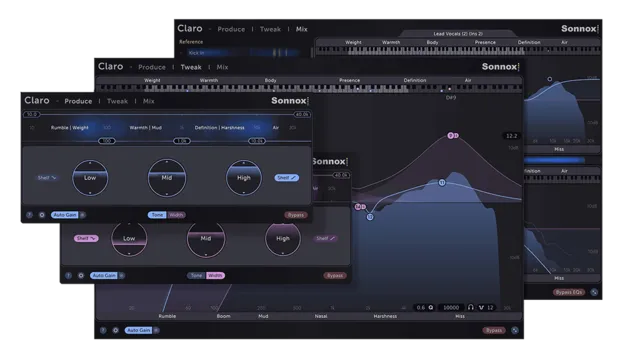
Claro by Sonnox EQ plugin interface

Claro: EQ Plugin by Sonnox for Mixing and Production

Rated 4.7/5 on Plugin Boutique (2,533 ratings)

Claro is a 26-band equalizer plugin by Sonnox, built to take a track from composition to final mix. It is available in VST3, AU and AAX formats for Windows and macOS.

VST3AUAAXWindowsmacOS64-bit
AVAILABLE ATPlugin Boutique
Opens the store in a new tab
01Overview

Claro is an EQ plugin designed around three views: Produce, Tweak and Mix. Each view adds more detail, so you can shape tone quickly at first and then move into corrective work. Its 26 bands support Left, Right, Mid, Side, Mono and Stereo processing, and its frequency range runs from 20 Hz to 40 kHz. Sonnox describes its character as clean and musical, with an Auto Gain feature that keeps the track at a consistent loudness whatever EQ moves you make.

Best for

  • Vocal EQ and mix space
  • Mix bus tonal shaping
  • Stereo synth cleanup
  • Reducing track masking
  • Surgical resonance cuts
Developer
Sonnox
Category
EQ
Store
Plugin Boutique
02Key features

What you get

  • 26 EQ bands with Left, Right, Mid, Side, Mono and Stereo processing
  • Frequency range from 20 Hz to 40 kHz
  • Variable Q with resonance on cut filters and overshoot on shelves
  • Variable slopes on all band shapes up to 120 dB per octave
  • Produce, Tweak and Mix views for different stages of a session
  • Adaptive spectrum analyzer that highlights resonant peaks
  • Mix view with masking highlights across multiple tracks
  • Invert EQ function for complementary cuts and boosts between tracks
  • Auto Gain keeps loudness consistent when EQ settings change
03In depth

Sound Character and Filter Control

Sonnox says Claro's EQ resembles Neve-style equalizers, their modern derivatives and the SSL G Series, along with many high-end outboard units. Variable Q is available on every band, and the cut and shelving filters offer resonance and overshoot. That lets you approximate classic synth filters and hardware EQ curves.

Slopes are variable on all band shapes, up to 120 dB per octave. The steepest settings are intended for surgical cuts on narrow bands. Sonnox also states that Claro's automation is smooth and artifact-free.
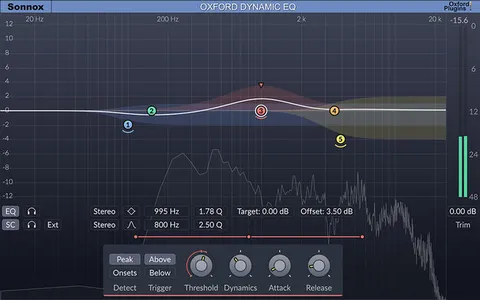
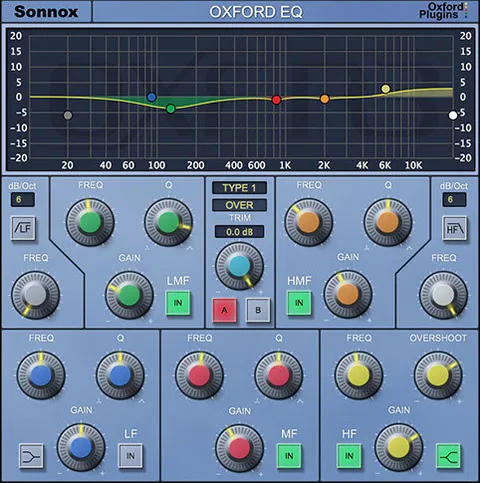
Workflow Views and Mix Tools

The Produce view is aimed at broad tonal moves and shows where the energy sits in the signal. Width mode displays side-channel energy for mid-side work on stereo synths, loops and vocal space. The Tweak view provides the most flexible filters and an adaptive spectrum analyzer that highlights resonances.

The Mix view shows every Claro instance in a project. Yellow highlights mark where tracks mask a chosen reference track, and the Invert EQ function applies complementary boosts and cuts to reduce masking between tracks.

04Specs

Will it run?

Formats, systems and requirements as listed by Plugin Boutique. Missing details are left out, not guessed.

DeveloperSonnox
TypePlugin
CategoryEQ
FormatsVST3, AU, AAX
Operating systemsWindows, macOS
Architecture64-bit
05FAQ

Questions, answered

What formats and operating systems does Claro support?

Claro is available in VST3, AU and AAX formats. It runs on Windows and macOS, and the plugin is 64-bit.

What do I need to run Claro?

On macOS, Claro requires macOS 10.12 or later and supports Intel and M1 Apple Silicon. On Windows, it requires Windows 10 or later. Supported hosts include Pro Tools 11 or above, and any desktop application that supports AU (macOS only) or VST3 plugins. Activation uses an iLok account.

What is Auto Gain in Claro?

Auto Gain keeps your track at the same loudness regardless of the signal content or how you adjust the EQ, so you can compare settings without a level change skewing your judgment.

07Developer

More from Sonnox

All Sonnox products →