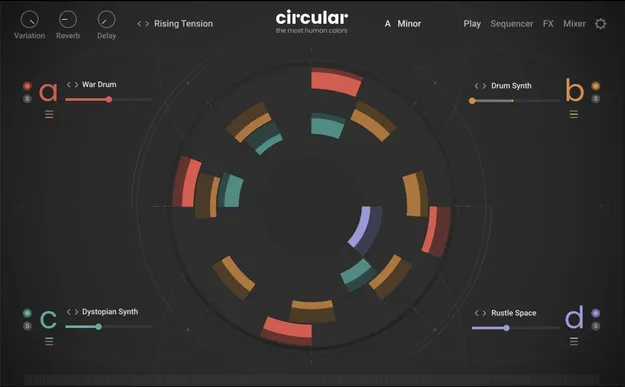
Circular by Native Instruments Kontakt instrument interface

Circular: Polyphonic Sequencer Instrument for Kontakt by Native Instruments

Circular is a Kontakt instrument from Native Instruments that turns single notes and chord progressions into evolving, rhythmic sequences. It uses four independently modulated sound layers and per-step controls.

REQUIRESKontaktHost player sold separately
KontaktWindowsmacOS64-bit
AVAILABLE ATPlugin Boutique
Opens the store in a new tab
01Overview

Circular is a polyphonic sequencer built for Kontakt. It starts with a single note and moves it through patterns that shift over time. Each of its four layers runs independently, with its own sequence, effects and modulation. The instrument ships with a large palette of experimental sources, from prepared pianos and bowed metals to hybrid synths. It also accepts your own samples, which are mapped to user slots for sequencing. Native Instruments says it was designed by Frank Elting, who also developed the Straylight, Pharlight and Ashlight granular instruments.

Best for

  • Evolving chord sequences
  • Polyrhythmic textures
  • Cinematic score sketches
  • Processed vocal sequences
  • Prepared piano patterns
  • Experimental soundscapes
Requires
Kontakt
Store
Plugin Boutique
02Key features

What you get

  • Polyphonic sequencer that turns chords into evolving patterns
  • Four independently modulated sound layers
  • Over 100 experimental sources in the factory library
  • Per-step control over synthesis parameters, including the sample
  • Granular effects, unison and delay applied per step
  • Polyphonic aftertouch for expressive note control
  • Support for up to 128 user sample slots
  • Integration with Kontrol S-Series keyboards
03In depth

Sound design and sequencing workflow

Circular is built around per-step control. Each step can modulate pitch, filter and effects in real time, and the instrument supports granular effects, unison and delay on a per-step basis. Polyphonic aftertouch adds expressive variation to each note in a pattern.

Four layers can run at once, each with its own sequence. This makes it possible to build polyrhythms and layered textures without stacking multiple instances. Native Instruments says the drag-and-draw modulation and visual feedback keep editing fast.
Source library and custom samples

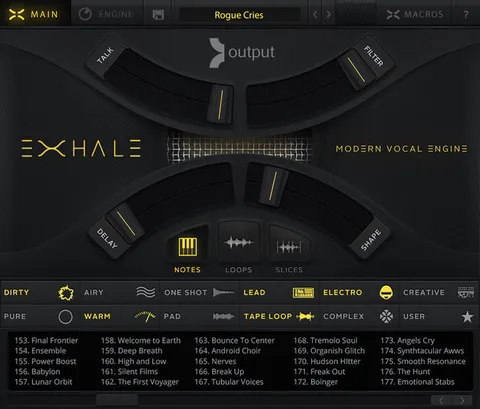
The factory palette covers soft music boxes, felted keys, bowed ceramics, brushed guitars, reversed bells, prepared pianos, object recordings, airy saxophones, tuned metals, processed vocals and hybrid synths. Much of the material is contrast-driven, mixing acoustic and synthetic sounds.

You can also load your own samples. Up to 128 user slots are available, so vocals, field recordings or plucked strings can be turned into evolving sequences.

04Specs

Will it run?

Formats, systems and requirements as listed by Plugin Boutique. Missing details are left out, not guessed.

DeveloperNative Instruments
TypePlugin
CategoryKontakt Instrument
RequiresKontakt
FormatsKontakt
Operating systemsWindows, macOS
Architecture64-bit
05FAQ

Questions, answered

What do I need to use Circular?

Circular requires Kontakt. You can use the free Kontakt 8.2.1 Player or Kontakt 8.2.1 or higher.

Which operating systems does Circular support?

Circular runs on Windows 10 or 11 (64-bit) and on macOS 13, 14 or 15. It is a 64-bit instrument.

How much disk space does Circular need?

The download size is listed as 9.63 GB.

Can I use my own samples in Circular?

Yes. You can add your own samples, and multiple files can be loaded at once into any of 128 user slots.

07Developer

More from Native Instruments

All Native Instruments products →