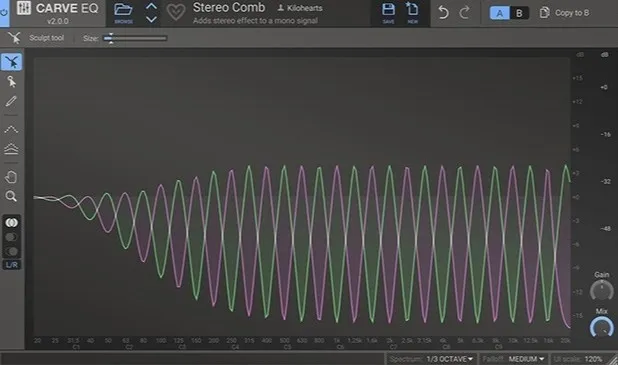
Carve EQ by Kilohearts 31-band graphic equalizer plugin interface

Carve EQ: 31-Band Graphic Equalizer by Kilohearts Free Download

Rated 4.7/5 on Plugin Boutique (137 ratings)

Carve EQ is a 31-band graphic equalizer plugin from Kilohearts. It adds a point selection tool, a Sculpt tool and a match EQ feature that applies the tonal balance of a reference track.

VST3VST2AUAAXWindowsmacOS
AVAILABLE ATPlugin Boutique
Free trial available from the developer
01Overview

Carve EQ is an effects plugin from Kilohearts built on the classic graphic equalizer design. Instead of a few broad controls, it offers 31 bands, so you can shape the spectrum in fine steps. Its filtering system sits behind a compact set of tools. The plugin runs in Windows and macOS hosts in VST3, VST2, AU and AAX formats, and a free trial is available.

Best for

  • Mixing vocals and instruments
  • Matching a reference track's tone
  • Corrective EQ on full mixes
  • Mid/Side stereo balancing
  • Mastering tonal adjustments
Developer
Kilohearts
Category
EQ
Store
Plugin Boutique
02Key features

What you get

  • 31-band graphic equalizer with precise band control
  • Point selection tool with clearly labeled axes
  • Sculpt tool for dragging and modifying a spectral peak
  • Match EQ using factory profiles or custom WAV references
  • Sidechain channel option for reference matching
  • A/B comparison tool for judging changes
  • Left/Right and Mid/Side stereo views
  • Resizable interface with adjustable UI scale
03In depth

Filtering and Precision Control for EQ Work

Carve EQ's point selection tool lets you control single bands with clearly labeled axes. You can select several bands at once and make exact changes where you need them.

For broader, more intuitive shaping, the Sculpt tool adds a peak that you can drag across the spectrum and modify. Kilohearts describes the filters as digitally clean.

The workspace can be resized freely, and the UI scale can be set to your preference, which helps when working on different screens.
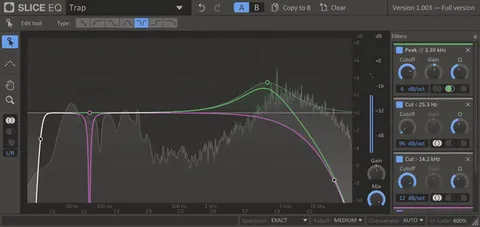
Reference Matching and A/B Comparison

Carve EQ can use a reference to guide your EQ decisions. You can choose from the factory profiles, create your own profile from any WAV file, or use a sidechain channel as the reference.

The match EQ feature applies the mastering balance of a reference audio file to your track. Kilohearts includes factory profiles drawn from well-known songs.

The A/B comparison tool helps you judge whether a change improves the sound, which is useful when your ears start to tire. Stereo views for Left/Right and Mid/Side work are also available.

04Specs

Will it run?

Formats, systems and requirements as listed by Plugin Boutique. Missing details are left out, not guessed.

DeveloperKilohearts
TypePlugin
CategoryEQ
FormatsVST3, VST2, AU, AAX
Operating systemsWindows, macOS
Free trialYes
05FAQ

Questions, answered

What formats does Carve EQ support?

Carve EQ is available in VST3, VST2, AU and AAX formats. It runs on Windows and macOS.

What do I need to run Carve EQ?

Kilohearts lists a 2 GHz or faster CPU, 1 GB or more of memory, and a supported version of Windows or macOS. It works in any DAW that supports VST 2, VST 3, AAX or Audio Unit plugins.

Can Carve EQ match the tone of another song?

Yes. The match EQ feature applies the mastering balance of any audio file, and you can choose factory profiles or create your own from a WAV file.

Is there a trial version of Carve EQ?

Yes, a free trial is available, and Kilohearts suggests trying it to confirm compatibility with your operating system before purchasing.

07Developer

More from Kilohearts

All Kilohearts products →