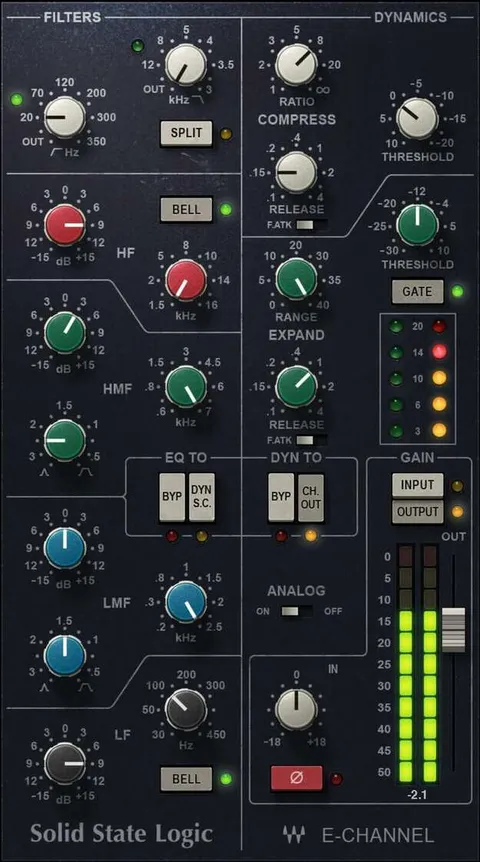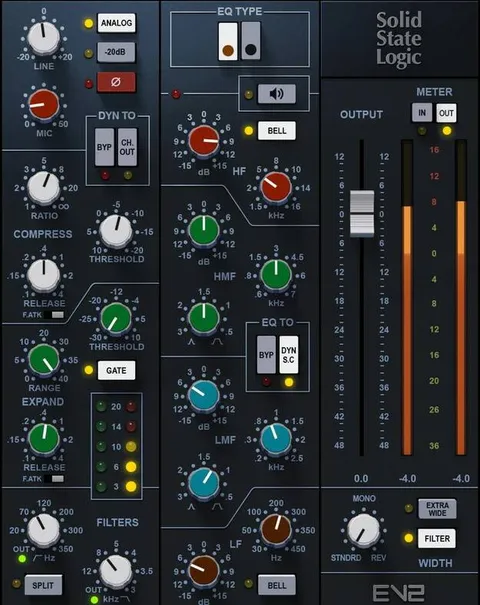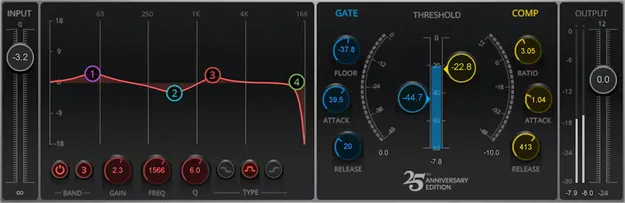
AudioTrack by Waves EQ and dynamics channel strip plugin interface

AudioTrack: EQ and Dynamics Channel Strip Plugin by Waves

AudioTrack is a channel strip plugin from Waves that combines four bands of parametric EQ with compression, expansion and gating in a single interface.

VST2AUAAXWindowsmacOS
AVAILABLE ATPlugin Boutique
Opens the store in a new tab
01Overview

AudioTrack is designed to replace the basic chain of separate EQ and dynamics plugins on a channel. Its four parametric EQ bands can be set to bell, high-shelf or low-shelf responses, and the low and high bands offer selectable filter types. Compression and upward expansion handle peaks and percussive transients, while the gate reduces noise. Input and output faders help with gain staging, and the plugin includes 48 presets for common sources.

Best for

  • Channel strip processing
  • Podcast and narration
  • Voiceover processing
  • Drum and percussion shaping
  • Vocal and guitar tone
Developer
Waves
Store
Plugin Boutique
02Key features

What you get

  • Four parametric EQ bands with bell and shelf responses
  • Selectable filter responses for low and high bands
  • Compression for taming peaks and adding power
  • Upward expansion to emphasize percussive peaks
  • Gating to reduce unwanted noise
  • Input and output faders for gain staging
  • Extensive metering for visual level feedback
  • Modern dark and Legacy light interface options
  • Touch-friendly multipoint user interface
  • 48 included presets for multiple sources
03In depth

Tone Shaping and Dynamics in One Channel Strip

AudioTrack puts equalization and dynamics control in the same plugin. Each of the four EQ bands can be switched between bell, high-shelf and low-shelf response, and the low and high bands also offer selectable filter responses. This gives you control over tonal balance without loading several separate plugins.

The compressor tames peaks and adds power, while upward expansion emphasizes percussive peaks. The gate handles noise. Input and output faders let you manage gain staging and help prevent clipping.

Extensive metering shows the level and status of the audio as you adjust the settings.
Workflow, Interface and Use Cases

The interface is touch-friendly and uses a multipoint design. You can choose a Modern dark interface or a Legacy light interface, depending on your preference.

AudioTrack is suited to podcasting, narration and voiceover work, where a consistent channel chain is useful. The 48 included presets cover guitar, voice, drums and keyboards, giving you starting points for each source type.

Waves notes that the plugin uses low CPU power, so you can insert it on every channel of a song template.

04Specs

Will it run?

Formats, systems and requirements as listed by Plugin Boutique. Missing details are left out, not guessed.

DeveloperWaves
TypePlugin
CategoryChannel Strip
FormatsVST2, AU, AAX
Operating systemsWindows, macOS
05FAQ

Questions, answered

What formats does AudioTrack support?

AudioTrack is available in VST2, AU and AAX formats.

Which operating systems does AudioTrack run on?

AudioTrack supports Windows and macOS. On Mac, the listed requirements include macOS Monterey 12 through Sequoia 15, and on PC, Windows 10 or later.

What does AudioTrack include?

AudioTrack includes four parametric EQ bands, compression, upward expansion, gating, metering and 48 presets for guitar, voice, drums and keyboards.

Can AudioTrack be used for podcasting and voiceover?

Yes. Waves positions AudioTrack for podcasting, narration and voiceover needs, with EQ and dynamics in one plugin.

07Developer

More from Waves

All Waves products →