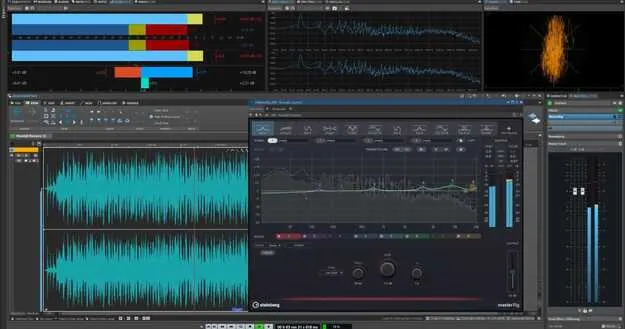
WaveLab Elements 13 Educational Edition by Steinberg mastering software interface

WaveLab Elements 13 Educational Edition: Mastering Software by Steinberg

WaveLab Elements 13 Educational Edition is an educational version of Steinberg's WaveLab mastering and audio editing software, available as a VST3 and VST2 plugin for Windows and macOS. It requires proof of educational status after purchase.

VST3VST2WindowsmacOS64-bit
AVAILABLE ATPlugin Boutique
Opens the store in a new tab
01Overview

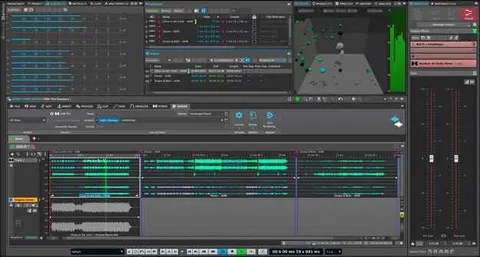
WaveLab Elements 13 Educational Edition is Steinberg's audio mastering and editing tool, offered at reduced access for students and educators. Its modern interface is built around dedicated workspaces for sample-level editing of single files and for assembling full albums. This version adds MasterRig 2, the next generation of the developer's mastering plugin suite, which is included in WaveLab Elements for the first time. Workflow updates in this release focus on faster clip handling, drag-and-drop plugin removal, and track color management.

Best for

  • Album mastering
  • Sample-level audio editing
  • Mastering plugin chains
  • Educational audio production
  • Track organization in sessions
Developer
Steinberg
Store
Plugin Boutique
02Key features

What you get

  • MasterRig 2 mastering plugin suite, included in WaveLab Elements for the first time
  • Dynamic Clip Toolbar for instant access to clip-related menus
  • Drag-and-drop removal of plugins from effect slots
  • Pop-up sliders for quick clip gain adjustment pre- or post-effects
  • Random color assignment across all tracks
  • Support for third-party VST 3 plugins
  • Audio Editor and Audio Montage workspaces
  • Available in VST3 and VST2 formats for Windows and macOS
03In depth

Mastering Workflow and Clip Handling

WaveLab Elements 13 is organized around a mastering workflow. The Audio Editor handles detailed editing of individual audio files, while the Audio Montage workspace is used to finalize full albums.

This release adds a Dynamic Clip Toolbar that gives instant access to clip-related menus, which the developer says reduces the number of clicks needed during editing. Clip gain can be adjusted before or after effects using pop-up sliders, and plugins can be removed from a slot by dragging them outside it.
MasterRig 2 and Plugin Chain Tools

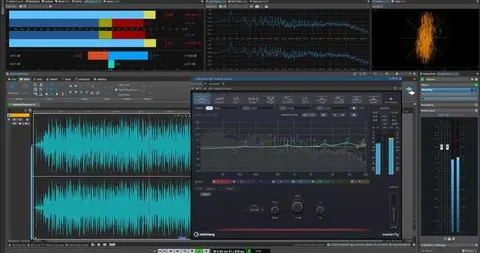
MasterRig 2 is the headline addition in this edition. Steinberg describes it as the next generation of its mastering pro plugin suite, now available in WaveLab Elements for the first time.

WaveLab also supports third-party VST 3 plugins, so favorite effects can be placed at any step of the chain. Random colors can be applied to all tracks, which helps organize longer sessions visually.

04Specs

Will it run?

Formats, systems and requirements as listed by Plugin Boutique. Missing details are left out, not guessed.

DeveloperSteinberg
TypePlugin
CategoryMastering Suite
FormatsVST3, VST2
Operating systemsWindows, macOS
Architecture64-bit
05FAQ

Questions, answered

What formats does WaveLab Elements 13 Educational Edition support?

It is available in VST3 and VST2 formats. It is a 64-bit product for Windows and macOS.

What do I need to run WaveLab Elements 13 Educational Edition?

On macOS it supports Tahoe, Sonoma and Sequoia, with Rosetta 2 for the app on Silicon Macs or the native app. On PC it supports Windows 11 (version 24H2 or higher) and Windows 10 (version 22H2 or higher), both 64-bit.

Do I need proof of educational status to buy this version?

Yes. This is an education version and requires proof of educational status after purchase.

Is there a trial version?

No, this product does not include a trial.

07Developer

More from Steinberg

All Steinberg products →