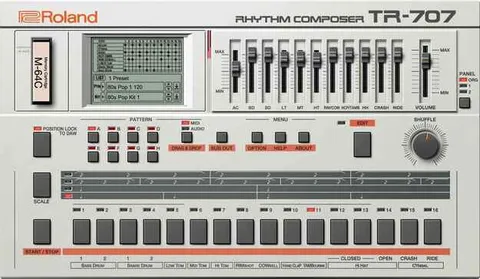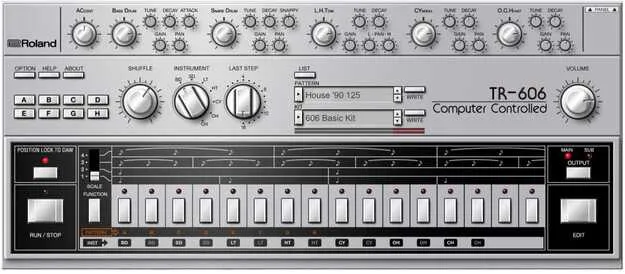
TR-606 by Roland drum machine plugin interface

TR-606: Drum Machine Plugin by Roland

Rated 4.7/5 on Plugin Boutique (36 ratings)

TR-606 is a drum machine plugin from Roland that recreates the TR-606 drum machine, with a step sequencer, tunable instruments and support for VST2, AU and AAX formats.

VST2AUAAXWindowsmacOS64-bit
AVAILABLE ATPlugin Boutique
Opens the store in a new tab
01Overview

The TR-606 plugin from Roland brings the TR-606 drum machine into a software environment. It centers on a step sequencer with lanes for each sound, so patterns can be programmed faster and more fluidly. Each instrument offers its own tuning and decay controls, and an overdrive option pushes the internal circuitry toward fatter, grittier results. The plugin is available in VST2, AU and AAX formats for Windows and macOS.

Best for

  • Electronic drum programming
  • Fills and ratcheted rolls
  • Complex meter experiments
  • Punk and new wave beats
  • Groove and shuffle design
Developer
Roland
Store
Plugin Boutique
02Key features

What you get

  • Tuning and decay controls on each instrument
  • Overdrive for fat and gritty sounds
  • Classic TR-606 step sequencer with lanes for each sound
  • Eight variations per pattern for evolving sequences
  • Drag and drop audio or MIDI patterns into a project
  • Adjustable flams, sub-steps and soft hits
  • Per-instrument last step and shuffle settings
  • VST2, AU and AAX formats
03In depth

Sound Shaping and Sequencing Controls

Each instrument has its own tuning and decay, so kick, toms and hi-hats can be shaped independently. An overdrive option pushes the internal circuitry further, adding fat and gritty character to the sound.

The step sequencer keeps the classic TR-606 layout and adds a lane for each sound. Each pattern includes eight variations, which helps sequences evolve over time. Adjustable flams, sub-steps and soft hits support detailed fills and ratcheted rhythms.

Each instrument also has its own last step and shuffle settings. This makes it possible to work with timing, experiment with complex meters and dial in a specific groove on each part.
Workflow and Pattern Transfer

Audio or MIDI patterns can be dragged and dropped from the plugin directly into a project, which keeps the sketching process inside your DAW.

The plugin runs on Windows 10 or 11 and on macOS 11 (Big Sur) or later. It requires a compatible DAW or plugin host that supports VST, AU or AAX. Roland Cloud software needs an internet connection for installation and activation.

04Specs

Will it run?

Formats, systems and requirements as listed by Plugin Boutique. Missing details are left out, not guessed.

DeveloperRoland
TypePlugin
CategoryDrum Machine
FormatsVST2, AU, AAX
Operating systemsWindows, macOS
Architecture64-bit
05FAQ

Questions, answered

What formats and operating systems does the TR-606 plugin support?

The TR-606 plugin is available in VST2, AU and AAX formats. It runs on Windows 10 (64-bit) or Windows 11, and on macOS 11 (Big Sur) or later.

What do I need to use the TR-606 plugin?

You need a compatible DAW or plugin host that supports VST, AU or AAX formats. An internet connection is required to install and activate Roland Cloud software.

Can I move patterns between the plugin and my DAW?

Yes. Audio or MIDI patterns can be dragged and dropped from the plugin directly into a project.

07Developer

More from Roland

All Roland products →