SoundGrid Rack for VENUE by Waves plugin interface for Avid VENUE | S6L console

SoundGrid Rack for VENUE: Waves Plugin Rack for Avid VENUE | S6L

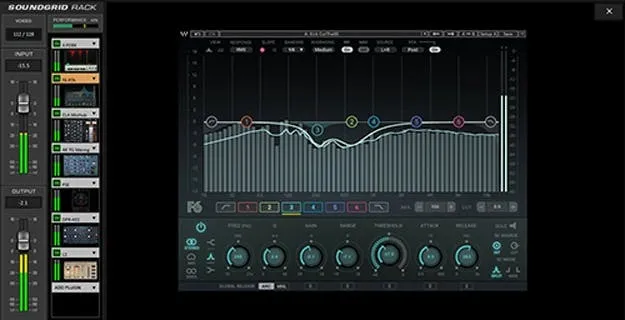
SoundGrid Rack for VENUE is a Waves utility plugin that lets Avid VENUE | S6L console users run Waves plugins directly inside the console. It supports up to 64 stereo virtual racks with up to 8 plugins each.

macOS
AVAILABLE ATPlugin Boutique
Opens the store in a new tab
01Overview

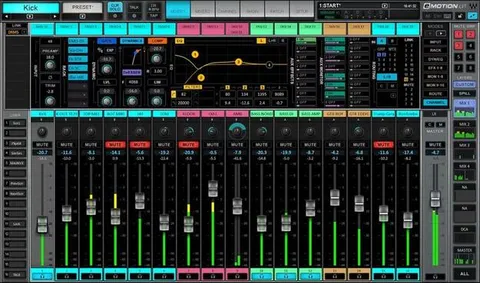
SoundGrid Rack for VENUE brings Waves processing into the Avid VENUE | S6L workflow without a separate computer host or external network switch. Engineers can load Waves plugins into the console's own plug-in rack and control them from the surface knobs. The developer describes the system as a way to expand the console's processing with the Waves plugin library. Plugins run on a Waves SoundGrid server, so the console handles routing and control while the server handles processing.

Best for

  • Live console processing
  • FOH Waves plugin workflow
  • Show file migration
  • Redundant live setups
  • Console-based plugin control
Developer
Waves
Category
Utilities
Store
Plugin Boutique
02Key features

What you get

  • Runs Waves plugins directly inside the Avid VENUE | S6L console
  • Up to 64 stereo virtual racks with up to 8 plugins each
  • Tactile control surface mapping for all Waves plugins
  • Snapshot automation for plugin parameters
  • Server redundancy with automatic failover
  • 128 audio paths between Avid and SoundGrid at 96 kHz
  • Legacy VENUE show file compatibility
  • Connects up to two SoundGrid servers (primary and redundant)
03In depth

Console Integration and Control Surface Workflow

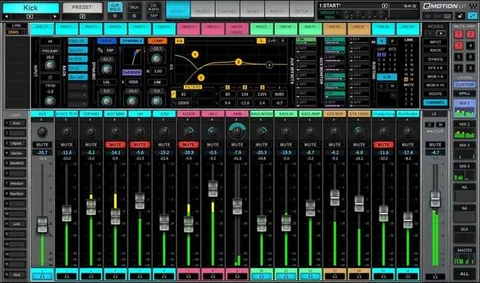
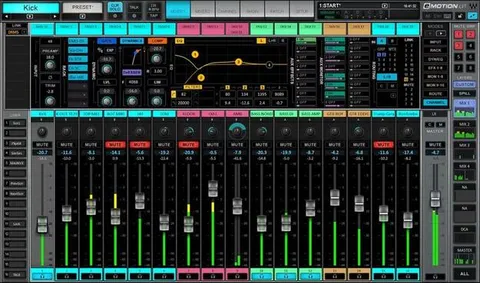
Waves says the rack is designed to follow the same operation as every other plugin in the VENUE plug-in rack. Plugins are bypassed and navigated from within the S6L, so the workflow stays on the console.

Tactile control surface mapping lets engineers adjust Waves plugin parameters with the console's knobs. Snapshot automation can store plugin parameter states, and standard VENUE features such as Config and Show modes still apply.

Legacy VENUE show files are compatible, which helps teams move existing sessions onto the new setup.
Hardware Setup and Redundancy

The system requires the WSG-HD Waves SoundGrid Option Card, VENUE software v5.7 or later, a Waves SoundGrid server, and Waves plugin licenses of your choice. Up to two SoundGrid servers can be connected, one primary and one redundant, with automatic failover.

The connection provides 128 audio paths between Avid and SoundGrid at 96 kHz. Waves also states that Avid I/O sharing is officially supported.

04Specs

Will it run?

Formats, systems and requirements as listed by Plugin Boutique. Missing details are left out, not guessed.

DeveloperWaves
TypePlugin
CategoryUtility
Operating systemsmacOS
05FAQ

Questions, answered

What do I need to use SoundGrid Rack for VENUE?

You need the WSG-HD Waves SoundGrid Option Card, VENUE software v5.7 or later, a Waves SoundGrid server to process the plugins, and Waves plugin licenses of your choice.

What operating system does it support?

The product is listed for macOS. The listed system requirements are Avid VENUE | S6L console software on macOS Monterey 12, Ventura 13, Sonoma 14 or Sequoia 15.

Does it need a computer or network switch?

No. Waves states that SoundGrid Rack for VENUE works with no external computer host or external network switch.

07Developer

More from Waves

All Waves products →