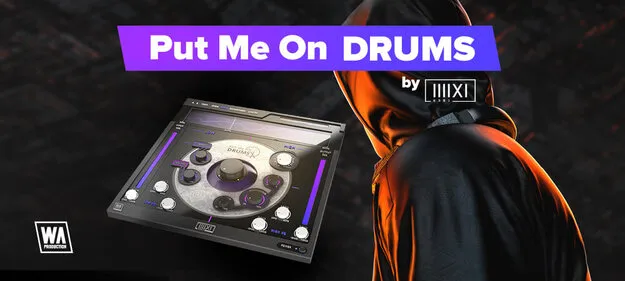
Put Me On Drums multi-effect drum plugin interface by W. A. Production

Put Me On Drums: Multi-Effect Drum Processor by W. A. Production

Rated 4.7/5 on Plugin Boutique (103 ratings)

Put Me On Drums is a multi-effect plugin for processing drums, developed by W. A. Production in collaboration with producer K-391. It splits audio into low and high frequency modules for independent processing, and runs on Windows and macOS in VST2, AU and AAX formats.

VST2AUAAXWindowsmacOS64-bit
AVAILABLE ATPlugin Boutique
Opens the store in a new tab
01Overview

Put Me On Drums is built around a crossover that divides the signal into separate high and low modules, each with its own set of effects. The low module handles saturation, transient level and tail length, which suits kicks and 808s. The high module offers formant shifting and dimension processing for hi-hats, snares and other percussion. The developer describes it as a series plugin made with K-391, and the interface includes factory presets and A/B comparison profiles to help you dial in settings quickly.

Best for

  • Kick processing
  • 808 shaping
  • Snare and hi-hat shaping
  • Drum bus processing
  • Percussion tuning
Store
Plugin Boutique
02Key features

What you get

  • Artist series plugin developed with K-391
  • Frequency-split drum processing with adjustable crossover
  • Independent high and low module processing
  • Saturation, harmonics and Sub Tail control in the low module
  • Formant shifting and Dimension processing in the high module
  • A/B comparison profiles with copy and paste
  • Scalable interface with live frequency display
  • Factory presets included
03In depth

Split-Frequency Processing for Drums

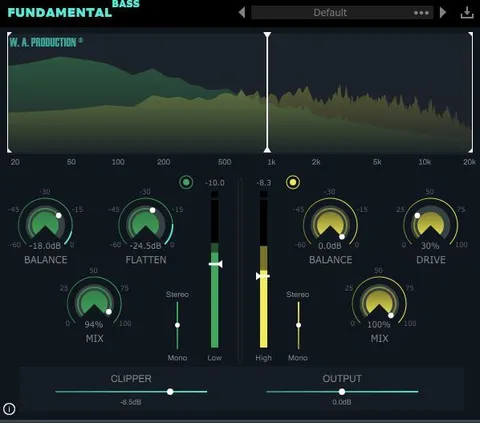
The core of Put Me On Drums is its crossover, which you can move from 20Hz to 20kHz to set the split between the two modules. Each band then runs its own effects chain, so you can saturate and extend the low end without changing how the top end behaves.

A live frequency display at the top of the interface shows what the processing is doing to the signal in real time. Dragging the crossover shifts the view between the low and high modules, which helps when you are matching processing to a specific part of the drum.
Low Module and High Module Controls

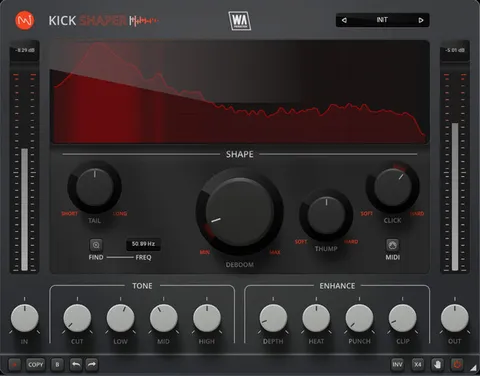
The low module includes Belly, Punch, Sub Tail, Length and EQ controls. Belly adds saturation to the low end, and Punch sets how much of the transient is sent into the saturator. Sub Tail and Length change the character and duration of the tail, which the developer suggests is useful for 808s and for kicks that need to ring longer.

The high module includes Frequency Shifter, Shift, Dimension, Width and EQ controls. Frequency Shifter selects the target frequency, and Shift controls the overall formant feel. Width spreads the dimension effect across the stereo field.

A/B profiles, copy and paste between profiles, and Undo, Redo and Randomize buttons make it simple to compare and refine settings.

04Specs

Will it run?

Formats, systems and requirements as listed by Plugin Boutique. Missing details are left out, not guessed.

DeveloperW. A. Production
TypePlugin
CategoryMulti Effect
FormatsVST2, AU, AAX
Operating systemsWindows, macOS
Architecture64-bit
05FAQ

Questions, answered

What formats and operating systems does Put Me On Drums support?

Put Me On Drums is available in VST2, AU and AAX formats. It runs on Windows and macOS, and is 64-bit only on both platforms.

What do I need to run Put Me On Drums in Pro Tools?

The AAX version requires Pro Tools 11 or higher. On Windows, the plugin needs Windows 8 or later, and on Mac it needs macOS 10.10 or later.

What is the low and high frequency split used for?

The crossover divides the signal into a low module and a high module, each with its own effects. You can set the split anywhere from 20Hz to 20kHz to match the part of the drum you want to process.

Does Put Me On Drums include presets?

Yes. It includes factory and artist presets, which the developer describes as starting points for drum processing, including options for hi-hats, kicks and snares.

07Developer

More from W. A. Production

All W. A. Production products →