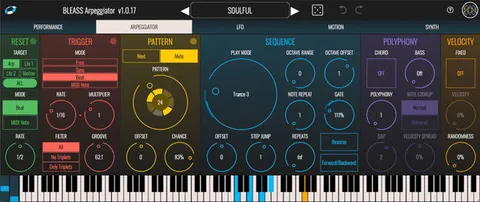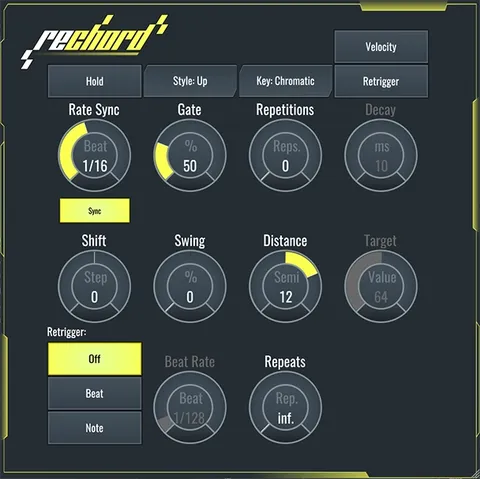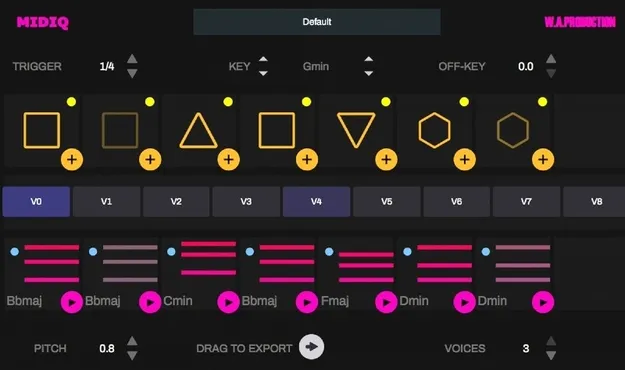
MIDIQ MIDI chord sequence generator plugin interface by W. A. Production

MIDIQ: Chord Sequence Generator MIDI Plugin by W. A. Production Free Download

Rated 4.2/5 on Plugin Boutique (3,658 ratings)

MIDIQ is a MIDI effect plugin by W. A. Production that generates chord sequences, harmonies and bass lines from a visual pattern definition. It is available as VST3, VST2 and AU for Windows and macOS.

VST3VST2AUWindowsmacOS64-bit
AVAILABLE ATPlugin Boutique
Free trial available from the developer
01Overview

MIDIQ is aimed at producers who need ideas for chord progressions. Its interface uses a slot-machine-style pattern layout in which each symbol defines a repeating chord position. The developer says no music theory knowledge is needed to get usable results. Chord input can come from your keyboard or an external MIDI keyboard, and a MIDI sequence recorded in your DAW can act as a trigger for the generated chords. Factory presets are included, and the plugin runs as a MIDI effect in supported hosts.

Best for

  • Chord progression ideas
  • Bass line generation
  • Polyrhythmic MIDI loops
  • Layered polyphonic chords
  • Live chord triggering
Category
MIDI Arps
Store
Plugin Boutique
02Key features

What you get

  • Pattern definition area for generating chord sequences
  • Eight alternative chord sequences per pattern
  • Chord locking and unlocking while editing progressions
  • Simplified piano roll display of generated chords
  • Individual MIDI velocity adjustment and muting of chords
  • Chords can be triggered from a keyboard or DAW MIDI
  • Factory presets saved with DAW sessions
  • Drag to export chords to the host sequencer
03In depth

Chord generation and pattern workflow

MIDIQ builds chord sequences from a simple pattern language that defines repeating chords. When you add or change a pattern symbol, the algorithm generates a chord for that position and also creates a set of eight alternative chord sequences for the current pattern.

Switching to a different variant takes one click on a chord box. Clicking a chord lets you change its symbol manually; the pattern element is then locked and the algorithms build a new matching progression around it. Unlocking returns the element to its previous state.

The piano roll shows the generated sequence in a simplified view, and chords can be dragged out to your host sequencer.
Using MIDIQ in your DAW

MIDIQ works in any DAW with MIDI routing support. You can place it on a generator track or run several instances on different tracks, for example to layer chords into highly polyphonic progressions or to generate polyrhythmic loops. Copy-and-paste lets you move parameters from one instance to another.

Preset data is saved automatically in DAW sessions and can be exported for import into other sessions. Duration and velocity of your played input shape rhythmic and dynamic variation in the generated progressions.

04Specs

Will it run?

Formats, systems and requirements as listed by Plugin Boutique. Missing details are left out, not guessed.

DeveloperW. A. Production
TypePlugin
CategoryMIDI Arp
FormatsVST3, VST2, AU
Operating systemsWindows, macOS
Architecture64-bit
Free trialYes
05FAQ

Questions, answered

What is MIDIQ?

MIDIQ is a MIDI effect plugin by W. A. Production that generates chord sequences, harmonies and bass lines through a visual pattern interface.

What formats and operating systems does MIDIQ support?

MIDIQ is available in VST3, VST2 and AU formats, in 64-bit only, for Windows 7 and later and macOS 10.13 and later. It will not run on 32-bit systems.

What do I need to use MIDIQ?

MIDIQ needs a DAW with MIDI routing support. It is listed as tested in Ableton Live 10 and later, Bitwig Studio 2, Cubase 10, FL Studio 20 (VST only), Logic Pro X, Cockos Reaper and Studio One 4-5. It is not compatible with Pro Tools, Machine 2 or Reason.

Do I need music theory knowledge to use MIDIQ?

The developer says no music theory knowledge is needed to get good results, because the pattern layout is designed to be visual.

07Developer

More from W. A. Production

All W. A. Production products →