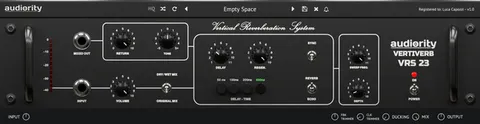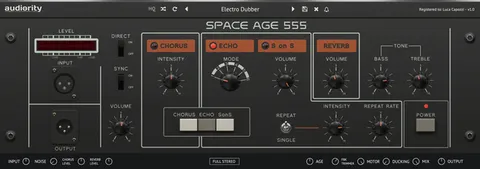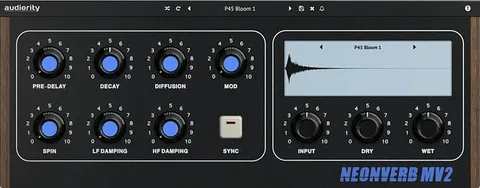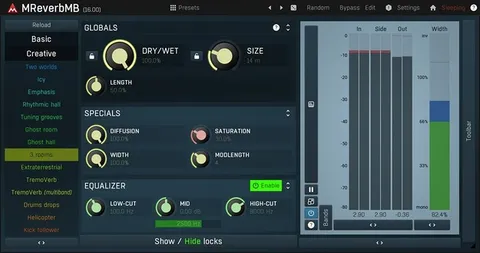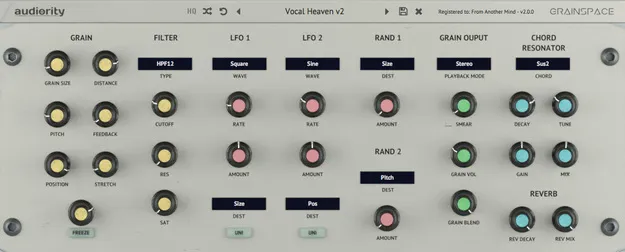
GrainSpace by Audiority granular reverb effects plugin interface

GrainSpace: Real-Time Granular Effects Plugin by Audiority Free Download

Rated 4.6/5 on Plugin Boutique (818 ratings)

GrainSpace is a granular effects plugin from Audiority that processes incoming audio in real time through granulation and reverberation. It generates up to 32 grains per channel to create textures and unusual sound effects.

VST3VST2AUAAXCLAPWindowsmacOS64-bit
AVAILABLE ATPlugin Boutique
Free trial available from the developer
01Overview

GrainSpace is an effects plugin in the Reverb subcategory, built around a real-time granular engine. It records the incoming signal into a 10-second buffer, then splits it into grains that you can shape with seven grain parameters, modulate with four modulators, and blend with a chord resonator and reverb. Audiority positions it for crazy sound effects and rich textures, and it is available as VST3, VST2, AU, AAX and CLAP on Windows and macOS.

Best for

  • Granular sound design
  • Ambient textures
  • Stutter and glitch effects
  • Vocal and pad processing
  • Side-channel effects
  • Chord-based resonance
Developer
Audiority
Category
Reverbs
Store
Plugin Boutique
02Key features

What you get

  • Real-time granular engine with a 10-second recording buffer
  • Up to 32 grains per channel with grains up to 500 ms
  • Stereo, Mono (L+R) and Side playback modes
  • Seven grain parameters including Pitch, Freeze and Stretch
  • Two stretch modes and a grain pitch quantizer
  • Multi-mode filter and smearing control
  • Two LFOs with 11 waveforms and two random modulators
  • Chord resonator and reverb, with global in/out/mix in version 2.4
03In depth

Granular Processing and Sound Character

GrainSpace works on the live incoming signal. Its buffer holds 10 seconds of audio, and grains can be up to 500 ms long. Up to 32 grains per channel can play at once, which allows dense clouds or sparse, stuttering patterns depending on the settings.

The playback modes are Stereo, Mono (L+R) and Side, so you can process the mid and side content of a mix differently. A multi-mode filter and a grain pitch quantizer let you keep pitched material in tune while the grains move around.
Controls, Modulation and Workflow

The seven grain parameters are Size, Distance, Pitch, Feedback, Freeze, Position and Stretch. Two stretch modes change how time is handled, and a smearing control adds diffusion to the grain output.

Modulation comes from two LFOs and two random sources, with the LFOs offering 11 waveforms and tempo sync. A chord resonator and a reverb section sit at the end of the chain, and version 2.4 added modulation destinations for both, plus global in, out and mix controls.

04Specs

Will it run?

Formats, systems and requirements as listed by Plugin Boutique. Missing details are left out, not guessed.

DeveloperAudiority
TypePlugin
CategoryReverb
FormatsVST3, VST2, AU, AAX, CLAP
Operating systemsWindows, macOS
Architecture64-bit
Free trialYes
05FAQ

Questions, answered

What formats does GrainSpace support?

GrainSpace is available in VST3, VST2, AU, AAX and CLAP formats. It runs on Windows and macOS.

What do I need to run GrainSpace?

On Windows, you need Windows 7 (64-bit only), an Intel i5 or higher, 2 GB RAM and a screen resolution of 1024×768. On macOS you need OS X 10.9 or later for Intel Macs, or macOS 11.0 or later with an Apple M1 or higher for Apple Silicon, with 2 GB RAM and a 1024×768 screen. The plugin requires a 64-bit host, and AAX requires Pro Tools 11 or higher.

Does GrainSpace have a trial?

Yes, GrainSpace offers a trial.

What does the chord resonator do?

The chord resonator is one of the processing sections at the end of the chain, alongside the reverb. Version 2.4 added modulation destinations for it.

07Developer

More from Audiority

All Audiority products →