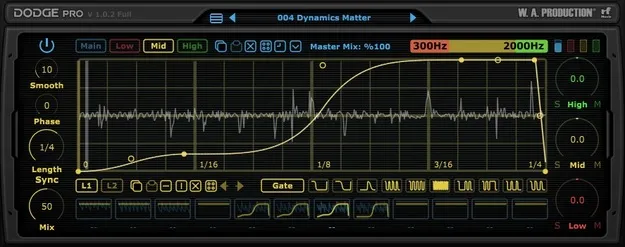
Dodge Pro by W. A. Production multiband volume shaper plugin interface

Dodge Pro: Multiband Sidechain Volume Shaper Plugin by W. A. Production Free Download

Rated 4.6/5 on Plugin Boutique (3,825 ratings)

Dodge Pro is a multiband volume shaping effect plugin by W. A. Production that uses envelope-style automation to duck, gate and rhythmically shape audio. It is available in VST2, AU and AAX formats.

VST2AUAAXWindowsmacOS64-bit
AVAILABLE ATPlugin Boutique
Free trial available from the developer
01Overview

Dodge Pro is built around volume automation, the kind of ducking and gating used to create pumping rhythms in dance music. Instead of processing the whole signal at once, it can split audio into three frequency bands and apply a separate volume shape to each. You can start from factory presets for sidechain ducking, trance gates and special effects, or draw your own curves with point-and-drag nodes and drawing tools. It runs on Windows and macOS and includes a trial.

Best for

  • Sidechain-style ducking
  • Trance gate effects
  • Rhythmic low-end pumping
  • Midrange gated patterns
  • High-frequency rhythmic FX
  • Live scene switching
Store
Plugin Boutique
02Key features

What you get

  • Three independent frequency bands with separate volume automation
  • Adjustable crossover points set by dragging on the band graphic
  • Up to 12 MIDI-triggered scenes for switching shapes on the fly
  • Advanced line editor with single, double, pulse, wave, saw and step curves
  • Second drawable layer per line, summed with the primary curve
  • Factory presets for sidechain ducking, trance gates and special FX
  • Randomisation for full scenes or individual bands
  • Master Mix control for blending in the dry signal
03In depth

Multiband Volume Shaping and Line Editing

Dodge Pro uses a 3-band crossover that you set by dragging the band graphic at the top right of the interface. Each band has its own Volume, Shape, Sync, Length and Mix settings, so you can pump only the low end, apply a trance gate to the midrange, or add rhythmic movement to the highs.

The line editor lets you click to add nodes and drag them to define the shape. It includes single and double curve types, pulse, wave, saw and step automation. Each primary line has a second layer that can be drawn independently and summed with the first, which allows more complex shapes. Lines and scenes can be copied and pasted, and the transformation buttons speed up common edits.
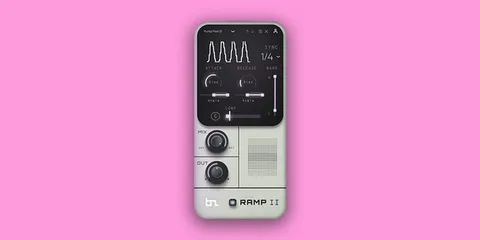
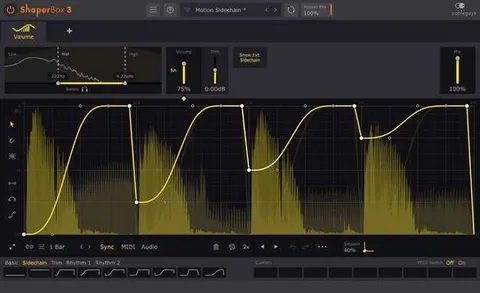
MIDI Scenes and Randomisation for Arrangements

Dodge Pro can store up to 12 separate scenes and switch between them using MIDI triggers you choose. This makes it practical for changing the volume shaping at different points in a track, and the developer notes it can also be triggered by an external controller during live performance.

Randomisation can be applied to an entire scene or to a single band, which is a quick way to generate new ducking patterns when you want to move away from presets.

04Specs

Will it run?

Formats, systems and requirements as listed by Plugin Boutique. Missing details are left out, not guessed.

DeveloperW. A. Production
TypePlugin
CategoryEnvelope Shaper
FormatsVST2, AU, AAX
Operating systemsWindows, macOS
Architecture64-bit
Free trialYes
05FAQ

Questions, answered

What formats and operating systems does Dodge Pro support?

Dodge Pro is available in VST2, AU and AAX formats. It runs on Windows and macOS and is a 64-bit plugin.

What do I need to run Dodge Pro on Windows?

Windows 8 or later (32- or 64-bit) is required for the VST2 and AAX versions. The listed requirements are a multicore CPU of 2GHz or higher and 2GB or more of RAM.

Does Dodge Pro work in Pro Tools?

Pro Tools 11 or higher is required to use the AAX version of the plugin.

Does Dodge Pro have a trial?

Yes, a trial version is available.

07Developer

More from W. A. Production

All W. A. Production products →