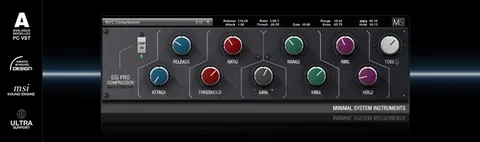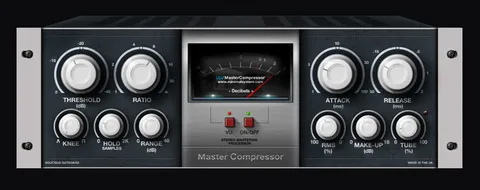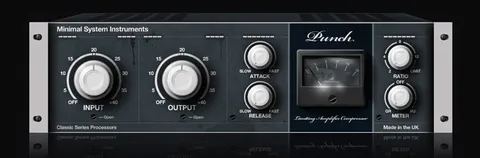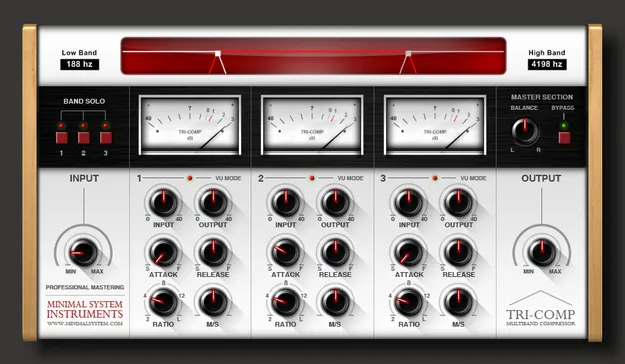
Tri-Comp Multiband Compressor by Minimal System Group plugin interface

Tri-Comp Multiband Compressor: Three-Band 1176-Style Compression by Minimal System Group Free Download

Rated 4.2/5 on Plugin Boutique (483 ratings)

Tri-Comp Multiband Compressor is a VST2 effects plugin from Minimal System Group that splits audio into three bands, each processed by an emulated 1176 compressor with Mid/Side processing.

VST2Windows32-bit only
AVAILABLE ATPlugin Boutique
Free trial available from the developer
01Overview

Tri-Comp is a multiband dynamics processor from Minimal System Group, built for mixing and mastering. It combines three emulated 1176 compressors, with each one handling its own frequency band: low, mid and high. Each band has its own compression and limiting controls, so you can shape dynamics separately across the spectrum. The developer says the design is meant to keep the mix clear and transparent while giving you fine control over balance.

Best for

  • Mix bus compression
  • Mastering dynamics control
  • Bass and low-end control
  • Stereo image shaping
  • Multiband dynamics processing
Category
Compressors
Store
Plugin Boutique
02Key features

What you get

  • Three emulated 1176 compressors, one per frequency band
  • Low, Mid and High band processing
  • Mid/Side processing in each compressor
  • Input, Output, Attack, Release and Ratio controls per band
  • Solo function for each band
  • Bypass button for A/B comparisons
  • Master Balance control
  • VU signal monitoring and low CPU usage
03In depth

Sound and Processing Approach

Tri-Comp uses three emulated 1176 compressors, one per band. The Low, Mid and High bands can each be compressed independently, which lets you control a bass-heavy low end without pumping the midrange or taming the top end.

Each compressor includes Mid/Side processing, so you can treat the center and sides of the stereo image differently within each band. Solo buttons let you hear each band on its own while you set its processing.

The developer describes the plugin as having very low CPU usage, which makes it practical to run on several tracks in a session.
Controls and Workflow

Each band gives you Input, Output, Attack, Release and Ratio controls. A Master Balance control sets the overall balance between the processed bands. VU signal monitoring shows level activity while you adjust settings.

A bypass button lets you switch between processed and unprocessed audio for quick A/B comparisons. Solo each band to check exactly what that band is doing before you blend the full signal back together.

04Specs

Will it run?

Formats, systems and requirements as listed by Plugin Boutique. Missing details are left out, not guessed.

DeveloperMinimal System Group
TypePlugin
CategoryCompressor
FormatsVST2
Operating systemsWindows
Architecture32-bit only
Free trialYes
05FAQ

Questions, answered

What formats does Tri-Comp support?

Tri-Comp is available in the VST2 format. It is a 32-bit plugin.

Which operating systems are supported?

Tri-Comp runs on Windows only. It is not compatible with other operating systems.

Can I run Tri-Comp in a 64-bit DAW?

Yes. The plugin is 32-bit but can run on 64-bit systems using jBridge. The developer also says it works in the 64-bit versions of several hosts, including Cubase, Nuendo, Bitwig Studio, Reaper, Tracktion, Renoise, FL Studio, Sonar, Mixcraft and Samplitude, through their built-in bridging.

What do I need to use Tri-Comp?

You need a Windows PC and a VST-compatible DAW or VST host. The plugin has a trial version, and the developer recommends trying the demo first to confirm it works with your system.

07Developer

More from Minimal System Group

All Minimal System Group products →