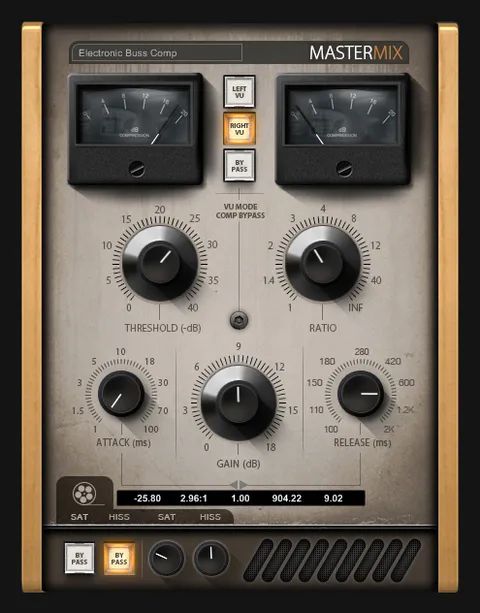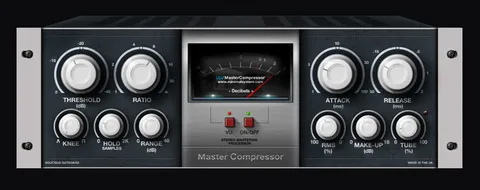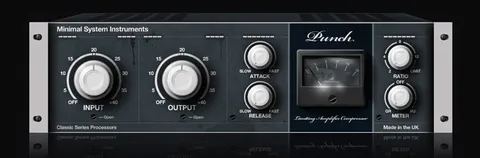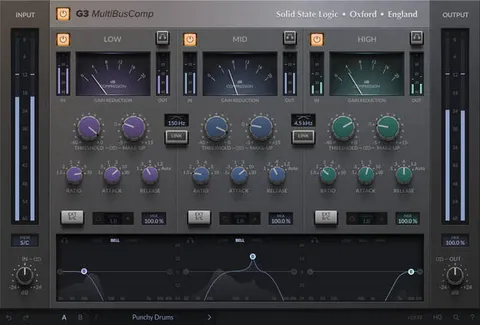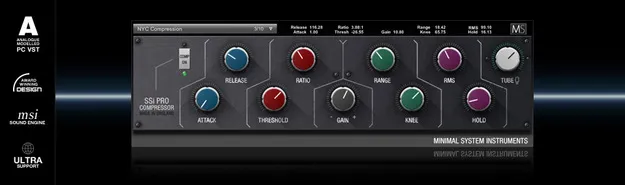
SSi Pro Compressor by Minimal System Group VST2 compressor plugin interface

SSi Pro Compressor: VST2 Compressor Plugin by Minimal System Group Free Download

Rated 4.3/5 on Plugin Boutique (311 ratings)

SSi Pro Compressor is a VST2 compressor plugin for Windows from Minimal System Group. It offers analogue-modeled tube gain, a full set of dynamics controls and presets to start from.

VST2Windows32-bit only
AVAILABLE ATPlugin Boutique
Free trial available from the developer
01Overview

SSi Pro Compressor is a dynamics processor from Minimal System Group, built for producers who want precise control over level and punch. It runs as a VST2 plugin on Windows. The control set covers attack and release, threshold, ratio, gain, range, knee, RMS and hold, so you can shape compression from gentle leveling to tighter, more aggressive settings. An analogue-modeled tube gain stage adds a warmer character to the processed signal. The developer also describes the plugin as having a professional interface and very low CPU usage, which lets you run several instances in one session.

Best for

  • Mix bus compression
  • Vocal leveling
  • Drum bus punch
  • Bass control
  • Track-level dynamics
Category
Compressors
Store
Plugin Boutique
02Key features

What you get

  • Analogue-modeled tube gain stage for added character
  • Attack and release controls for timing
  • Threshold, ratio, knee and range controls
  • Hold and RMS detection options
  • Gain control for output level after compression
  • Presets to get you started
  • Professional, user-focused GUI layout
  • Very low CPU usage for multiple instances
03In depth

Sound Engine and Tube Gain Character

The compressor is built on what Minimal System Group calls a high-end sound engine. The analogue-modeled tube gain stage is the part of the design that colors the signal, adding harmonic character alongside the gain reduction.

Use the gain control to set output level after compression, and the knee control to decide how the compression engages around the threshold. A softer knee tends to make the transition less noticeable, while a harder setting makes the compressor react more abruptly.
Controls and Workflow for Mixing

The full control set gives you a lot of room to work. Attack and release set how quickly the compressor responds and recovers. Threshold and ratio define how much the signal is reduced once it crosses the set level. Range limits the maximum amount of gain reduction, and hold keeps the compressor engaged for a set time. An RMS option is included as well.

The presets give you starting points for common uses, so you can open the plugin, choose a preset and refine it from there. The interface is laid out to keep the main controls in view, and because CPU use is low, you can place the compressor on many tracks without slowing the session.

04Specs

Will it run?

Formats, systems and requirements as listed by Plugin Boutique. Missing details are left out, not guessed.

DeveloperMinimal System Group
TypePlugin
CategoryCompressor
FormatsVST2
Operating systemsWindows
Architecture32-bit only
Free trialYes
05FAQ

Questions, answered

What formats and operating systems does SSi Pro Compressor support?

SSi Pro Compressor is available in VST2 format and runs on Windows only. The plugin is 32-bit.

Can I use SSi Pro Compressor in a 64-bit DAW?

The plugin is 32-bit but can run on 64-bit systems using jBridge. It also works within the 64-bit versions of Cubase, Nuendo, Bitwig Studio, Reaper, Tracktion, Renoise, FL Studio, Sonar, Mixcraft and Samplitude through their built-in bridging.

What do I need to use SSi Pro Compressor?

You need a Windows PC and a VST-compatible DAW or VST host. The developer recommends trying the demo first to confirm it works with your system.

Is there a trial version?

Yes, a trial version is available so you can test the plugin before buying.

07Developer

More from Minimal System Group

All Minimal System Group products →