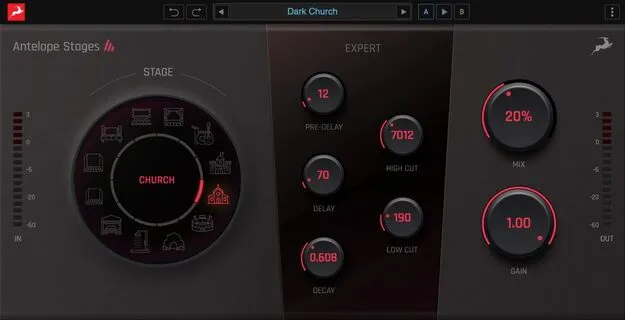
Stages reverb plugin by Antelope Audio interface

Stages: Natural Reverb Plugin by Antelope Audio

Rated 4.0/5 on Plugin Boutique (13 ratings)

Stages is a reverb plugin by Antelope Audio that adds natural ambience to any sound source. It includes 12 ready-to-use reverb spaces, from small rooms to large halls, and runs on Windows and macOS.

WindowsmacOS
AVAILABLE ATPlugin Boutique
Opens the store in a new tab
01Overview

Stages is built for producers who want convincing reverb without spending time on setup. Its 12 pre-made spaces cover everything from small rooms to large, expansive halls, so you can pick a starting point quickly. The developer describes the plugin as easy to set up, with an organic, natural sound. For users who want more control, an Expert section provides options for shaping the reverberated signal.

Best for

  • Vocal ambience
  • Drum room sound
  • Mix reverb sends
  • Quick reverb setup
  • Adding space to instruments
Category
Reverbs
Store
Plugin Boutique
02Key features

What you get

  • Easy to set up for fast results
  • Organic and natural reverb sound
  • 12 ready-to-go reverb spaces, small rooms to epic halls
  • Expert control set for fine-tuning the reverberated signal
  • Pre-Delay, Decay and Delay adjustments
  • Low and High Cut filters for shaping reverb frequencies
  • Native plugin, no extra hardware needed
03In depth

Reverb Spaces and Sound Character

Stages includes 12 ready-to-go reverb spaces that range from small rooms to large halls. Antelope Audio presents the plugin as a way to add natural, rich reverb to any sound source you feed it, with a focus on an organic result rather than a heavily processed one.

Because the spaces are preset, you can choose a room or hall that fits the source and start from a usable sound immediately. This suits projects where you need a believable sense of space quickly.
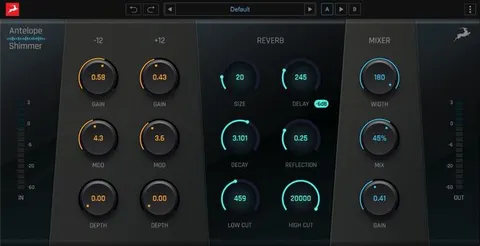
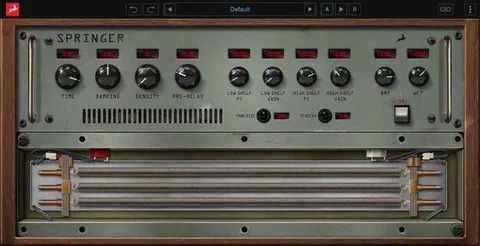
Expert Controls for Fine-Tuning Reverb

The Expert section gives you extra control over the reverberated signal. According to the developer, these controls cover Pre-Delay, Decay and Delay amounts, so you can adjust the timing and length of the reverb tail.

Low Cut and High Cut filters let you shape the frequency content of the reverb, which helps you keep the effect out of the way of the dry signal or sit it more comfortably in a mix.

04Specs

Will it run?

Formats, systems and requirements as listed by Plugin Boutique. Missing details are left out, not guessed.

DeveloperAntelope Audio
TypePlugin
CategoryReverb
Operating systemsWindows, macOS
05FAQ

Questions, answered

Which operating systems does Stages support?

Stages is available as a native plugin for Windows and macOS. It runs on a Mac or PC without any additional hardware.

How many reverb spaces does Stages include?

Stages includes 12 ready-to-go reverb spaces, ranging from smaller rooms to bigger environments such as halls.

Can I adjust the reverb settings?

Yes. The Expert section lets you adjust Pre-Delay, Decay and Delay amounts, and the Low and High Cut filters let you shape the frequency content of the reverb.

07Developer

More from Antelope Audio

All Antelope Audio products →