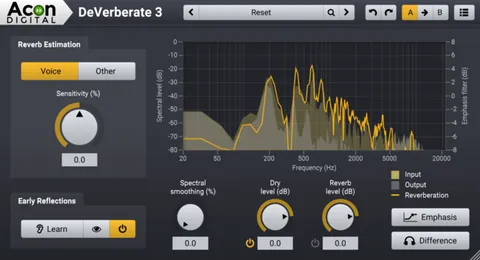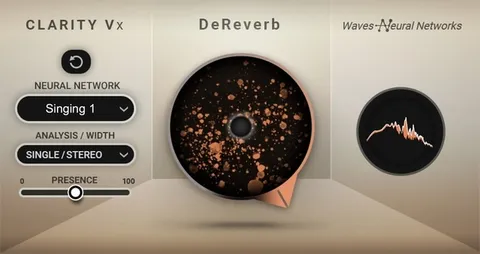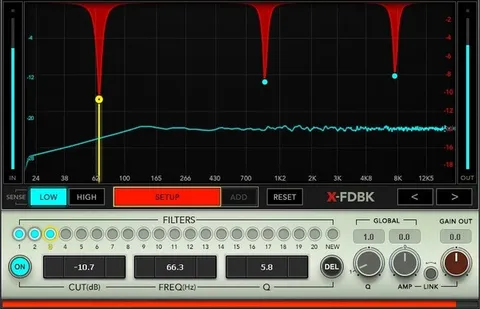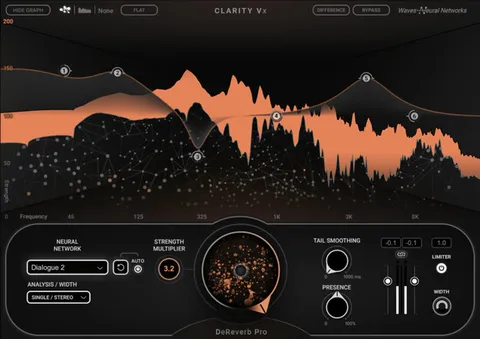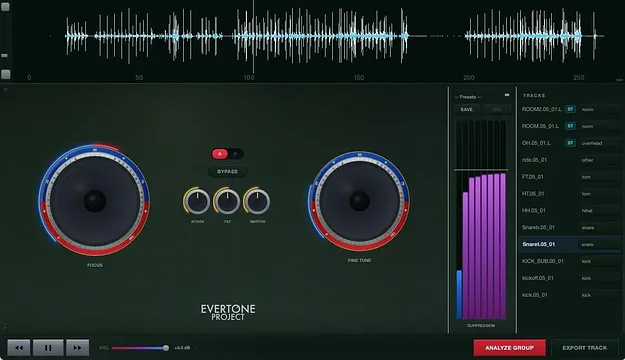
Pro DeBleed standalone drum bleed removal app interface by Evertone Project

Pro DeBleed: Spectral Drum Bleed Removal Tool by Evertone Project

Pro DeBleed is a standalone spectral bleed removal tool for multitrack drums, developed by Evertone Project. It separates each mic's spill by spectral content rather than amplitude, so the drum itself stays intact.

Standalone
AVAILABLE ATPlugin Boutique
Opens the store in a new tab
01Overview

Pro DeBleed targets one of the most common problems in multitrack drum recording: spill from other drums and cymbals bleeding into each mic. Instead of gating by level, it uses non-negative matrix factorization (NMF) source separation to identify and suppress the unwanted content in each track. The developer says this approach keeps ghost notes and dynamic detail that a gate would cut. Because it runs outside a DAW, it works as a separate step in your workflow, with exported cleaned tracks sent back to your session.

Best for

  • Multitrack drum cleanup
  • Snare spill removal
  • Trigger signal extraction
  • Post-production drum editing
  • Kit-specific bleed reduction
Store
Plugin Boutique
02Key features

What you get

  • Spectral NMF separation that suppresses spill without gating the drum
  • Red and blue Focus knobs for separation strength and character
  • Attack, Tilt and Smooth controls for note-by-note refinement
  • 8-band interactive EQ with a live suppression meter
  • Waveform Bleed View showing removed content in cyan
  • A/B comparison with named preset save and recall
  • Automatic stereo-pair detection
  • Sample rate and bit depth preserved with no resampling
03In depth

Separation Control and Visual Feedback

Two large red and blue knobs set the separation strength and character. One end favors aggressive removal, which suits heavy post-processing or extracting trigger signals. The other favors natural suppression that preserves the drum's quality.

The 8-band interactive EQ lets you adjust suppression per frequency band, and the SUPPRESSION meter shows where the processing is working. The Waveform Bleed View overlays the removed bleed in cyan directly on the waveform, so you can see exactly what is being taken out. Three mini knobs handle transient preservation, frequency balance and mask smoothness.

A/B comparison and named preset save and recall help you dial in settings quickly and repeat them across sessions.
Improving Results with a Kit-Specific Dictionary

Pro DeBleed can build a dictionary tailored to your kit. After the performance, leave a few seconds of silence, then strike each drum one at a time, a few hits each, with every mic in its original position. The software detects this region automatically and uses it to sharpen separation.

Trim the tail after export, since it never reaches the final stem. If you skip the one-shots, the engine falls back to separation without them.

The workflow is five steps: load tracks, set each instrument, analyze the group, dial in, and export. Stereo pairs are detected automatically, and sample rate and bit depth are preserved without resampling.

04Specs

Will it run?

Formats, systems and requirements as listed by Plugin Boutique. Missing details are left out, not guessed.

DeveloperEvertone Project
TypePlugin
CategoryAudio Restoration
FormatsStandalone
05FAQ

Questions, answered

Is Pro DeBleed a plugin I can load in my DAW?

No. The developer states that Pro DeBleed is a standalone product and cannot be launched within a DAW. You export the cleaned tracks and bring them back into your session.

What formats does Pro DeBleed support?

Pro DeBleed is available in Standalone format only.

Do I need one-shot recordings to use Pro DeBleed?

No. You can record one-shots of each drum after the performance to build a kit-specific dictionary and improve separation. Without them, the engine still separates the bleed using its automatic fallback.

Does Pro DeBleed change the sample rate or bit depth of my audio?

The developer says sample rate and bit depth are preserved natively, with no resampling or quality loss.

07Developer

More from Evertone Project

All Evertone Project products →