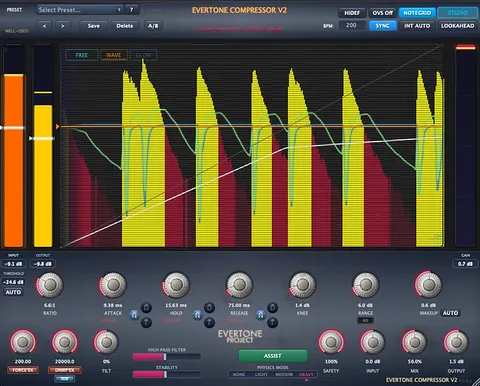
Magicknob Red one-knob compressor plugin interface by Evertone Project

Magicknob Red: One-Knob Compressor Plugin by Evertone Project

Magicknob Red is a one-knob compressor plugin by Evertone Project for Windows and macOS. Its single center knob sets the amount of processing, shifting from transient rebound at low settings to full compression at higher settings.

WindowsmacOS
AVAILABLE ATPlugin Boutique
Opens the store in a new tab
01Overview

Magicknob Red is an effects plugin from Evertone Project that packs its processing into one control. It is built on the developer's EVERTONE COMPRESSOR engine, and the developer describes its behavior as a physics-based approach to dynamics. The plugin runs on Windows 10 and 11 and on macOS 10.13 High Sierra or later, with Intel and Apple Silicon support. Its design focuses on quick, practical results rather than a deep menu of settings.

Best for

  • Drum bus dynamics
  • Quick transient shaping
  • Mix bus compression
  • Adding presence to tracks
  • Sound design processing
Category
Compressors
Store
Plugin Boutique
02Key features

What you get

  • One center knob controls the full processing range
  • Red arc applies transient rebound energy processing up to 50%
  • Orange arc applies compression to the full signal from 50%
  • LEARN function analyzes the track to set up processing
  • Auto-level is active with a hidden output trim
  • LOOKAHEAD mode adds 20 ms of look-ahead processing
  • TRANSFORMER button enables harmonic enhancement
  • Runs on Windows 10/11 and macOS 10.13 or later
03In depth

How the One Knob Shapes Dynamics

The center knob is the main control. Evertone Project says that up to 50 percent, the red arc applies transient rebound processing. From 50 percent upward, the orange arc applies stronger compression to the entire signal. This split lets one control move from subtle transient shaping to heavier level control.

The plugin also has an Auto-level feature that is active by default. A hidden function lets you drag the center of the percentage display to trim the output level.
Learn, Lookahead and Transformer Modes

To set up the plugin, insert it on a track, click LEARN, and play the track so the plugin can analyze the signal. Once learned, you adjust the amount with the center knob.

The LOOKAHEAD button enables 20 ms look-ahead processing. The developer notes that this adds latency but improves accuracy. The TRANSFORMER button activates a harmonic enhancement mode that adds presence to the sound.

04Specs

Will it run?

Formats, systems and requirements as listed by Plugin Boutique. Missing details are left out, not guessed.

DeveloperEvertone Project
TypePlugin
CategoryCompressor
Operating systemsWindows, macOS
05FAQ

Questions, answered

What is Magicknob Red?

Magicknob Red is a one-knob compressor plugin from Evertone Project. It is based on the developer's EVERTONE COMPRESSOR and applies transient rebound or full compression depending on the knob position.

Which operating systems does Magicknob Red support?

Magicknob Red supports Windows 10 and Windows 11, and macOS 10.13 High Sierra or later. The macOS build is a Universal Binary that runs on Intel (x86_64) and Apple Silicon (arm64) Macs.

What does the LOOKAHEAD button do?

LOOKAHEAD enables 20 ms look-ahead processing. The developer says this adds latency but gives more accurate processing.

Is there a free trial for Magicknob Red?

No, Magicknob Red does not offer a trial.

07Developer

More from Evertone Project

All Evertone Project products →