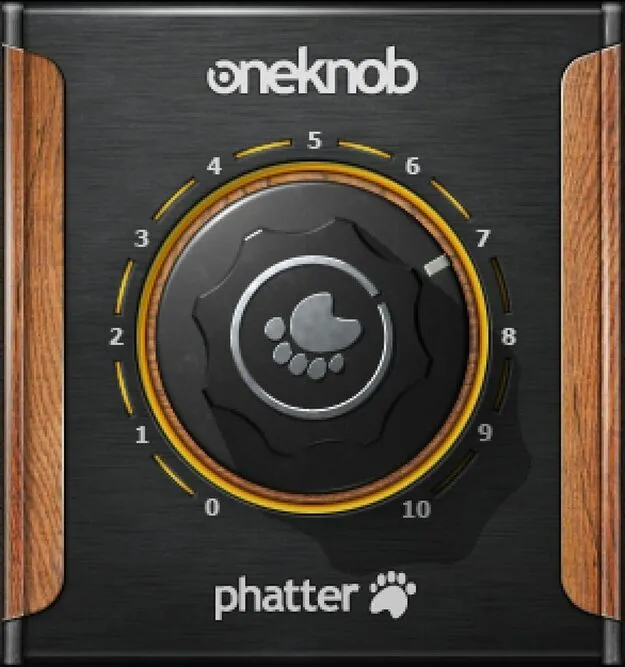
OneKnob Phatter by Waves low-end enhancer plugin interface

OneKnob Phatter: Low-End Enhancer Plugin by Waves

OneKnob Phatter is a one-knob low-end enhancer plugin from Waves that adds warmth, depth and power to bass, kick, vocals and other sources. Turning the control up tilts the response toward the low end.

VST2AUAAXWindowsmacOS
AVAILABLE ATPlugin Boutique
Opens the store in a new tab
01Overview

OneKnob Phatter is a single-control effects plugin from Waves in the enhancer subcategory. Its one knob works as an intelligent low-end boost: at subtle settings it adds warmth and power, and as you turn it up it tilts the response further down the spectrum rather than simply raising a fixed band. The plugin is built for producers who need more body in a mix without opening a full equalizer. It is available in VST2, AU and AAX formats for Windows and macOS.

Best for

  • Bass enhancement
  • Kick drum thickening
  • Dancefloor bass processing
  • Acoustic guitar body
  • Piano warmth
  • Vocal low-end warmth
Developer
Waves
Category
Enhancers
Store
Plugin Boutique
02Key features

What you get

  • Single-knob low-end enhancer with intelligent tilt response
  • Reaches all the way down into the sub-bass range
  • Tilts bass response instead of just boosting
  • Adds warmth and power at subtle settings
  • Full-range setting for body-slamming dancefloor bass
  • Accents natural body in acoustic guitar and piano
  • Gives a ribbon mic sound to dynamic and condenser mics
03In depth

Low-End Character and Sound

OneKnob Phatter is designed to reach all the way down into the sub-bass range. Because its low-end treatment tilts the bass response rather than just boosting it, the change feels more like a shift in balance than a simple volume lift.

At subtle settings, Waves describes the effect as adding warmth and power. Turned up fully, the developer positions it for body-slamming dancefloor bass, making it a candidate for bass lines and kick-heavy material that need weight.

On acoustic sources, the plugin is described as accenting the natural body of acoustic guitar and piano. Waves also says it can give dynamic and condenser microphone recordings a ribbon-mic quality.
Using OneKnob Phatter in a Mix

The single-knob layout keeps the workflow simple. Instead of setting frequencies and gains, you adjust one control and listen for the amount of low-end depth you want. This makes it quick to try on a bass track, a kick, or a full mix bus.

Because the effect scales from subtle warmth to heavy low-end emphasis, it can cover both gentle polishing and more aggressive dancefloor processing within the same plugin.

04Specs

Will it run?

Formats, systems and requirements as listed by Plugin Boutique. Missing details are left out, not guessed.

DeveloperWaves
TypePlugin
CategoryEnhancer
FormatsVST2, AU, AAX
Operating systemsWindows, macOS
05FAQ

Questions, answered

What formats and operating systems does OneKnob Phatter support?

OneKnob Phatter is available in VST2, AU and AAX formats. It runs on Windows and macOS.

Which macOS versions are supported?

The system requirements list macOS Monterey 12, Ventura 13, Sonoma 14 and Sequoia 15 for VST and AU. On Windows, the plugin is listed for Windows 10 and later in VST and AAX formats.

What does the single knob control?

The knob controls the amount of low-end enhancement. Subtle settings add warmth and power, while higher settings tilt the response further toward the low end for heavier bass.

07Developer

More from Waves

All Waves products →