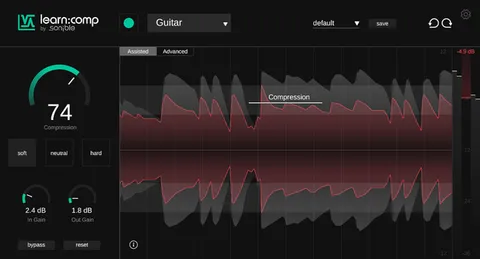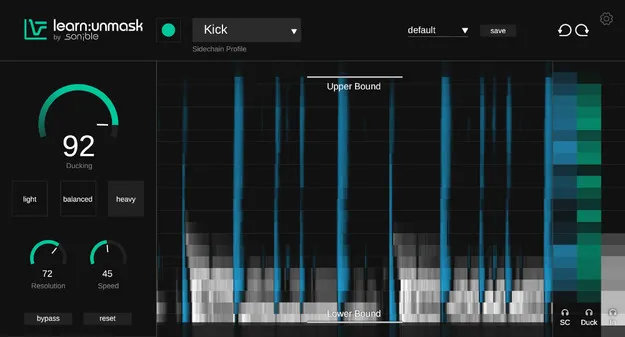
learn:unmask by sonible spectral ducking plugin interface

learn:unmask: AI Spectral Ducking Plugin by sonible

learn:unmask is a spectral ducking plugin from sonible that uses AI to detect frequency clashes between sounds and applies ducking only where they overlap. It is designed to reduce masking in a mix.

VST3VST2AUAAXWindowsmacOS64-bit
AVAILABLE ATPlugin Boutique
Opens the store in a new tab
01Overview

learn:unmask targets masking, the situation where two sounds compete for the same frequency range and one hides the other. Its AI analyzes the spectrum to find these clashes and ducks the competing content only in the affected bands. Real-time spectrogram feedback lets you see the conflict and the correction as you adjust settings. Sonible presents it as a way to understand unmasking through both sound and sight.

Best for

  • Vocal and instrument separation
  • Kick and bass clashes
  • Lead and background track balance
  • Mix masking correction
  • Learning unmasking techniques
Developer
sonible
Category
Compressors
Store
Plugin Boutique
02Key features

What you get

  • AI-guided spectral ducking that targets only clashing frequencies
  • Real-time spectrogram feedback of the masking overlap
  • Frequency bounds to define the range where ducking acts
  • Precision control over the amount of spectral correction
  • Available as VST3, VST2, AU and AAX plugin formats
  • Supports 64-bit operation on Windows and macOS
03In depth

How Spectral Ducking Works in learn:unmask

Rather than lowering the whole signal when another sound is present, learn:unmask works in the frequency domain. The AI detects where a sound clashes with another source and applies gain reduction only in those frequencies. This keeps the rest of the background track intact.

Frequency bounds and precision control let you define the range where ducking can act, so you can focus the effect on the band that matters for your mix.
Visual Feedback and Typical Mix Conflicts

The real-time spectrogram shows the overlap between sources, which makes it easier to see where masking happens. Sonible points to pairings such as vocals and piano, or kick and bass, as typical examples of conflicts the plugin is built to address.

Using the display alongside your ears can help you judge how much correction a mix needs and when it has gone far enough.

04Specs

Will it run?

Formats, systems and requirements as listed by Plugin Boutique. Missing details are left out, not guessed.

Developersonible
TypePlugin
CategoryCompressor
FormatsVST3, VST2, AU, AAX
Operating systemsWindows, macOS
Architecture64-bit
05FAQ

Questions, answered

What is learn:unmask used for?

learn:unmask is used to solve masking problems in a mix. It detects spectral clashes between sounds and applies ducking only where they overlap, helping a lead or vocal stand out without weakening the background track.

Which formats and operating systems does learn:unmask support?

learn:unmask is available in VST3, VST2, AU and AAX formats. It runs on Windows and macOS in 64-bit only.

What do I need to run learn:unmask?

On macOS you need 10.13 or later, with M1 Apple Silicon supported. On Windows you need Windows 10 or later. Both platforms list at least 4 GB of RAM (recommended) and an Intel Dual Core i5 CPU (recommended), and support sample rates from 44.1 kHz to 192 kHz.

07Developer

More from sonible

All sonible products →