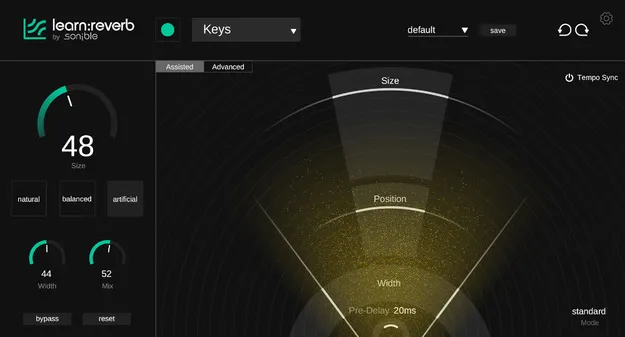
learn:reverb by sonible reverb plugin interface

learn:reverb: Source-Adaptive Reverb Plugin by sonible

learn:reverb is an AI-driven reverb plugin from sonible that analyzes your source material and creates a tailored reverb setting. It is available in VST3, VST2, AU and AAX formats.

VST3VST2AUAAXWindowsmacOS64-bit
AVAILABLE ATPlugin Boutique
Opens the store in a new tab
01Overview

learn:reverb is a reverb plugin from sonible built around analysis of the audio it processes. Rather than starting from a blank parameter set, it examines the source material and proposes a reverb setting suited to that signal. The developer describes it as a tool for both creative work and clarity in the mix. Users can choose between natural and more creative spaces and adjust key parameters from there. An Assisted view and an Advanced view let it serve as both a working tool and a way to learn how reverb settings relate to the sound.

Best for

  • Mix ambience
  • Learning reverb settings
  • Creative spaces
  • Quick reverb starting points
  • Source-matched reverb
Developer
sonible
Category
Reverbs
Store
Plugin Boutique
02Key features

What you get

  • Source-adaptive reverb that analyzes the incoming audio
  • Automatic reverb parametrization based on the source
  • Choice between natural and creative space types
  • Assisted view for guided adjustment
  • Advanced view for detailed control of parameters
  • Designed for both education and practical mixing use
  • Available in VST3, VST2, AU and AAX formats
03In depth

Source-adaptive reverb and automatic parametrization

learn:reverb analyzes the incoming material and generates a reverb configuration based on what it finds. This automatic parametrization is the core of the plugin: the starting point depends on the source rather than on a fixed preset.

From that starting point, you can choose between natural spaces and creative ones, then adjust the main parameters. The developer says the smart suggestions are meant to help you shape ambience within the mix while keeping the controls intuitive.
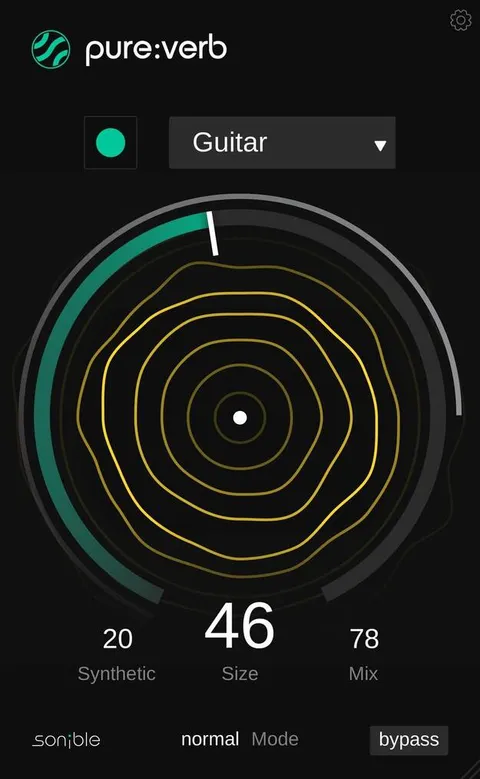
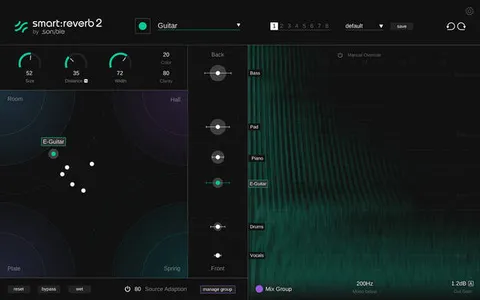
Assisted and Advanced views for learning and practical use

The plugin offers two views. The Assisted view keeps the interface focused on guided choices, which suits users who want quick results or are still learning how reverb behaves.

The Advanced view exposes more of the controls for hands-on adjustment. Sonible positions the two views as designed for both education and practical use, so the same plugin can grow with your experience.

04Specs

Will it run?

Formats, systems and requirements as listed by Plugin Boutique. Missing details are left out, not guessed.

Developersonible
TypePlugin
CategoryReverb
FormatsVST3, VST2, AU, AAX
Operating systemsWindows, macOS
Architecture64-bit
05FAQ

Questions, answered

What formats does learn:reverb support?

learn:reverb is available in VST3, VST2, AU and AAX formats. It is a 64-bit plugin.

Which operating systems can run learn:reverb?

learn:reverb runs on Windows and macOS. The listed requirements are Windows 10 or later and macOS 10.13 or later, both 64-bit only. Apple Silicon M1 is supported on macOS.

What do I need to run learn:reverb?

The recommended minimum is 4 GB of RAM and an Intel dual-core i5 CPU. Supported sample rates range from 44.1 kHz to 192 kHz.

Does learn:reverb suit beginners?

The Assisted view is designed for educational and practical use, offering guided choices. The Advanced view gives access to more parameters once you want finer control.

07Developer

More from sonible

All sonible products →