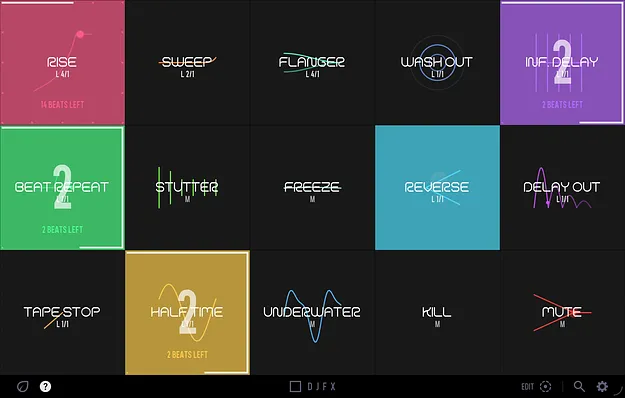
DJFX transition effects plugin interface with 15 colour-coded pads by Thenatan Audio

DJFX: One-Button Transition Effects Plugin by Thenatan Audio

DJFX is a multi-effect plugin from Thenatan Audio that provides 15 one-click transition effects, including tape stops, beat repeats, filter sweeps and riser builds, each mapped to its own pad.

VST3VST2AUAAXWindowsmacOS64-bit
AVAILABLE ATPlugin Boutique
Opens the store in a new tab
01Overview

DJFX is built around transitions, the moments where one section of a track hands over to the next. Each of its 15 pads contains a finished effect, so a tape stop, roll or filter dive can be triggered without setting up effect chains first. Latch mode can wait for the next downbeat and then run for a set length, and the pads show a beat counter so you can follow each move. It is a plugin for DJs and producers who want transition moves inside a live set or a finished arrangement.

Best for

  • DJ transitions
  • Live set effects
  • Tape stop breakdowns
  • Riser and build sections
  • Beat repeat rolls
  • Pre-drop muting
  • Arrangement automation
  • Remix transitions
Store
Plugin Boutique
02Key features

What you get

  • 15 one-click transition effects, one per pad
  • Momentary and Latch trigger modes per pad
  • Latched pads wait for the downbeat and release on the bar
  • Beat counter with wait, count, last-bar and release stages
  • Ten riser flavors built from your own track
  • Infinite-length pads loop once per bar until released
  • Drag-and-drop pad layout saved with presets
  • Built-in preset browser with save, load, rename and delete
  • Save CPU mode for running on a master channel
  • Resizable interface with hover tooltips
03In depth

Transition Effects Mapped to One Pad Each

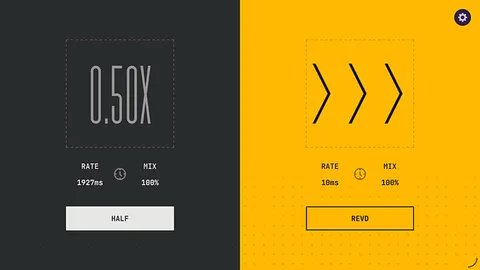
DJFX organizes its effects into five groups: Time, Rhythm, Filter, Space and Build and Cut. Time effects include Tape Stop, Half Time and Reverse. Rhythm effects include Beat Repeat, Stutter and Freeze. The filter group covers Underwater, Kill, Flanger and Sweep, while Space includes Infinite Delay, Wash Out and Delay Out. The Build and Cut group contains Rise, with ten riser flavors, and Mute for clean cuts before a drop.

Pads are colour-coded by effect, and each one shows a live animation of what it does. You can set each pad to Momentary, which runs while held, or Latch, which runs after a tap.
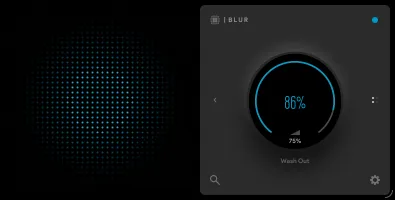
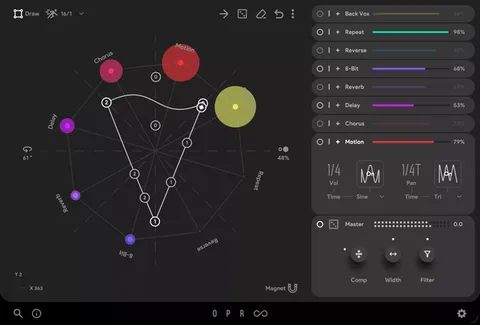
Latch Mode and the Beat Counter for Timed Transitions

In Latch mode, a pad waits for the next downbeat before it starts, runs for the exact length you set, then releases on the bar. If you trigger it early or late, it still lands on the one. The beat counter shows each stage: a red lap pulses while the pad waits, a white lap counts beats during the move, a large 4-3-2-1 countdown appears before release, and a flash marks the downbeat. Pads can also be set to infinite length, looping once per bar until released. When the transport is stopped, latched pads switch to a timed countdown.

DJFX can be automated from your DAW, so transitions can be written into a finished arrangement.

04Specs

Will it run?

Formats, systems and requirements as listed by Plugin Boutique. Missing details are left out, not guessed.

DeveloperThenatan Audio
TypePlugin
CategoryMulti Effect
FormatsVST3, VST2, AU, AAX
Operating systemsWindows, macOS
Architecture64-bit
05FAQ

Questions, answered

What formats does DJFX support?

DJFX is available in VST3, VST2, AU and AAX formats. It runs on Windows and macOS and is 64-bit.

What do I need to run DJFX?

On Mac, it supports AU, VST and VST3 in 64-bit with OS X 10.9.5 Mavericks or later, native Apple Silicon support, 4 GB RAM and 2 GB of free space on the system drive. On Windows, it requires Windows 7, 8, 10 or later, with 4 GB RAM and 2 GB of free space on the system drive.

Does DJFX work in my DAW?

The developer says it works in most major DAWs, including FL Studio, Logic and Ableton Live. It is not compatible with Pro Tools because the AAX format is not supported in that listing.

Can I automate DJFX pads in a DAW?

Yes. Every pad can be automated from your DAW, so transitions can be placed into an arrangement without adjusting controls by hand.

07Developer

More from Thenatan Audio

All Thenatan Audio products →