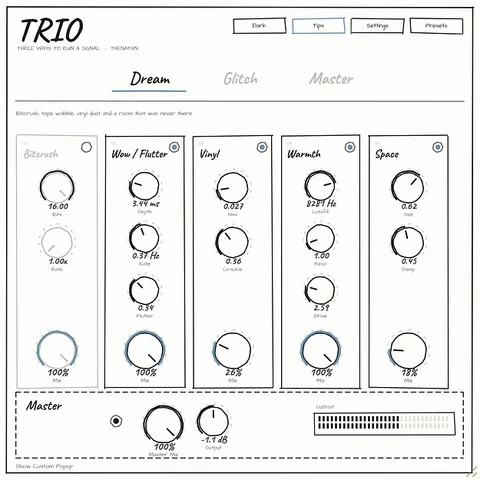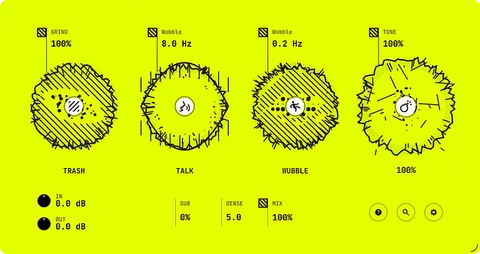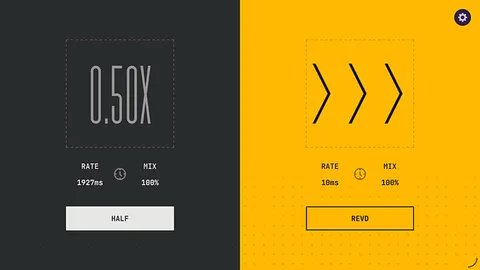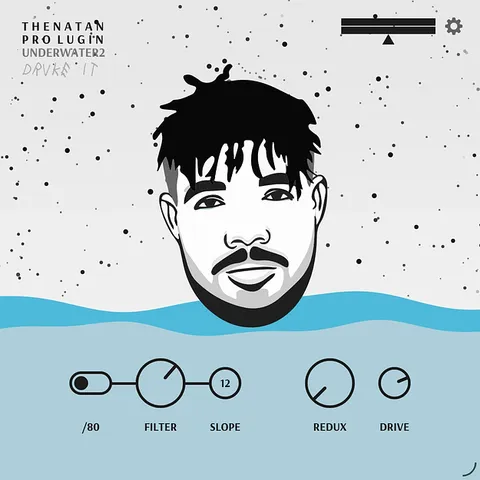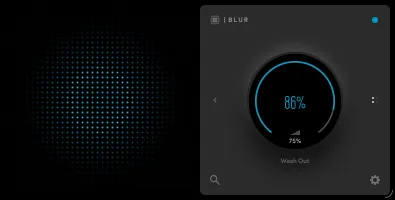
Blur multi-effect plugin interface by Thenatan Audio

Blur: Cinematic Multi-Effect Plugin by Thenatan Audio

Rated 4.5/5 on Plugin Boutique (49 ratings)

Blur is a multi-effect plugin from Thenatan Audio for creating cinematic transitions, wash-outs and underwater textures. It is available in VST3, VST2, AU and AAX formats for Windows and macOS.

VST3VST2AUAAXWindowsmacOS64-bit
AVAILABLE ATPlugin Boutique
Opens the store in a new tab
01Overview

Blur is an effects plugin built around smooth, atmospheric transitions. Its core control is a single cinematic knob that adds a wash and underwater character to a sound. Behind it sits a full FX engine with separate decay times for each frequency band, a choice of linear or curved response, high-pass and low-pass filters, and a damp control for a darker top end. Real-time spectral displays show the dry input and blurred output side by side, so you can see what the effect is doing as you adjust it.

Best for

  • Vocal transitions
  • Underwater textures
  • Beat flip transitions
  • Ambient wash effects
  • Film score atmospheres
  • Drum and synth blurring
Store
Plugin Boutique
02Key features

What you get

  • One-knob cinematic wash and underwater effect for instant transitions
  • Separate high and low decay time for each frequency band
  • Curve control for linear or curved blur response
  • High-pass and low-pass filters to clean up the blurred signal
  • Damp knob for a darker, warmer top end
  • Real-time spectral analyzers for dry and blurred signals
  • Starting presets covering space, vocals, transitions and textures
  • 64-bit support on Windows and macOS, including Apple Silicon
03In depth

Sound Character and Transition Control

The one-knob design makes Blur quick to use for transitions, fades and dramatic effects on vocals, synths and drums. Thenatan Audio positions it for trap, R&B, ambient, drill and experimental music.

For more control, the decay time settings let you decide how long the blur tail lingers in each frequency band. The curve control switches between a linear response for subtle fades and a curved response for heavier wash-outs. The high-pass and low-pass filters trim muddy lows or harsh highs from the blurred signal, and the damp knob softens the top end for a warmer result.
Workflow, Presets and Compatibility

Blur includes starting presets covering subtle space, cinematic sauce, underwater vocals, dreamy transitions and moody textures. They give you a starting point that you can load and then tweak to suit the track.

The plugin runs on Windows and macOS in 64-bit form, with VST3, VST2 and AU versions as well as AAX. It works in most major DAWs, but the developer notes it is not compatible with Pro Tools because there is no AAX version for that host.

04Specs

Will it run?

Formats, systems and requirements as listed by Plugin Boutique. Missing details are left out, not guessed.

DeveloperThenatan Audio
TypePlugin
CategoryMulti Effect
FormatsVST3, VST2, AU, AAX
Operating systemsWindows, macOS
Architecture64-bit
05FAQ

Questions, answered

What is Blur used for?

Blur is used to create cinematic transitions, wash-outs and underwater textures on vocals, synths, drums and other sounds. The developer positions it for trap, R&B, ambient, drill and experimental music.

Which formats and operating systems does Blur support?

Blur is available in VST3, VST2, AU and AAX formats. It runs on Windows and macOS in 64-bit form.

Does Blur work in Pro Tools?

No. The developer notes that Blur works in most major DAWs but is not compatible with Pro Tools, as there is no AAX version for that host.

Does Blur run natively on Apple Silicon?

Yes. The system requirements list native Apple Silicon compatibility on macOS Catalina and Big Sur.

07Developer

More from Thenatan Audio

All Thenatan Audio products →