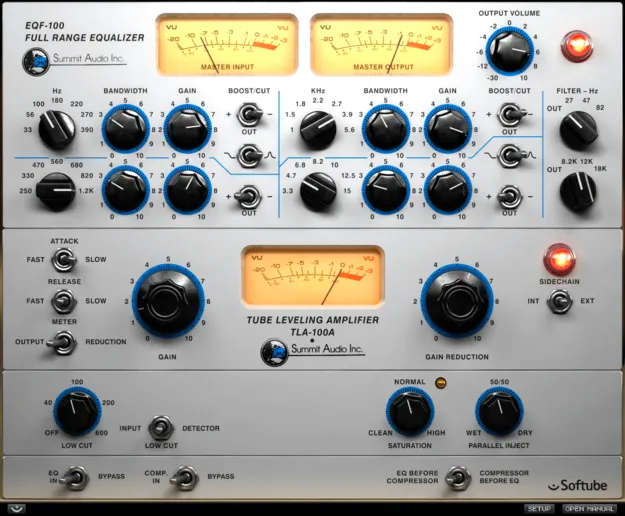
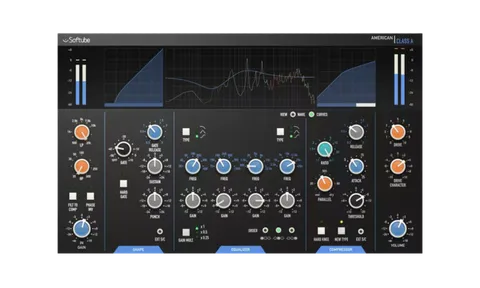
Summit Audio Grand Channel by Softube channel strip plugin interface

Summit Audio Grand Channel: Channel Strip Plugin by Softube

Rated 4.7/5 on Plugin Boutique (79 ratings)

Summit Audio Grand Channel is a channel strip plugin from Softube that combines the EQF-100 parametric passive equalizer with the TLA-100A compressor. It is available in VST3, VST2, AU, AAX and RTAS formats for Windows and macOS.

VST3VST2AUAAXRTASWindowsmacOS64-bit
AVAILABLE ATPlugin Boutique
Opens the store in a new tab
01Overview

Summit Audio Grand Channel brings two units from the Summit Audio lineup into one plugin: the EQF-100 parametric passive equalizer and the TLA-100A compressor. Because both sections sit in the same channel strip, adjusting one often changes how the other responds, which makes it practical for broad mixing tasks. By default the signal passes through the equalizer before the compressor, and a single switch reverses that order. Each unit can be bypassed individually to save CPU. The plugin also adds parallel compression, saturation control and a low cut filter on the input or detector.

Best for

  • Vocal mixing
  • Mix bus processing
  • Full mix tone shaping
  • Track compression and EQ
  • Parallel compression
Developer
Softube
Store
Plugin Boutique
02Key features

What you get

  • Combines EQF-100 parametric passive equalizer and TLA-100A compressor
  • Equalizer and compressor order reversible with a single switch
  • Individual bypass for each of the two units to save CPU
  • Parallel compression built into the compressor section
  • Saturation control included for the compressor
  • Low cut filter on input or detector
  • Each component modeled in detail
  • Analog-style behavior of frequency, phase, distortion, attack and release
03In depth

Equalizer and Compressor in One Channel Strip

The EQF-100 section handles tonal shaping, while the TLA-100A section handles dynamics. Running them in one plugin keeps the interaction between tone and level easy to hear and adjust.

The order switch is the key workflow control. Placing the equalizer before the compressor lets the compressor respond to the shaped signal, and reversing the order lets the equalizer shape the compressed result. Switching between the two is a quick way to compare how each arrangement feels on the same source.

The TLA-100A section adds parallel compression, saturation control and a low cut filter on the input or detector, extending the compressor beyond a standard setup.
Who Grand Channel Suits

Grand Channel is a fit for producers who want a single insert that covers equalization and compression on tracks such as vocals, mix buses or full mixes. Its wide sonic range and analog-style modeling of frequency, phase, distortion, attack and release are the main reasons to reach for it.

Individual bypass on each unit lets you audition either section alone, which helps when you want to confirm whether a change came from the equalizer or the compressor.

04Specs

Will it run?

Formats, systems and requirements as listed by Plugin Boutique. Missing details are left out, not guessed.

DeveloperSoftube
TypePlugin
CategoryChannel Strip
FormatsVST3, VST2, AU, AAX, RTAS
Operating systemsWindows, macOS
Architecture64-bit
05FAQ

Questions, answered

What is Summit Audio Grand Channel?

Grand Channel is a channel strip plugin from Softube that combines the EQF-100 parametric passive equalizer with the TLA-100A compressor in one insert.

Which formats and operating systems does Grand Channel support?

Grand Channel is available in VST3, VST2, AU, AAX and RTAS formats. It runs on Windows and macOS as a 64-bit plugin.

What do I need to use Grand Channel?

You need a compatible 64-bit host such as Pro Tools, Logic Pro, Cubase, Ableton Live, Studio One or Reaper, a Softube account and an iLok account. Internet access is required for downloading installers and managing licenses. Softube recommends the VST3 format.

07Developer

More from Softube

All Softube products →