SoundID Reference for Multichannel Upgrade calibration plugin by Sonarworks

SoundID Reference for Multichannel Upgrade from SoundID Reference for Speakers & Headphones Free Download

Rated 4.7/5 on Plugin Boutique (7 ratings)

SoundID Reference for Multichannel Upgrade is a calibration plugin from Sonarworks that measures and corrects multichannel speaker systems, from stereo up to 9.1.6, and applies headphone profiles for consistent reference sound.

VST3VST2AUAAXWindowsmacOS
AVAILABLE ATPlugin Boutique
Free trial available from the developer
01Overview

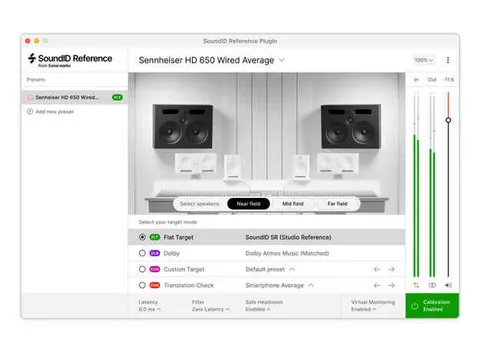
SoundID Reference for Multichannel Upgrade is aimed at owners of the earlier SoundID Reference for Speakers & Headphones who want to extend their setup to multichannel rooms. It works with speaker layouts from simple stereo up to 9.1.6 Atmos systems and can also calibrate headphones from a library of 480+ models, so the two can be matched to one reference. It is sold as an upgrade for previous owners, and the standard version of SoundID Reference for Multichannel is available separately.

Best for

  • Multichannel mixing rooms
  • Dolby Atmos monitor calibration
  • Stereo and surround translation
  • Headphone and speaker matching
  • Studio speaker alignment
Developer
Sonarworks
Store
Plugin Boutique
02Key features

What you get

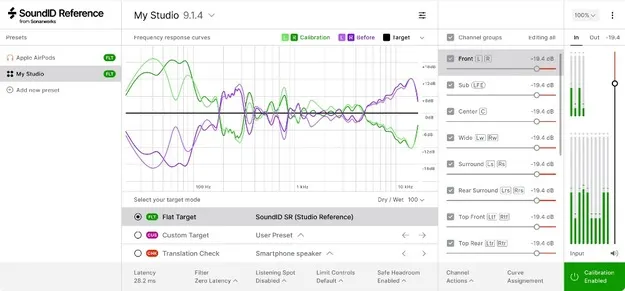
  • Speaker calibration for layouts from stereo up to 9.1.6 channels
  • Individually calibrated measurement microphone with multi-angle curves
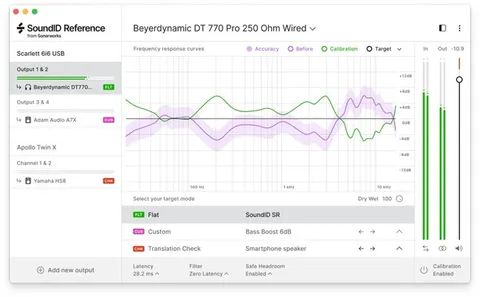
  • Headphone calibration for 480+ models
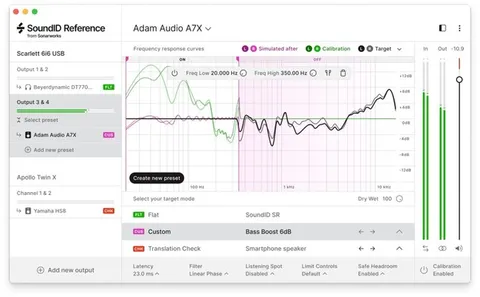
  • Flat, Dolby Atmos Music or custom target curves
  • Adjustable calibration frequency range per channel group
  • Phase-based time alignment for satellite and LFE channels
  • Zero-latency plugin DSP for multichannel
  • Native Apple Silicon support
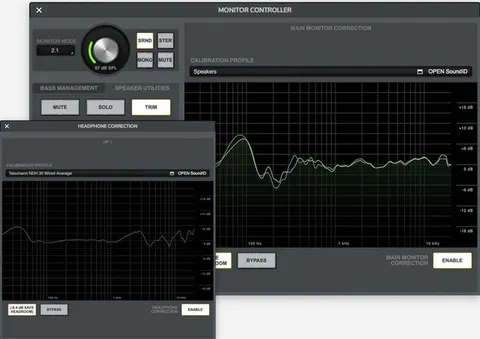
  • Profile export to supported hardware processors
03In depth

Speaker Measurement and Calibration Workflow

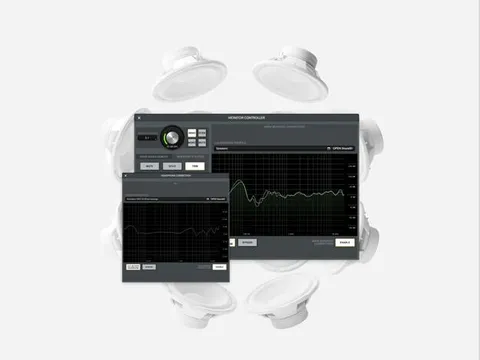
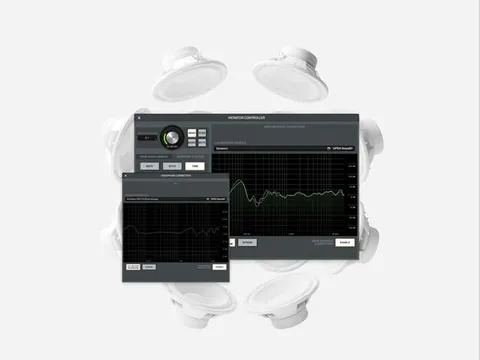
The software guides you through measuring studio speakers with an individually calibrated SoundID Reference measurement microphone. The microphone comes with multi-angle calibration curves, which Sonarworks uses to improve measurement accuracy.

Once measured, you can run the SoundID Reference plugin in your preferred DAW or export the calibration profile to supported hardware. Phase-based time alignment is applied to satellite and LFE channels to keep the soundstage coherent across the array.

The measurement process requires an audio interface with +48V phantom power, and the same interface must be used for input and output. The hardware setup should consist of a single external device, though additional preamp units are supported.
Target Curves and Hardware Export

You can correct your system to a flat frequency response, to the Dolby Atmos Music curve, or to a custom profile. Custom targets can be adjusted manually and the calibration range can be limited for the whole setup or for separate channel groups.

Calibration profiles can be applied through the plugin or exported to supported hardware, including Avid MTRX with SPQ DSP, Avid MTRX Studio, DAD AX32 with SPQ DSP, the Dolby Atmos Renderer Mastering Suite and Jones-Scanlon Studio Monitors.

04Specs

Will it run?

Formats, systems and requirements as listed by Plugin Boutique. Missing details are left out, not guessed.

DeveloperSonarworks
TypePlugin
CategoryReferencing Tools
FormatsVST3, VST2, AU, AAX
Operating systemsWindows, macOS
Free trialYes
05FAQ

Questions, answered

What formats does SoundID Reference for Multichannel Upgrade support?

The plugin is available in VST3, VST2, AU and AAX formats. It runs on Windows and macOS. The macOS version supports Apple Silicon natively.

What speaker setups can it calibrate?

It supports layouts from 2.0 stereo through 2.1, 5.1, 7.1 and 9.1.6 configurations, including Atmos-style systems with height channels.

What do I need to run the speaker measurement?

The measurement process requires an audio interface with +48V phantom power, using the same interface for input and output. The setup should include a single external hardware device, though additional preamp units are supported.
07Developer

More from Sonarworks

All Sonarworks products →