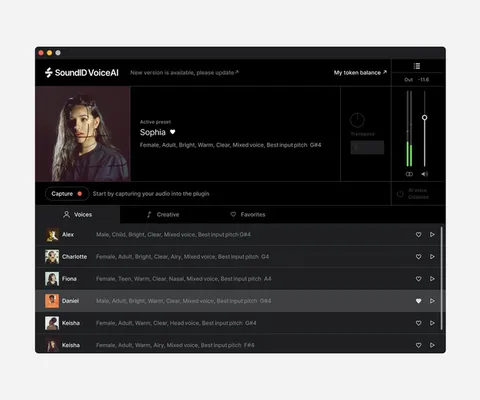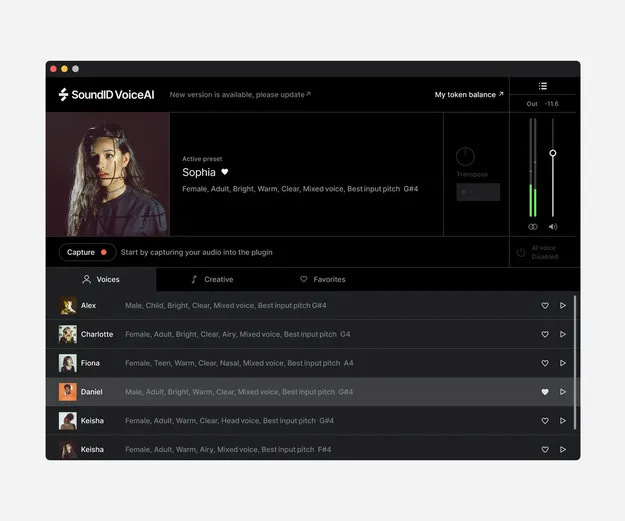
SoundID VoiceAI Medium Token Pack plugin interface by Sonarworks

SoundID VoiceAI Medium Token Pack: AI Vocal and Instrument Transformer

SoundID VoiceAI Medium Token Pack is a token-based credit pack for Sonarworks' SoundID VoiceAI plugin, which uses AI to transform a vocal track into singing voices or instrument sounds inside your DAW.

VST3AUAAXWindowsmacOS
AVAILABLE ATPlugin Boutique
Opens the store in a new tab
01Overview

SoundID VoiceAI is an AI vocal processing plugin from Sonarworks that runs inside your digital audio workstation. The Medium Token Pack supplies 180,000 tokens, which the developer says equals roughly 300 processing minutes. Cloud processing draws on these tokens, so you pay for server time based on the length of your audio. The plugin is available in VST3, AU and AAX formats for macOS and Windows.

Best for

  • Backing vocal creation
  • Demo vocal sketching
  • Humming to instrument ideas
  • MIDI melody experiments
  • Vocal arrangement ideas
Developer
Sonarworks
Store
Plugin Boutique
02Key features

What you get

  • 28 studio-grade voice models for realistic singing voices
  • 22 instrument models that turn humming or beatbox into sound
  • Runs as a plugin inside VST3, AU and AAX compatible DAWs
  • Token-based pay-as-you-go cloud processing
  • Medium pack includes 180,000 tokens, about 300 processing minutes
  • Encrypted transfer between the plugin and the cloud server
  • Perpetual local mode is available as a separate version
03In depth

Voice and Instrument Transformation

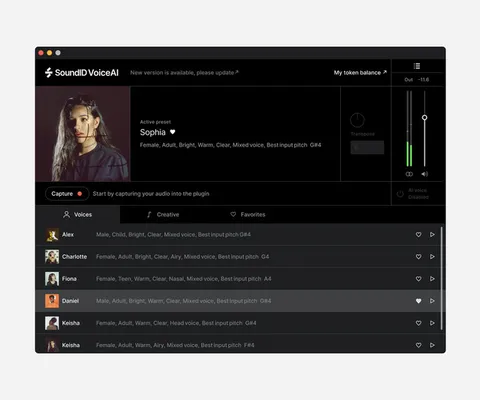
The plugin includes 28 voice models that turn a recorded vocal into a singing voice from the catalog. Sonarworks says it prioritizes quality over quantity in the library and plans to add new voice models over time.

A second set of 22 instrument models converts humming or beatboxing into sounds such as drums, guitar or violin. This is useful for sketching arrangements from a single performance, whether you work alone or with a group.
Workflow and Cloud Processing

SoundID VoiceAI loads as a plugin on a vocal track, so you can stay in your session. You arm the track for capture, play the project back, and the processed audio is placed on the track.

Cloud processing handles the heavy AI work on Sonarworks' servers and takes about 2.5 times the audio length. Sonarworks says audio is protected with industry-standard encryption during transfer between the plugin and the server. Offline use is not supported.

04Specs

Will it run?

Formats, systems and requirements as listed by Plugin Boutique. Missing details are left out, not guessed.

DeveloperSonarworks
TypePlugin
CategoryVocal Processing
FormatsVST3, AU, AAX
Operating systemsWindows, macOS
05FAQ

Questions, answered

What is SoundID VoiceAI used for?

It transforms a recorded vocal into a singing voice from a catalog of 28 voice models, or converts humming and beatboxing into instrument sounds such as drums, guitar or violin.

Which formats and operating systems does it support?

SoundID VoiceAI is available in VST3, AU and AAX formats and runs on macOS and Windows. It works in any DAW that supports these plugin formats.

What do I need to use SoundID VoiceAI?

You need a DAW or other plugin host that supports AU, AAX or VST3 plugins, and a stable internet connection, since offline use is not supported. For unlimited local processing with a perpetual license, 4 GB of free RAM is needed.

07Developer

More from Sonarworks

All Sonarworks products →