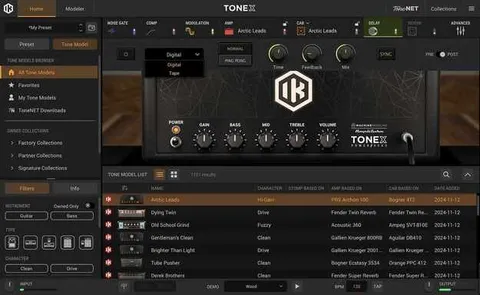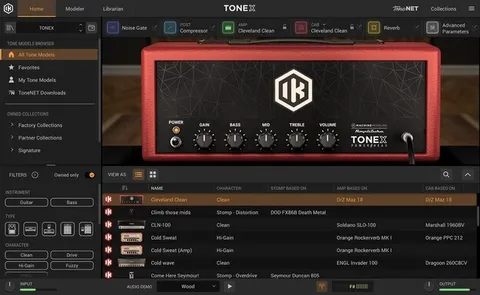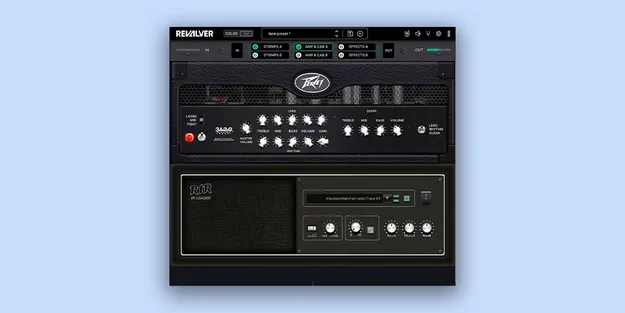
ReValver Suite by HeadRush amp modeling plugin interface

ReValver Suite: Amp Modeling and Amp Capture Software by HeadRush

Rated 4.2/5 on Plugin Boutique (14 ratings)

ReValver Suite is an amp simulator plugin from HeadRush that combines amp, cabinet and effects modeling with amp capture, letting you build and load custom amp clones alongside the core model library.

VST3VST2AUAAXWindowsmacOS64-bit
AVAILABLE ATPlugin Boutique
Opens the store in a new tab
01Overview

ReValver Suite brings together the ReValver 5.1 modeling platform and the ReValver Amp Cloner. Amp clones made in Amp Cloner appear directly in ReValver 5.1, so they sit next to the built-in amp, cabinet, effects and instrument models. The suite is aimed at guitarists and producers who want a single environment for capturing and shaping guitar tone, with support for plugin hosting and live use through MIDI control.

Best for

  • Guitar amp tone shaping
  • Capturing custom amp clones
  • Live guitar rigs with MIDI control
  • Recording guitar in a DAW
  • Acoustic and folk instrument clones
Developer
HeadRush
Store
Plugin Boutique
02Key features

What you get

  • Amp, cabinet and effects modeling in one plugin
  • Amp Cloner for capturing amp clones
  • SuperClones that morph between combined clones
  • Schematic-level editing of ReValver amps
  • Hosting of VST, VST3 and AU plugins inside ReValver
  • MIDI mapping of virtually every parameter
  • GIG Mode for seamless preset switching
  • Global mute on standalone startup to prevent feedback
03In depth

Amp Capture and SuperClones

ReValver Amp Cloner adds amp capturing to the ReValver platform. Clones created in Amp Cloner are available in ReValver 5.1 as soon as they are made.

Amp Cloner also introduces SuperClones, which combine several clones into one model. A single control morphs between the clones it contains. SuperClones load in ReValver 5.1 in the same way as standard clones. The free Amp Cloner Player module opens clones and SuperClones created in Amp Cloner.
Live Use, Hosting and Editing

Each amp can be edited down to the schematic level, which HeadRush presents as an industry first. ReValver can also host your own VST, VST3 and AU plugins, so the chain can be extended beyond the built-in models.

For performance, MIDI mapping gives control over virtually every parameter. GIG Mode switches between presets seamlessly, and a global mute on standalone startup helps prevent feedback.

04Specs

Will it run?

Formats, systems and requirements as listed by Plugin Boutique. Missing details are left out, not guessed.

DeveloperHeadRush
TypePlugin
CategoryAmp Simulator
FormatsVST3, VST2, AU, AAX
Operating systemsWindows, macOS
Architecture64-bit
05FAQ

Questions, answered

What formats does ReValver Suite support?

ReValver Suite is available as VST3, VST2, AU and AAX plugins for 64-bit hosts.

Which operating systems can run ReValver Suite?

It runs on Windows 10 21H2 or later and on macOS 13.0 or later, on both Intel and ARM Macs.

What do I need to use ReValver Suite?

You need a VST 2.4, VST3, AU or AAX host, or a sound card, preferably with ASIO on Windows.

Can I use my own amp captures in ReValver?

Yes. Clones made in ReValver Amp Cloner appear in ReValver 5.1 and can be used alongside its built-in models.