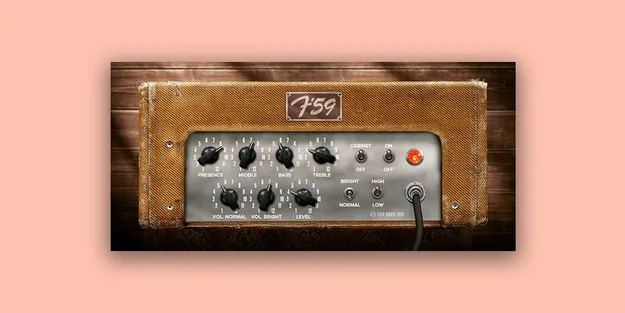
F-59 Classic Guitar Amp by Fuse Audio Labs amp simulator plugin interface

F-59 Classic Guitar Amp: Tweed Amp Simulator Plugin by Fuse Audio Labs Free Download

Rated 4.8/5 on Plugin Boutique (44 ratings)

F-59 Classic Guitar Amp is an amp simulator plugin from Fuse Audio Labs that models a 1958-60 tweed guitar amplifier. It models both preamp channels, the tone stack and the power amp, and it is available in VST3, VST2, AU and AAX formats.

VST3VST2AUAAXWindowsmacOS64-bit
AVAILABLE ATPlugin Boutique
Free trial available from the developer
01Overview

The F-59 Classic Guitar Amp models a guitar amplifier from the 1958-60 era, a period the developer links to the sound of early rock and roll. The plugin covers clean tones with body and depth, along with overdriven distortion when the amp is pushed. Fuse Audio Labs also positions it for synths and beats, where the amp's warm timbre and crunch can be used on non-guitar sources.

Best for

  • Rock guitar tones
  • Clean tweed amp sound
  • Crunch and overdrive
  • Synth and beat processing
  • In-the-box guitar tracking
  • Cabinet bypass with IRs
Store
Plugin Boutique
02Key features

What you get

  • Models a classic 1958-60 tweed guitar amplifier
  • Emulates both preamp channels and the tone stack network
  • Models the power amplifier and revision A presence filter feedback circuit
  • Clean tones with thick, deep body
  • Smooth, rich distortion when the amp is cranked
  • Built-in cabinet simulation that can be bypassed
  • Linear level control for in-the-box workflows
  • Warm timbre and crunch on synths and beats
03In depth

Amp Modeling and Tone Character

The F-59 plugin emulates both preamp channels, the tone stack network and the power amplifier, including the revision A presence filter feedback circuit. Fuse Audio Labs says the clean setting delivers thick, deep tones with a lot of body, while cranking the amp produces smooth, rich distortion.

The developer describes the response as organic, with good pick response and dynamic feel. Its focus is on a wide range of tones that stay natural rather than heavily processed.
Workflow and Cabinet Options

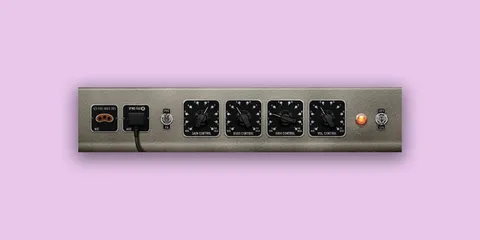
A cabinet simulation and a linear level control have been added for in-the-box workflows. The cabinet stage can be bypassed if you prefer to use your own impulse response (IR) files or a separate cabinet emulation suite.

Because the plugin is available in VST3, VST2, AU and AAX formats, it can be loaded in most major digital audio workstations on Windows and macOS.

04Specs

Will it run?

Formats, systems and requirements as listed by Plugin Boutique. Missing details are left out, not guessed.

DeveloperFuse Audio Labs
TypePlugin
CategoryAmp Simulator
FormatsVST3, VST2, AU, AAX
Operating systemsWindows, macOS
Architecture64-bit
Free trialYes
05FAQ

Questions, answered

What formats does F-59 Classic Guitar Amp support?

The plugin is available in VST3, VST2, AU and AAX formats. It runs on Windows and macOS and is listed as 64-bit.

What do I need to run the F-59 Classic Guitar Amp?

On Mac, you need a 64-bit Intel or Apple Silicon CPU, 2GB RAM, macOS 10.12 or newer, and a display of 1280x1024 pixels or more. On Windows, you need a 2 GHz or faster Intel-compatible CPU, 2GB RAM, Windows 7 or newer, and a display of 1280x1024 pixels or more. You also need a VST2, VST3, AAX or AudioUnits compatible host.

Can I use the F-59 on synths and beats?

Fuse Audio Labs says the plugin also works on synths and beats, where its warm timbre, sweet crunch and responsive dynamic feel can add character.

Can I use my own cabinet IRs with the F-59?

Yes. The cabinet simulation stage can be bypassed so you can use your preferred impulse response files or a separate cabinet emulation suite.

07Developer

More from Fuse Audio Labs

All Fuse Audio Labs products →