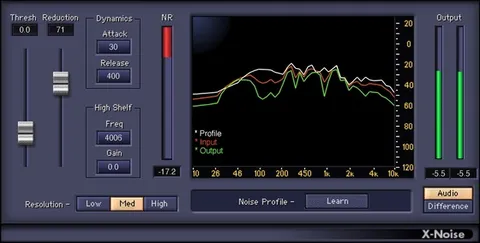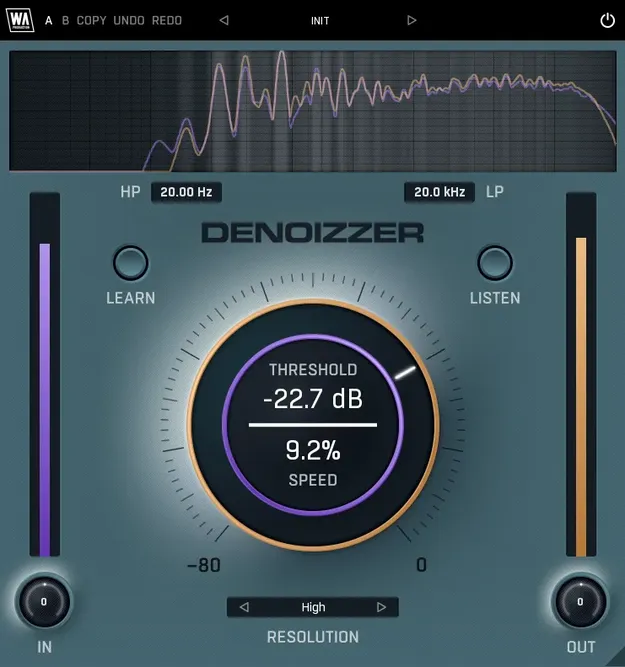
DeNoizzer noise reduction plugin interface by W. A. Production

DeNoizzer: Noise Reduction Plugin by W. A. Production

Rated 4.4/5 on Plugin Boutique (41 ratings)

DeNoizzer is a noise reduction plugin from W. A. Production that learns the fingerprint of unwanted noise and removes it from audio, such as electrical hum, traffic rumble or room ambience.

AVAILABLE ATPlugin Boutique
Opens the store in a new tab
01Overview

DeNoizzer is aimed at producers who work with imperfect recordings. Instead of a blunt noise gate, it targets the specific frequencies you capture as noise. You play a section of isolated noise, press Learn, and the plugin builds a profile to reduce. The developer describes it as a surgical alternative to a traditional gate, designed to remove noise while keeping the rest of the signal intact.

Best for

  • Hum removal
  • Traffic rumble cleanup
  • Room ambience reduction
  • Vocal recording cleanup
  • Electronic gear noise
  • Restoring imperfect recordings
Store
Plugin Boutique
02Key features

What you get

  • Learns a noise profile from a section of isolated noise
  • Listen mode for hearing the noise being removed
  • High and Low Pass filters for frequency-specific cleanup
  • Resolution control for reduction algorithm quality
  • Speed dial for different types of audio
  • Live frequency spectrum display
  • AB comparison with copy and paste
  • Undo and redo
  • Resizable interface
  • Factory presets as starting points
  • Full PDF manual and tutorial video
03In depth

Noise Removal Controls and Workflow

The Learn button captures the noise profile from a few seconds of isolated noise. The central control covers Threshold and Speed, which set how much noise is trimmed and how the attack and release of the processing respond. Speed has settings for different types of audio.

High and Low Pass Filters shape the frequency range the processing acts on, which helps when you only need to clean low-end rumble or high-end hiss. Resolution sets the quality of the reduction algorithm.

Monitoring and Visual Feedback

A live frequency spectrum at the top of the interface shows the incoming and processed signals as they pass through the plugin. The Listen mode lets you hear the isolated noise profile, which helps you judge what is being removed.

AB comparison and copy and paste let you contrast different processing chains, and undo and redo revert changes. The interface is resizable and built on vector graphics.

04Specs

Will it run?

Formats, systems and requirements as listed by Plugin Boutique. Missing details are left out, not guessed.

DeveloperW. A. Production
TypePlugin
CategoryAudio Restoration
05FAQ

Questions, answered

What is DeNoizzer used for?

DeNoizzer removes unwanted noise from audio, such as electrical hum, traffic rumble or room ambience. You capture a noise profile and the plugin reduces those frequencies in the track.

How does DeNoizzer learn the noise?

Play a few seconds of isolated noise and press the Learn button. The plugin captures that noise profile and uses it to reduce the noise across the audio.

Is DeNoizzer CPU friendly?

The developer lists DeNoizzer as responsive and CPU friendly. A full PDF manual and a tutorial video are also included.

07Developer

More from W. A. Production

All W. A. Production products →