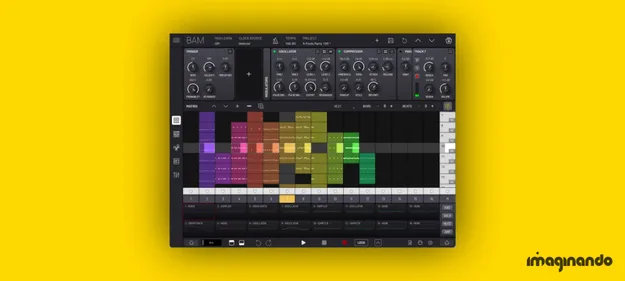
BAM - Beat Maker & Music Maker groovebox plugin interface by Imaginando

BAM - Beat Maker & Music Maker: Groovebox Plugin by Imaginando Free Download

Rated 4.8/5 on Plugin Boutique (10 ratings)

BAM - Beat Maker & Music Maker is a groovebox plugin by Imaginando for building beats, loops and full tracks, with a step sequencer, sampler, built-in synth engines, effects and a clip launcher.

VST3VST2AUWindowsmacOS64-bit
AVAILABLE ATPlugin Boutique
Free trial available from the developer
01Overview

BAM - Beat Maker & Music Maker combines a step sequencer, sample-based drum tools, synthesis engines and a matrix clip launcher in one plugin. Tracks are arranged in a rack-style layout of 16 tracks plus Master and two send channels, and each clip can hold up to 256 steps. The developer positions it for beginners who want to learn beat making quickly as well as for producers who want a sketchpad for full tracks. It is available as a VST3, VST2 and AU plugin.

Best for

  • Beat making for beginners
  • Drum loop sketching
  • Acid bassline programming
  • Live clip launching
  • Scene-based arrangement
  • Groovebox sequencing
Developer
Imaginando
Category
Grooveboxs
Store
Plugin Boutique
02Key features

What you get

  • Over 1000 drum and percussive samples plus melodic timbres
  • 16 rack-style tracks plus Master and 2 send channels
  • Step sequencer with up to 256 steps per clip
  • Built-in oscillator, drum, sampler and acid bass synths
  • Filter, EQ, delay, chorus, compressor, reverb and saturator effects
  • MIDI clip piano roll editor
  • Clip-based parameter automation editor
  • Track trigger options with LFO and EG modulators
  • Matrix clip and scene launcher with follow actions
  • AUv3 plugin support, including MIDI effects
03In depth

Sample Library, Synths and Sequencing

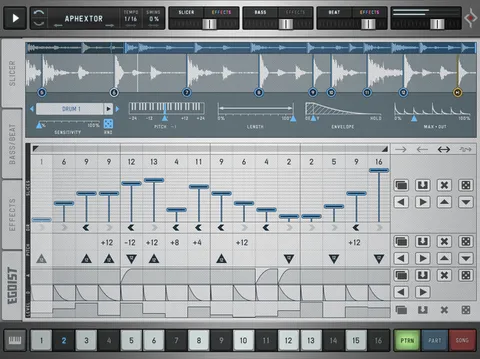
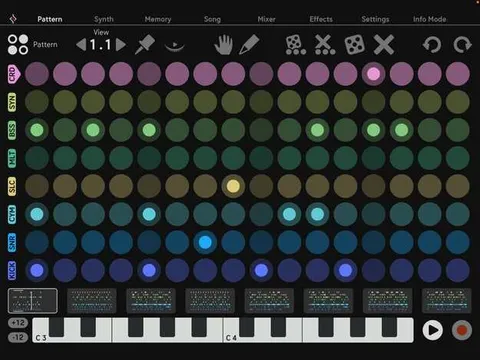
BAM ships with a sample library of more than 1000 drum and percussive samples, plus melodic timbres. Its built-in engines include an oscillator synth, a drum synth, a sampler and a classic acid bass synth, so you can start a beat without loading anything else.

The step sequencer supports up to 256 steps per clip, and a MIDI clip piano roll editor handles note-based parts. Clip-based parameter automation and track-level trigger options, along with LFO and EG modulators, let you add movement to patterns over time.
Effects, Mixing and Live Clip Launching

Each track offers filter, 3-band EQ, parametric EQ, delay, chorus, compressor, reverb, phaser, saturator, bit reduction and stereo enhancer effects. The mixer provides volume, pan, mute, solo and arm controls for every track.

The matrix MIDI clip and scene launcher lets you trigger clips and scenes, with extensive follow action options for arranging sections. That makes BAM usable for sketching in the studio and for triggering loops during a live set.

04Specs

Will it run?

Formats, systems and requirements as listed by Plugin Boutique. Missing details are left out, not guessed.

DeveloperImaginando
TypePlugin
CategoryGroovebox
FormatsVST3, VST2, AU
Operating systemsWindows, macOS
Architecture64-bit
Free trialYes
05FAQ

Questions, answered

What formats does BAM support?

BAM is available as a VST3, VST2 and AU plugin, and it is a 64-bit plugin.

Which operating systems can run BAM?

BAM runs on Windows and macOS. On Mac it requires macOS 12 or higher, and on PC it requires Windows 10 or higher.

What do I need to use BAM?

You need a compatible 64-bit host DAW that supports the VST, VST3 or AU plugin format, about 650 MB of free disk space, and an internet connection for license activation.

Is there a trial version?

Yes, BAM offers a trial.

07Developer

More from Imaginando

All Imaginando products →