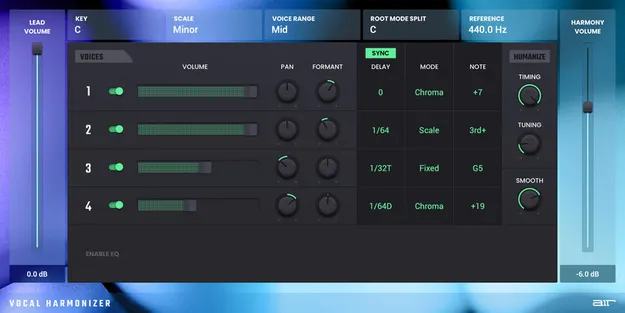
Vocal Harmonizer by AIR Music Technology vocal harmony effects plugin

Vocal Harmonizer: Vocal Harmony Plugin by AIR Music Technology Free Download

Rated 4.4/5 on Plugin Boutique (19 ratings)

Vocal Harmonizer is an effects plugin from AIR Music Technology that generates additional harmony voices from a single vocal track, including a 5th below, a major or minor 3rd above, or a full background vocal section.

VST2AUAAXWindowsmacOS
AVAILABLE ATPlugin Boutique
Free trial available from the developer
01Overview

Vocal Harmonizer is built for producers who need harmony parts without recording and tuning multiple takes. From one vocal recording, it generates the extra voices itself, so there is no need to stack tracks or coordinate several singers. The developer says it produces full four-part harmonies instantly. Once the voices are generated, you can adjust EQ and panning to place the harmonic section in the mix, which helps the added parts sit with the lead vocal.

Best for

  • Vocal harmony stacking
  • Background vocal sections
  • Pop vocal production
  • Choir-style backing vocals
  • Faster vocal production
Store
Plugin Boutique
02Key features

What you get

  • Generates full four-part vocal harmonies from one audio track
  • Adds a fifth below the melody
  • Adds a major or minor third above the melody
  • Creates a full background vocal section from a single vocal
  • Adjustable EQ for the harmony voices
  • Pan controls for positioning harmony voices in the mix
  • Available in VST2, AU and AAX formats
  • Runs on Windows and macOS
03In depth

Generating Harmonies From a Single Vocal Track

Vocal Harmonizer works from one audio track of lead vocal. You can add a fifth below the melody, a major or minor third above it, or build a full background vocal section. AIR Music Technology says the plugin creates four-part harmonies instantly.

Because the harmony voices are generated by the plugin, timing and pitch alignment are handled for you. This is the main problem the developer highlights with stacking recorded vocal tracks or working with multiple background singers.
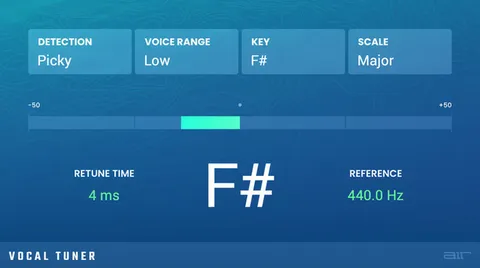
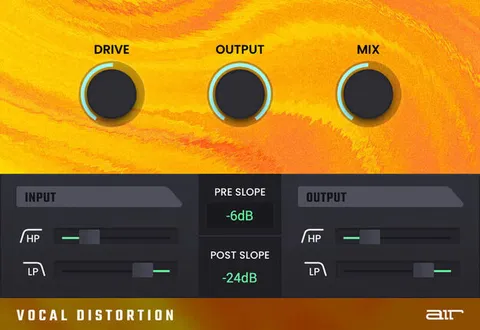
Mixing the Harmony Section

After the harmony voices are created, you can open the controls to adjust EQ and pan. This lets you shape the harmonic layer separately from the lead so it sits in the mix rather than competing with the main vocal.

Use the EQ and panning controls to position the added voices in the stereo field and balance them against the lead. The developer positions the plugin as a way to get professional-sounding vocal results while finishing tracks faster.

04Specs

Will it run?

Formats, systems and requirements as listed by Plugin Boutique. Missing details are left out, not guessed.

DeveloperAIR Music Technology
TypePlugin
CategoryVocal Processing
FormatsVST2, AU, AAX
Operating systemsWindows, macOS
Free trialYes
05FAQ

Questions, answered

What formats does Vocal Harmonizer support?

Vocal Harmonizer is available in VST2, AU and AAX formats. It runs on Windows and macOS.

What do I need to run Vocal Harmonizer?

It needs a compatible host for the format you use: a VST 2/3 host, an AU host on macOS, or an AAX host. Required specs include 4GB RAM (8GB recommended) and a dual-core 2.5GHz CPU. On Mac, macOS 12 through 15 is supported, and on Windows, Windows 10 and 11.

Does Vocal Harmonizer require an internet connection?

Yes. An internet connection is required to authorise the software.

Is there a trial version of Vocal Harmonizer?

Yes, a trial version is available.

07Developer

More from AIR Music Technology

All AIR Music Technology products →