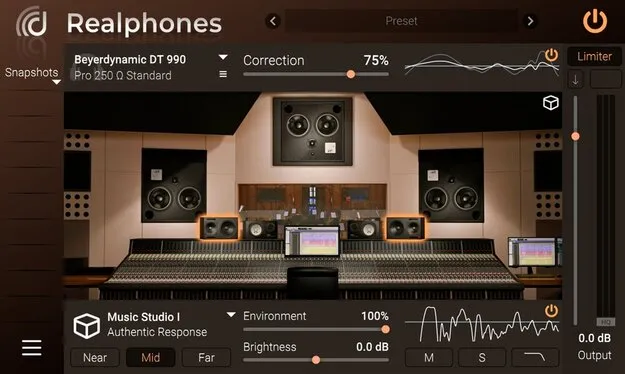
Realphones 2 Standard by dSONIQ headphone correction plugin interface

Realphones 2 Standard: Headphone Correction and Room Emulation Plugin Free Download

Rated 4.7/5 on Plugin Boutique (33 ratings)

Realphones 2 Standard is a studio tools plugin by dSONIQ that corrects headphone frequency response and emulates speaker-based monitoring environments for mixing with headphones.

VST3VST2AUWindowsmacOS64-bit
AVAILABLE ATPlugin Boutique
Free trial available from the developer
01Overview

Realphones 2 Standard is aimed at producers and engineers who mix on headphones. It applies frequency response correction to reduce colouration and adds virtual room emulation, so a mix can be checked in a setting closer to a studio control room, a club or a car. It also includes binaural virtual positioning based on HRTF, which places sound sources in a more speaker-like arrangement. The plugin is available as a VST3, VST2 and AU in 64-bit builds for Windows and macOS.

Best for

  • Headphone mixing
  • Mix translation checks
  • Binaural monitoring
  • Car mix checks
  • Club low-end checks
Developer
dSONIQ
Store
Plugin Boutique
02Key features

What you get

  • Headphone frequency response correction for a more linear sound
  • Binaural virtual positioning based on HRTF
  • Studio control room emulation with near- and far-field monitoring
  • Device, car and environment emulations for mix checks
  • Updated sound engine and room emulation in version 2.0
  • Snapshots can be dragged, aiding quick comparisons
  • Full native Apple Silicon support
  • Supports VST3, VST2 and AU formats in 64-bit
03In depth

Headphone Correction and Virtual Room Sound

Headphones can sound different from speakers in timbre, width and space, which makes headphone mixes hard to trust. Realphones uses headphone frequency response correction to produce a flatter, more linear sound with less unwanted colouration. The developer says the correction is based on measurements taken since 2015, and that the list of supported headphone models is expanding.

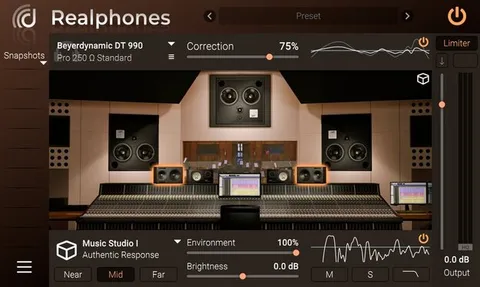
The plugin also models a professional control room and adds binaural positioning with a 60-degree angle and room ambience set to 100 percent. Together these settings aim to restore the level and frequency balance between centre and sides that headphones often lose.

Version 2.0 adds an updated sound engine, updated room emulation and new emulations for studios, devices, cars and environments.
Monitoring Environments for Mix Checks

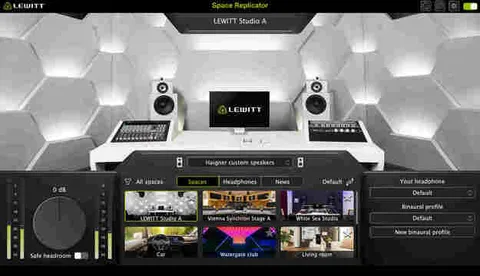
Realphones includes emulations of several listening situations. Studio emulations cover control rooms and a home-studio style setting. Device emulations include smartphones, laptops, TVs and Bluetooth speakers. Car emulations let you hear a mix through two vehicle cabins, and club and concert hall environments show how low frequencies and overall balance may translate outside the studio.

Switching between these settings gives you a way to check how a mix behaves under different listening conditions before you export it.

04Specs

Will it run?

Formats, systems and requirements as listed by Plugin Boutique. Missing details are left out, not guessed.

DeveloperdSONIQ
TypePlugin
CategoryReferencing Tools
FormatsVST3, VST2, AU
Operating systemsWindows, macOS
Architecture64-bit
Free trialYes
05FAQ

Questions, answered

What formats does Realphones 2 Standard support?

Realphones 2 Standard is available as VST3, VST2 and AU plugins in 64-bit builds.

Which operating systems can run Realphones 2 Standard?

It runs on Windows 7 and newer (32 or 64-bit, VST and VST3) and on macOS 10.9 or later, including Intel and M1 Apple Silicon Macs (64-bit, VST, VST3 and AU).

Does Realphones 2 Standard support my headphones?

The developer says Realphones supports about 200 headphone models and that the list is being expanded. Check the developer's supported list at dsoniq.com/standard to confirm your model.

Is there a trial version?

Yes, a trial is available for this plugin.

07Developer

More from dSONIQ

All dSONIQ products →