Glitch Effects and Rolls Synced to Your DAW Tempo
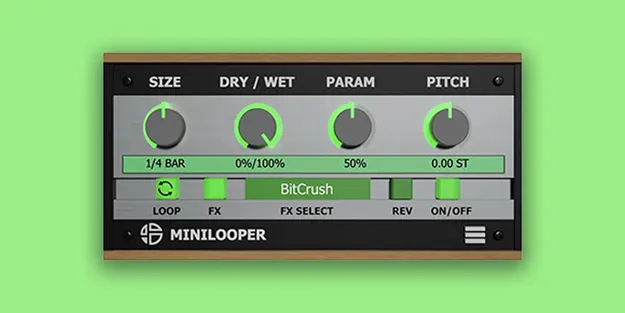
MiniLooper loops the audio passing through it and keeps the loops locked to the tempo of your DAW. That timing is what makes it useful for drum fills and rolls: you can set up a short loop at the end of a measure and repeat it quickly to create a roll, with the loop staying in time with the rest of your track.
The reverse button and pitch modulation add further options for breaking up the sound. Combined with the eight effects, these controls let you move from a clean loop to an unstructured, glitchy texture in a few steps.