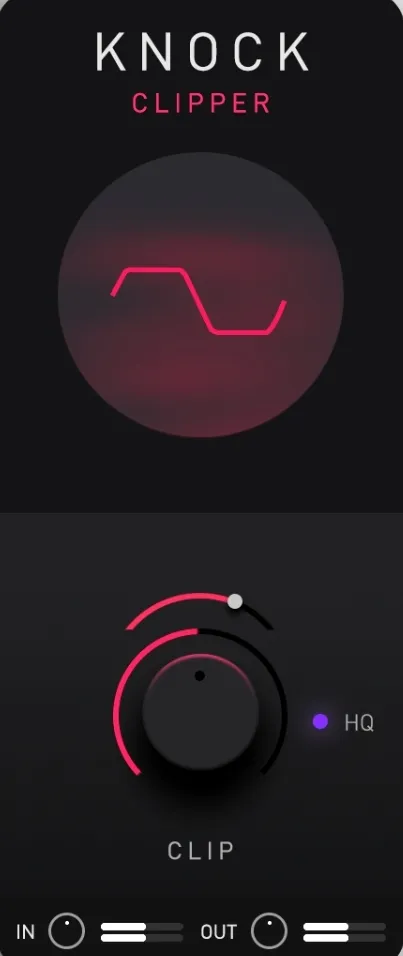
KNOCK Clipper by KNOCK Audio clipper plugin interface

KNOCK Clipper: Hard and Soft Clipper Plugin by KNOCK Audio

Rated 4.4/5 on Plugin Boutique (1,209 ratings)

KNOCK Clipper is a user-adjustable hard and soft clipper plugin by KNOCK Audio. It is the clip module from the KNOCK plugin, designed to push drums hard while keeping the output below 0 dB.

VST3AUAAXWindowsmacOS64-bit
AVAILABLE ATPlugin Boutique
Opens the store in a new tab
01Overview

KNOCK Clipper is a clipping effect from KNOCK Audio, built from the CLIP module of the KNOCK plugin designed by DECAP. It is aimed at producers who want drums with a warm, driven character. The developer ties its sound to the DRUMS THAT KNOCK drum kit series. The plugin offers a choice between harder and softer clip curves, so you can shape the amount of grit from aggressive to rounded.

Best for

  • Drum bus clipping
  • Aggressive kick and snare
  • Techno drum processing
  • Warm drum saturation
  • Peak-controlled drums
Developer
KNOCK Audio
Category
Limiters
Store
Plugin Boutique
02Key features

What you get

  • Exact clipper module from DECAP's KNOCK plugin
  • User-adjustable hard and soft clip curves
  • Warm, aggressive drum saturation
  • Optional high-quality oversampling mode
  • Output kept below 0 dB
  • Lightweight on CPU
  • Simple, easy-to-use interface
03In depth

Sound and Clipping Character

KNOCK Clipper lets you drive drums hard without the output ever exceeding 0 dB. KNOCK Audio describes the result as a warm, aggressive tone, similar to pushing vintage analogue gear into saturation.

A harder clip curve gives a more aggressive, edgy result. A softer curve gives a rounder tone with less harshness. Switching between the two lets you match the clipper to the material you are processing.

An optional high-quality mode enables oversampling, which can reduce aliasing when clipping is pushed hard.
Workflow and Controls

The plugin is built around a single clipper with a hard and soft setting, which keeps the interface simple. It is designed to be easy to use within a standard mixing chain.

Because it is light on CPU, it can be placed on several tracks in a session. Its main use is on drum buses and individual drum channels, where controlled clipping adds density without raising peak levels.

04Specs

Will it run?

Formats, systems and requirements as listed by Plugin Boutique. Missing details are left out, not guessed.

DeveloperKNOCK Audio
TypePlugin
CategoryLimiter
FormatsVST3, AU, AAX
Operating systemsWindows, macOS
Architecture64-bit
05FAQ

Questions, answered

Which formats does KNOCK Clipper support?

KNOCK Clipper is available in VST3, AU and AAX formats. It runs on Windows and macOS in 64-bit.

What are the system requirements for KNOCK Clipper?

On macOS, it requires macOS 10.15 or later, with Intel or Apple M1 processors, 8 GB of RAM (16 GB recommended) and 500 MB of disk space. On Windows, it requires Windows 10 or later, 8 GB of RAM (16 GB recommended), an Intel Core i5, i7, i9 or Xeon, or an AMD quad-core processor, and 500 MB of disk space.

Does KNOCK Clipper need an internet connection?

If you access it through a Rent to Own plan or the Beatport Studio membership, it is installed and run through the Beatport Access portal. In that case, an internet connection is required every 30 days to validate your license.

07Developer

More from KNOCK Audio

All KNOCK Audio products →