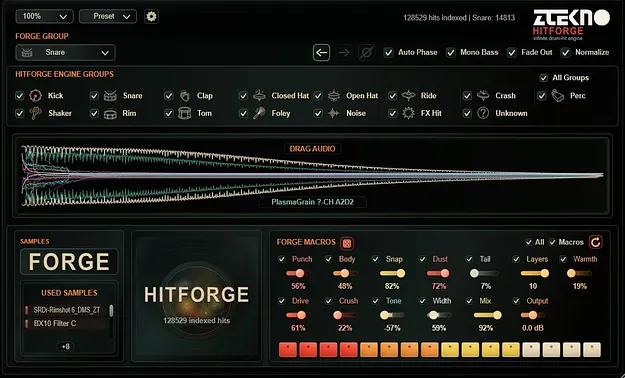
HITFORGE by ZTEKNO Plugins drum-hit sampler plugin interface

HITFORGE: Drum-Hit Engine Sampler by ZTEKNO Plugins

HITFORGE is a Windows VST3 drum-hit sampler by ZTEKNO Plugins that scans large sample folders and combines layers into new, layered one-shots for electronic production.

VST3Windows64-bit
AVAILABLE ATPlugin Boutique
Opens the store in a new tab
01Overview

HITFORGE is built for producers who already own large drum libraries but spend too long auditioning similar sounds. It scans sample folders, organizes material into groups, and combines layers into a new hit you can preview immediately. Finished WAV files can be dragged straight into your DAW session. The developer positions it for kicks, claps, snares, hats, impacts and percussion.

Best for

  • Tech house drum layers
  • Techno percussion hits
  • Melodic techno one-shots
  • Minimal kick variations
  • Bass music drum design
  • Sample pack and template building
Category
Samplers
Store
Plugin Boutique
02Key features

What you get

  • Turns large, messy drum folders into a usable creative instrument
  • Generates new layered one-shots from your existing samples
  • FORGE mode for focused, group-based hit creation
  • HITFORGE mode combines enabled engine groups for varied results
  • Waveform preview with Drag Audio to DAW export
  • Macro controls: Punch, Snap, Dust, Tail, Tone, Layers, Mix, Output
  • Used Samples view to mute, solo, reorder and refine layers
  • Finishing tools: Auto Phase, Mono Bass, Fade Out, Normalize
03In depth

Generating Layered Drum Hits From Your Sample Library

HITFORGE works from the samples you already have. It indexes your folders and sorts the material into usable groups. FORGE creates a new hit from one selected group, which suits focused work when you want a specific kick, snare or hat character. HITFORGE combines enabled engine groups for less predictable results.

Used Samples shows the layers behind each hit. From there you can mute, solo, reorder and refine individual layers. Settings presets and full .zhf presets let you save strong results and recall them later.
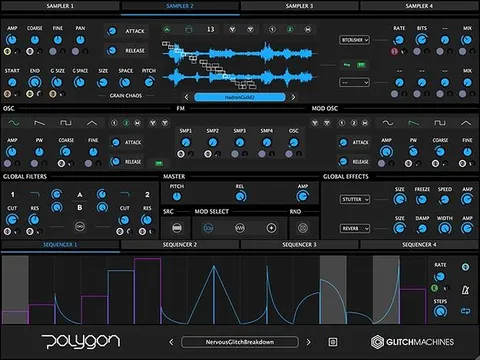
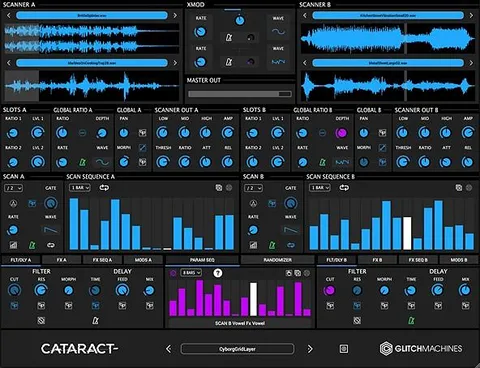
Shaping Character With Macro Controls and Finishing Tools

The main macro controls are Punch, Snap, Dust, Tail, Tone, Layers, Mix and Output. They adjust the character of each hit quickly, without opening a deep editing chain. A waveform editor includes a scalable Reverse control that preserves Fade In and Fade Out behavior.

Finishing options include Auto Phase, Mono Bass, Fade Out and Normalize. Use these to prepare hits for mixing before you drag them into the session.

04Specs

Will it run?

Formats, systems and requirements as listed by Plugin Boutique. Missing details are left out, not guessed.

DeveloperZTEKNO Plugins
TypePlugin
CategorySampler
FormatsVST3
Operating systemsWindows
Architecture64-bit
05FAQ

Questions, answered

What formats and operating systems does HITFORGE support?

HITFORGE is available as a 64-bit VST3 plugin for Windows. The developer lists Windows 10 and Windows 11 64-bit as supported systems.

What do I need to run HITFORGE?

You need a 64-bit VST3-compatible DAW or audio host on Windows, an Intel or AMD x64 processor, at least 4 GB of RAM (8 GB or more recommended), and at least 500 MB of free disk space plus room for your sample libraries.

Does HITFORGE need an internet connection?

No. The developer states that an internet connection is not required for normal operation after installation.

What is the difference between FORGE and HITFORGE?

FORGE creates a new hit from the selected sample group for focused results. HITFORGE combines the enabled engine groups to produce more unexpected hits.

07Developer

More from ZTEKNO Plugins

All ZTEKNO Plugins products →