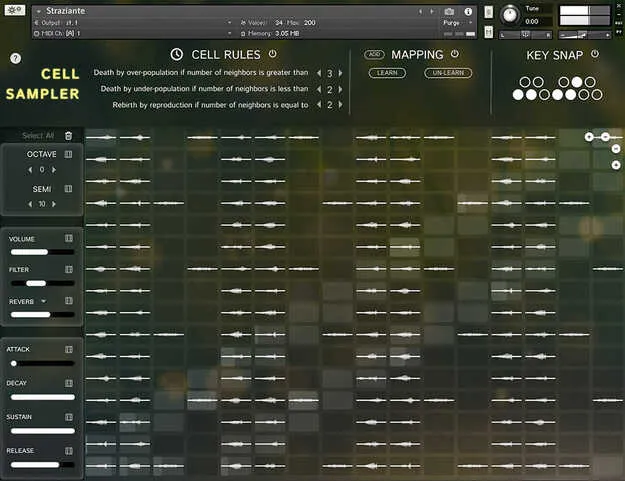
Cell Sampler by Ben Osterhouse Kontakt instrument interface

Cell Sampler: Cellular Automaton Sampler for Kontakt

Cell Sampler is a Kontakt instrument by Ben Osterhouse that generates random sequences from samples placed on a grid. Each sample sits in its own cell, and the cells evolve over generations under simple neighbor rules.

REQUIRESKontaktHost player sold separately
StandaloneKontaktWindowsmacOS
AVAILABLE ATPlugin Boutique
Opens the store in a new tab
01Overview

Cell Sampler is built around a grid of cells. You drop samples into the grid, and the instrument maps each one to its own cell automatically. Activating cells and playing a note starts a chain reaction, where living cells trigger their samples as the grid changes from one generation to the next. The result is a sequence that is partly controlled by you and partly by the rules. It is a creative tool for generating patterns and textures rather than a conventional sampler for playing melodies.

Best for

  • Generative drum patterns
  • Glitch and texture sequences
  • Experimental sound design
  • Randomized sample sequencing
  • Live performance patterns
Requires
Kontakt
Store
Plugin Boutique
02Key features

What you get

  • Automatic mapping of each dropped sample to its own cell
  • Grid size from 1 to 16 on both axes
  • Three cell rules controlling birth and death of cells
  • Chain reactions triggered by playing a note
  • Learn and Un-Learn for saving and recalling cell patterns
  • Add mode to layer mappings without overwriting the grid
  • Key Snap to restrict pitches to a scale
  • CC11 and CC1 control of living cells
03In depth

How the Cell Rules Shape Your Sequences

Each generation follows three rules based on how many living neighbors a cell has. A cell dies if it has more than three neighbors, dies if it has fewer than two, and is reborn if it has exactly three. Playing a note starts a sequence of these generations, and living cells play their samples on each step. A cell only plays its sample if that sample is not already playing, which keeps overlapping triggers under control.

Because the rules are simple, the patterns can be predictable in structure but surprising in detail. Shaping the starting arrangement of living and dead cells is the main way to steer the output.
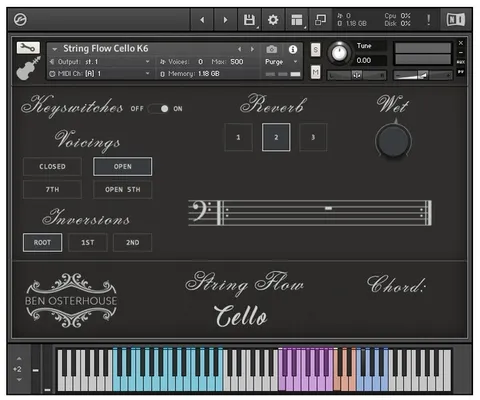
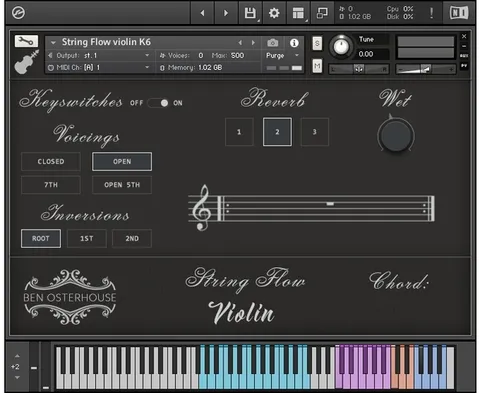
Workflow, Mapping and Control Options

Use Learn to save the current arrangement of living and dead cells to a note. Play that note later to recall the pattern. With Add enabled, a mapping adds its living cells to the grid instead of overwriting it, which lets you layer patterns. Un-Learn removes a mapping.

Key Snap restricts played pitches to a scale when turned on. The grid can range from 1 to 16 cells on both axes. MIDI CC11 moves living cells side to side, and CC1 moves them up and down, so you can reshape patterns with a controller during a performance.

04Specs

Will it run?

Formats, systems and requirements as listed by Plugin Boutique. Missing details are left out, not guessed.

DeveloperBen Osterhouse
TypePlugin
CategoryKontakt Instrument
RequiresKontakt
FormatsStandalone, Kontakt
Operating systemsWindows, macOS
05FAQ

Questions, answered

What do I need to use Cell Sampler?

Cell Sampler requires Kontakt. It works in the free Kontakt Player 7.3 or later, and also in the full version of Kontakt 7.3 or above.

Which operating systems and formats are supported?

Cell Sampler runs on Windows 10/11 and macOS. It is available as a Kontakt instrument and as a Standalone application. On macOS it supports Intel Macs with an i5 or higher, running macOS 10.15, 11 or 12, and Apple Silicon Macs via Rosetta 2 or natively in Standalone or supporting hosts.

What kind of samples does it include?

The presets include samples taken from other Osterhouse Sounds libraries, synthesized sounds, and recordings of household objects. The samples are available as WAV files.

How do I keep the output in key?

Turn on Key Snap to restrict played pitches to a scale.

07Developer

More from Ben Osterhouse

All Ben Osterhouse products →